INDUSTRY
Recruitment
Artificial Intelligence
Contributions
UX/UI Design
Product Strategy
User Research
Duration
2 months
Release
2025
📋 Task
Design and develop an intelligent recruitment platform that helps hiring managers streamline the entire hiring process, from posting a job to making the final decision.
The goal was to create a smart, friendly, and transparent experience that combines automation (AI scheduling, screening, and insights) with human control and clarity.
📌
Challenges
Integrating AI Guidance Seamlessly
Designing a conversational flow where the AI (Wisey) feels like a true assistant, not a replacement, offering suggestions, reminders, and automation without taking control away from the user.
Maintaining Clarity Across Complex Steps
Ensuring productivity reports provide valuable insights (productivity scores, completed tasks, focus time) without overwhelming the user with too much information.
Maintaining a Playful but Professional Tone
The process includes multiple steps (job setup, screening, interviews, final decision). It was essential to keep users aware of progress and next actions at all times.
Balancing Automation and Human Touch
Ensuring the interface felt empathetic and trustworthy while using AI-generated suggestions for decisions like candidate ranking or interview questions.
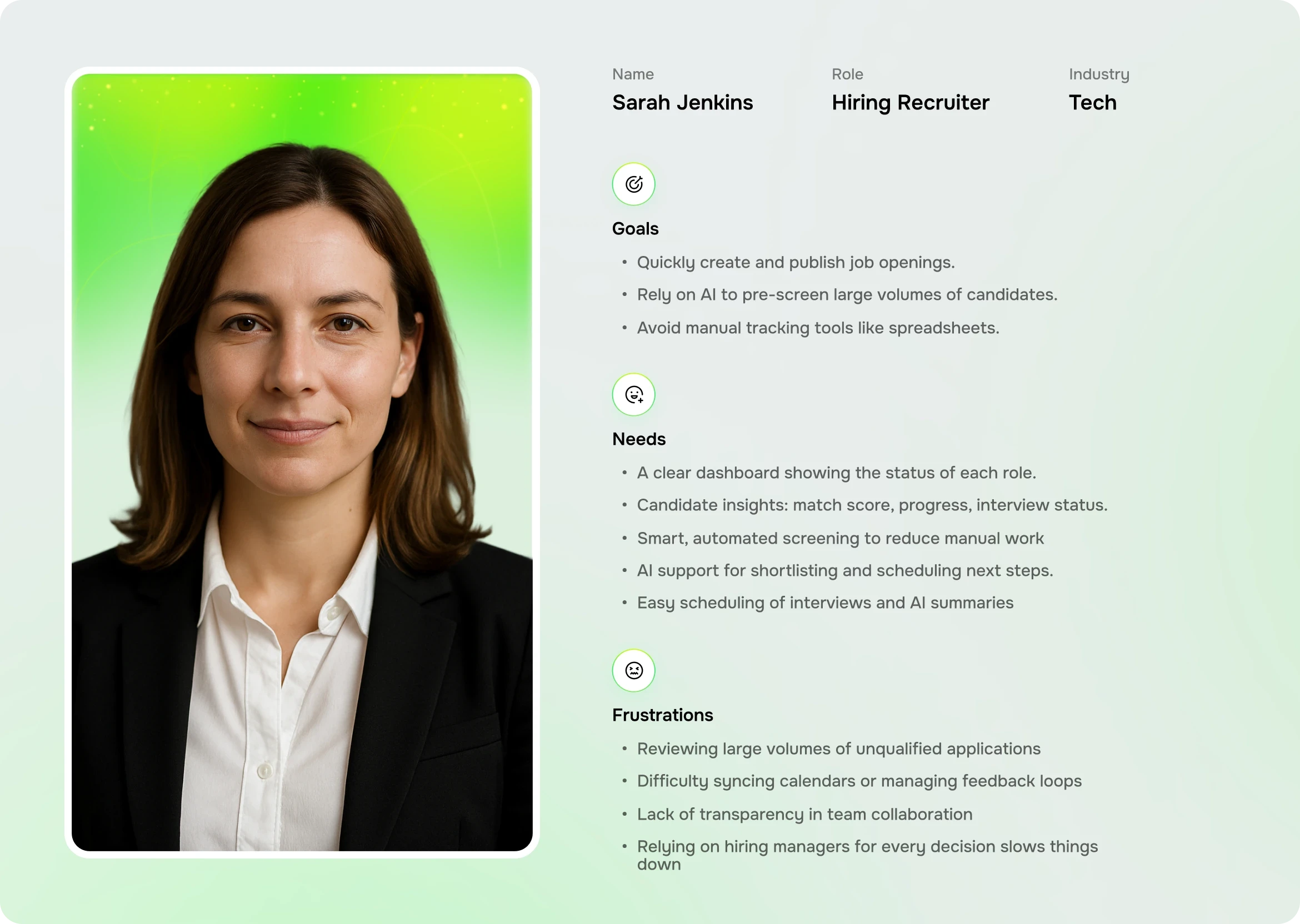
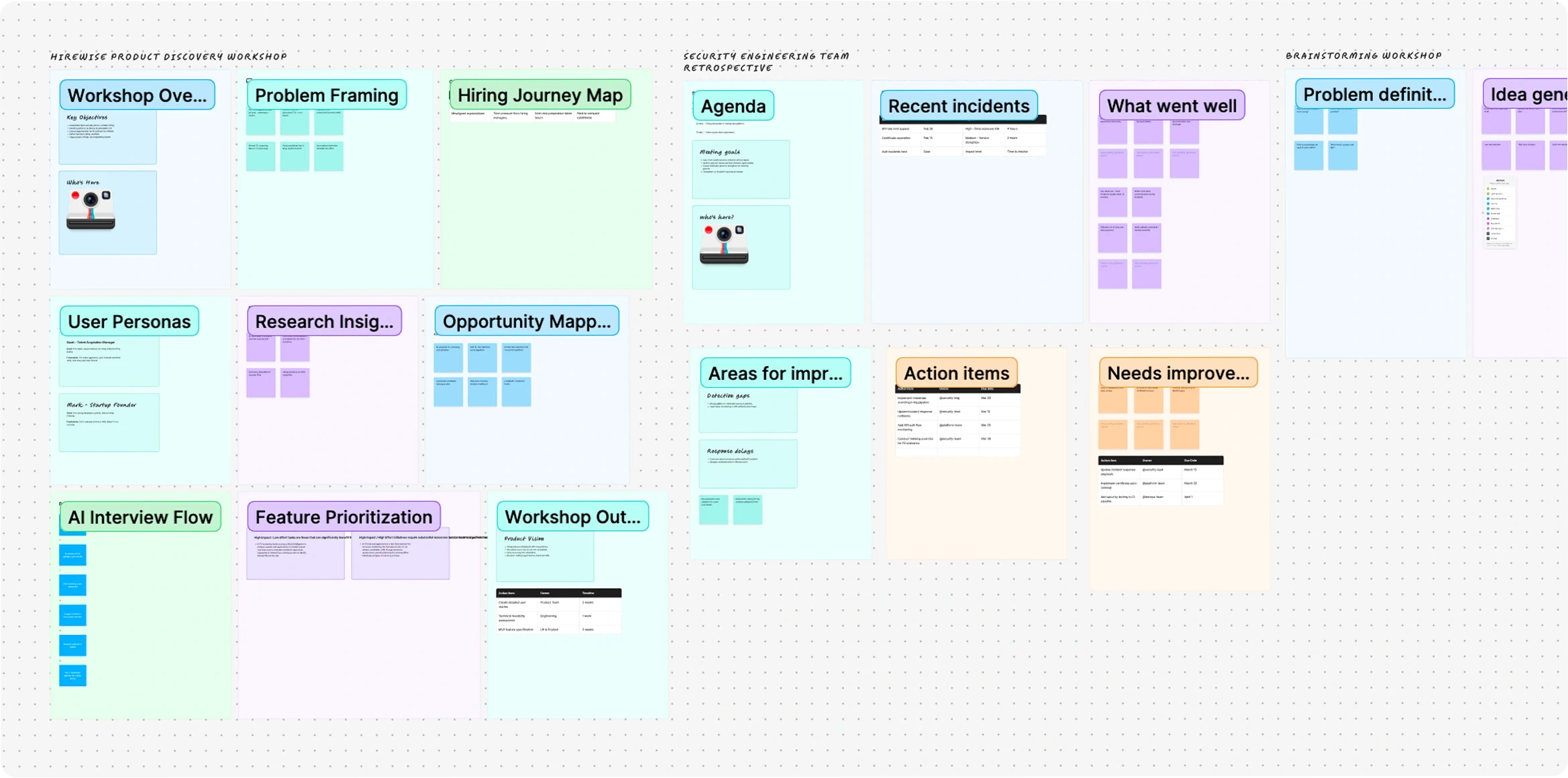
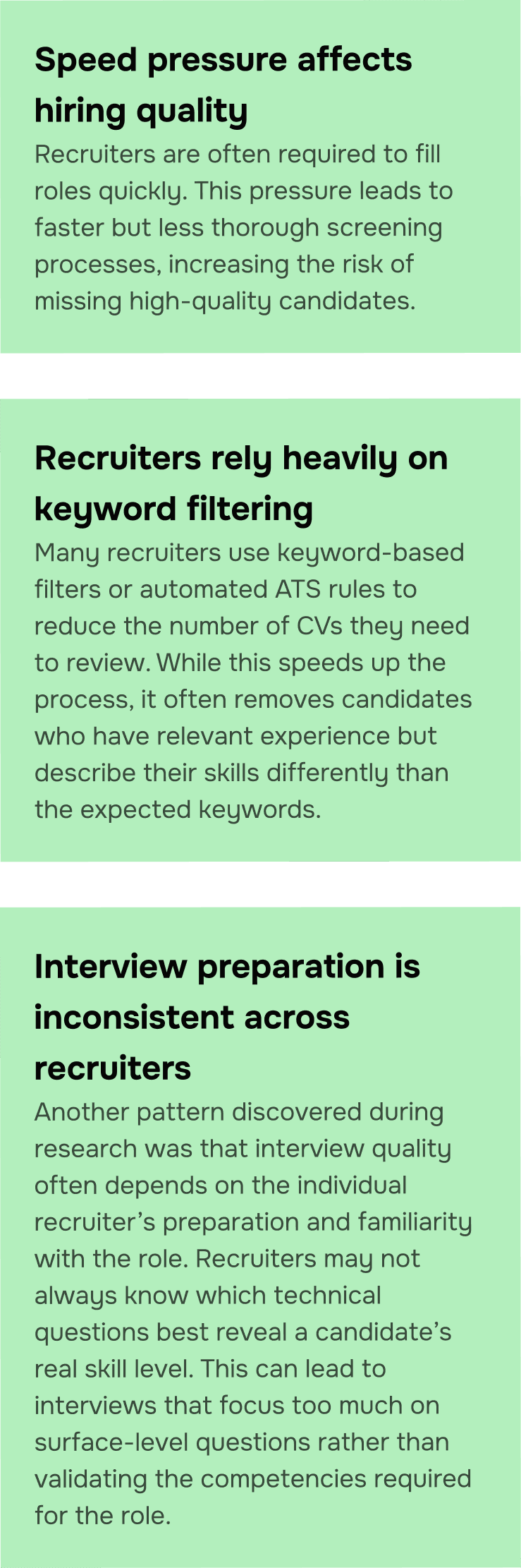
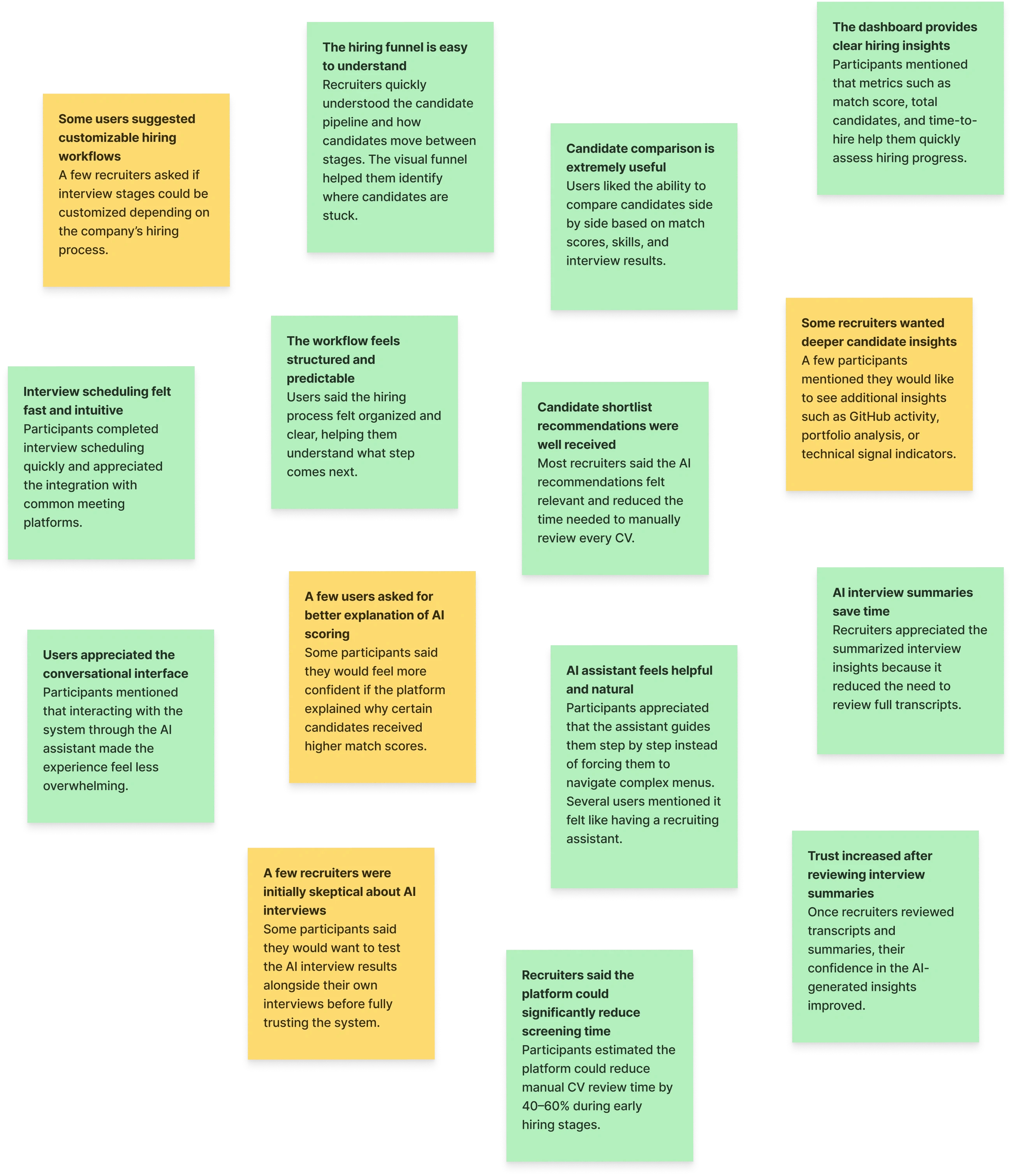
Before moving into design, we wanted to deeply understand how recruiters actually work, what slows them down, what they value, and how they feel about AI assistance.
We conducted several short interviews with tech recruiters and hiring managers. Here are the key insights that shaped the direction of HireWise:
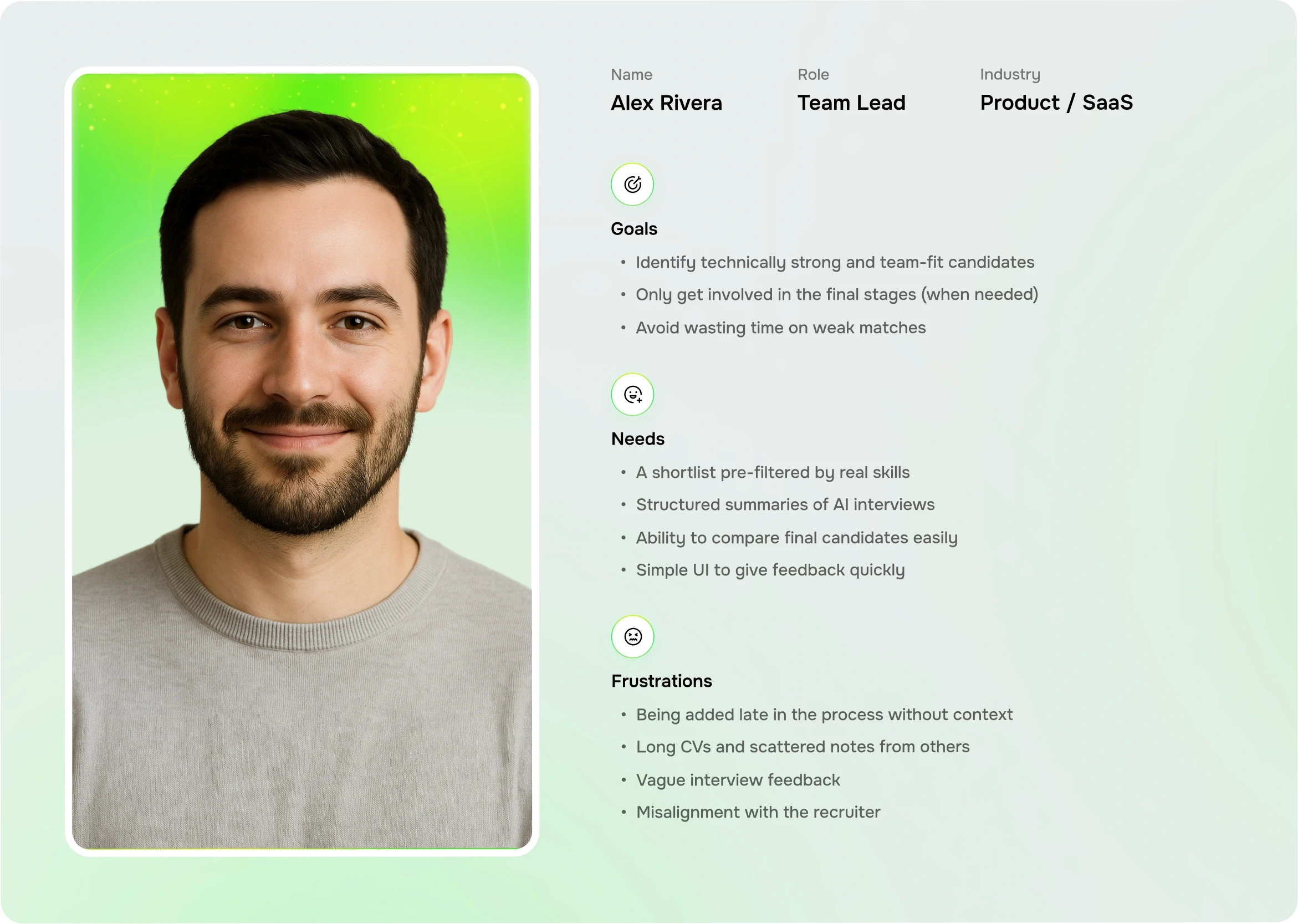
Workshop & Research Findings
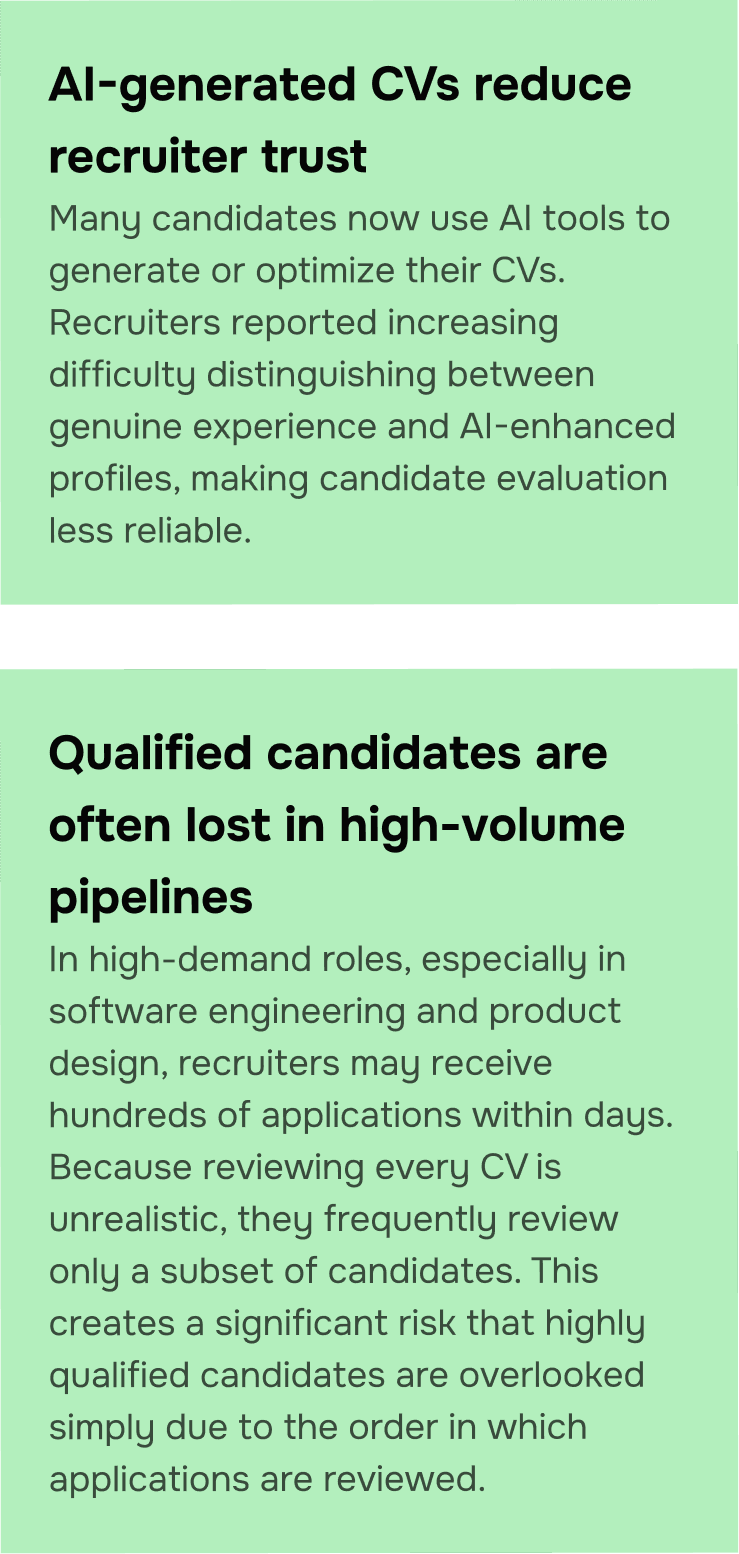
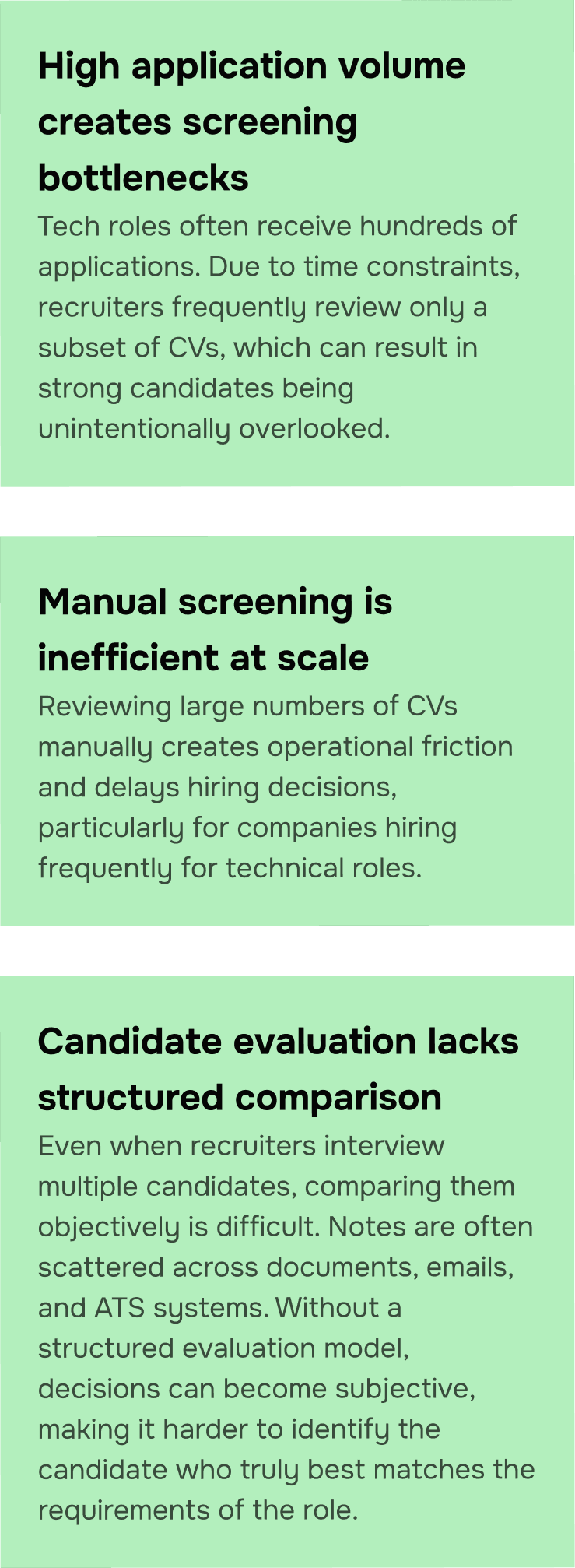
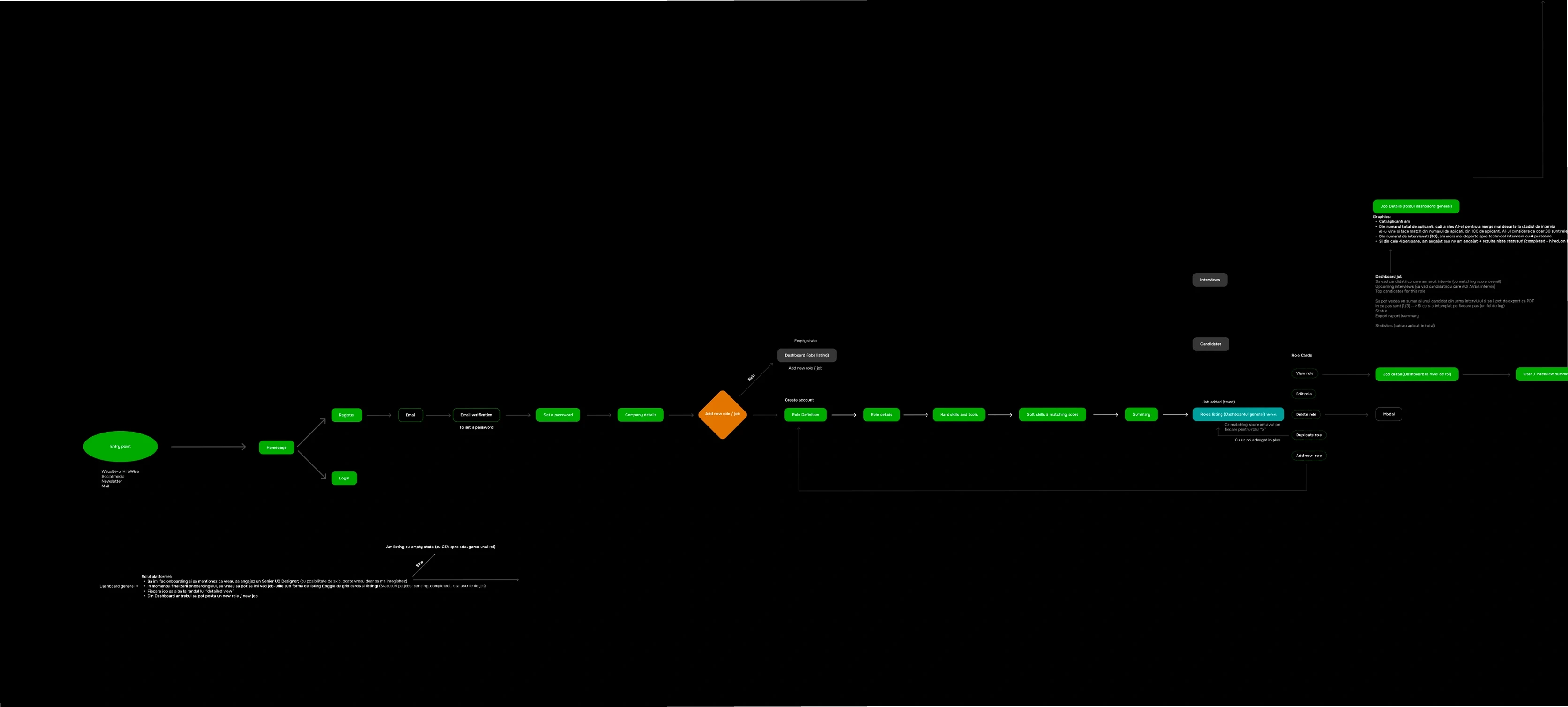
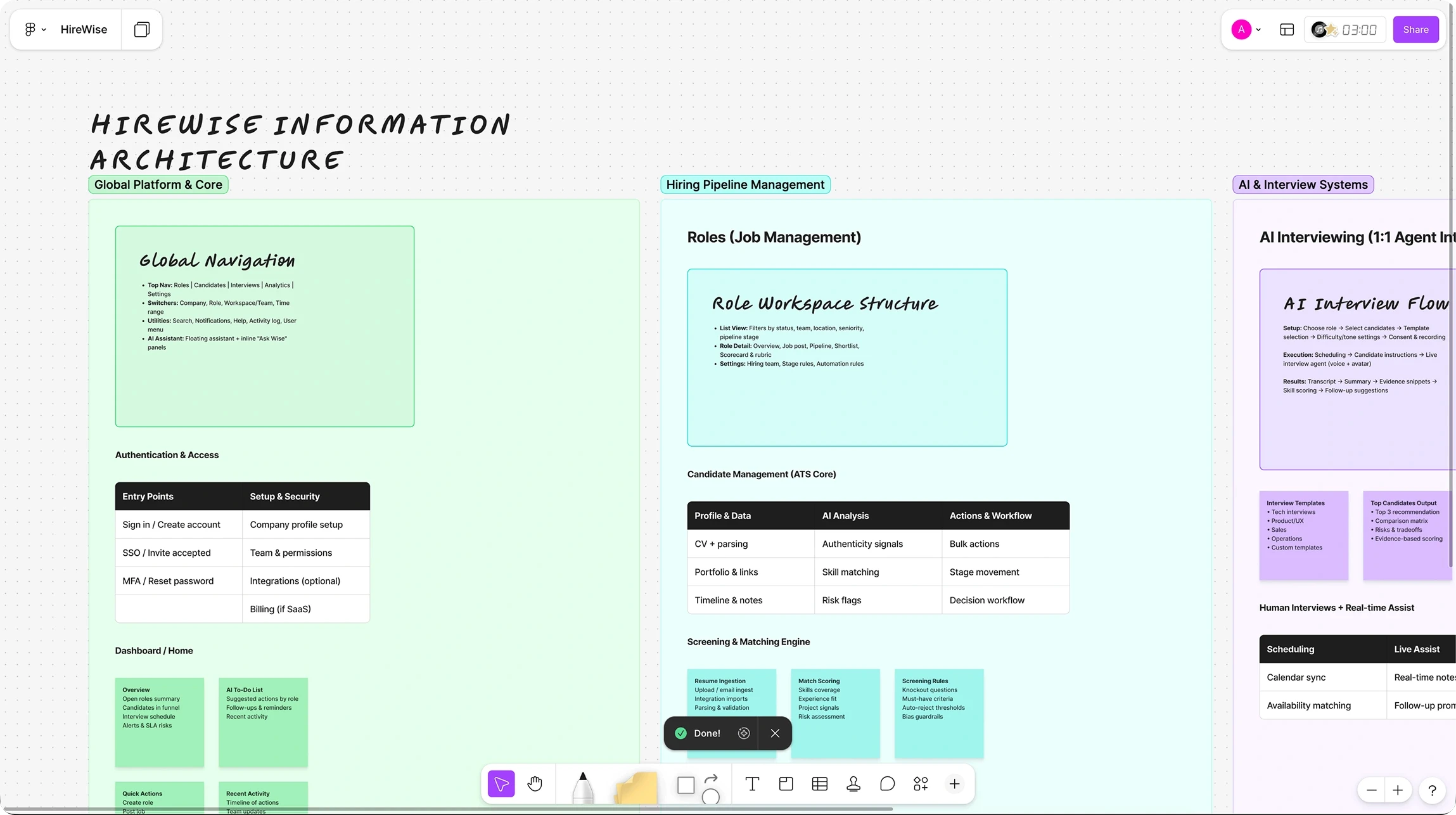
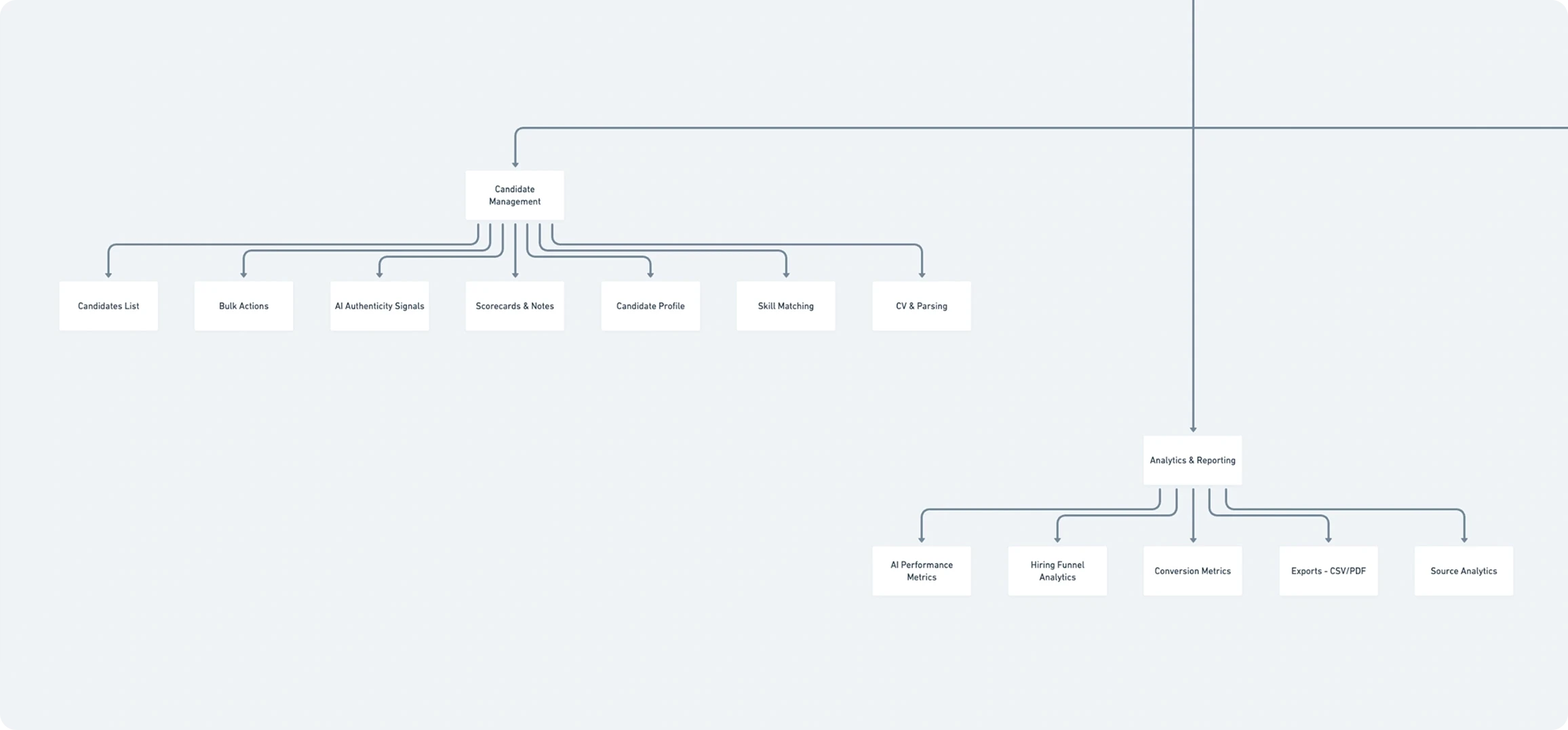
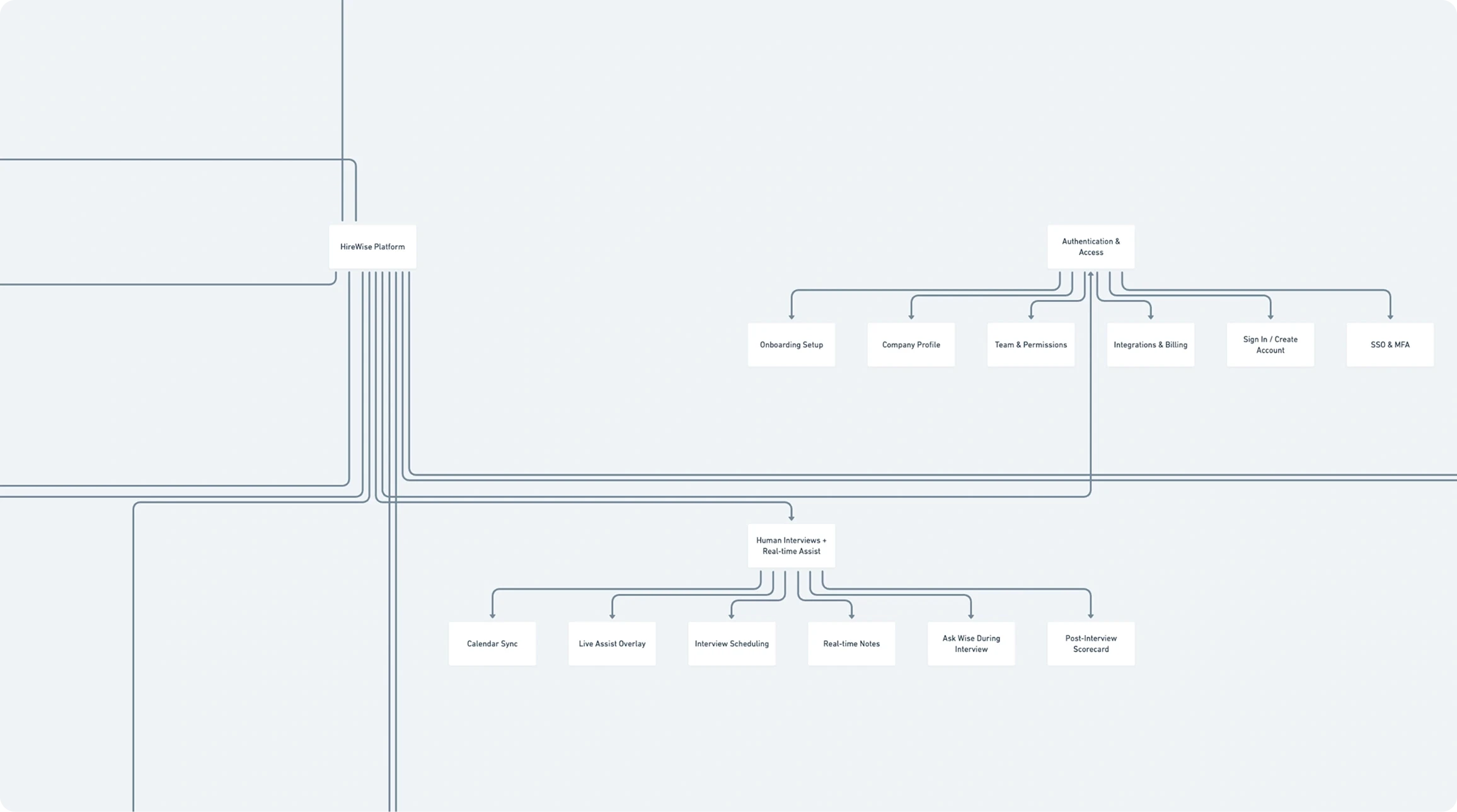
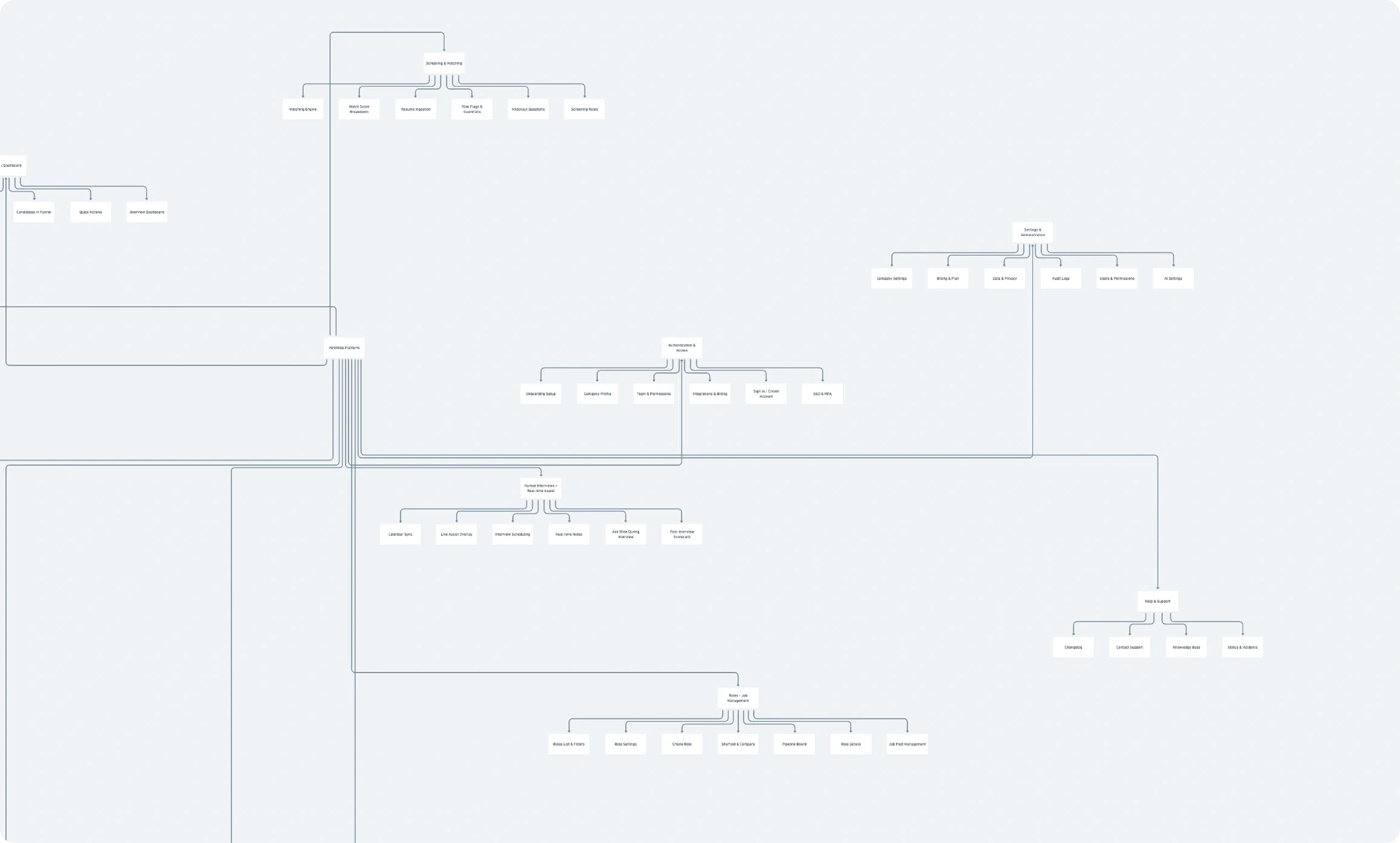
HireWise Logic & Architecture
During the wireframing phase, we explored multiple layout structures and component arrangements to understand how recruiters could navigate the hiring workflow more efficiently.
This stage focused on defining the overall information architecture, organizing candidate data, and testing different ways to present key insights, such as matching scores, interview stages, and candidate comparisons. By iterating through several wireframe variations, we were able to validate the most intuitive structure for dashboards, candidate lists, and interview flows before moving into high-fidelity UI design.
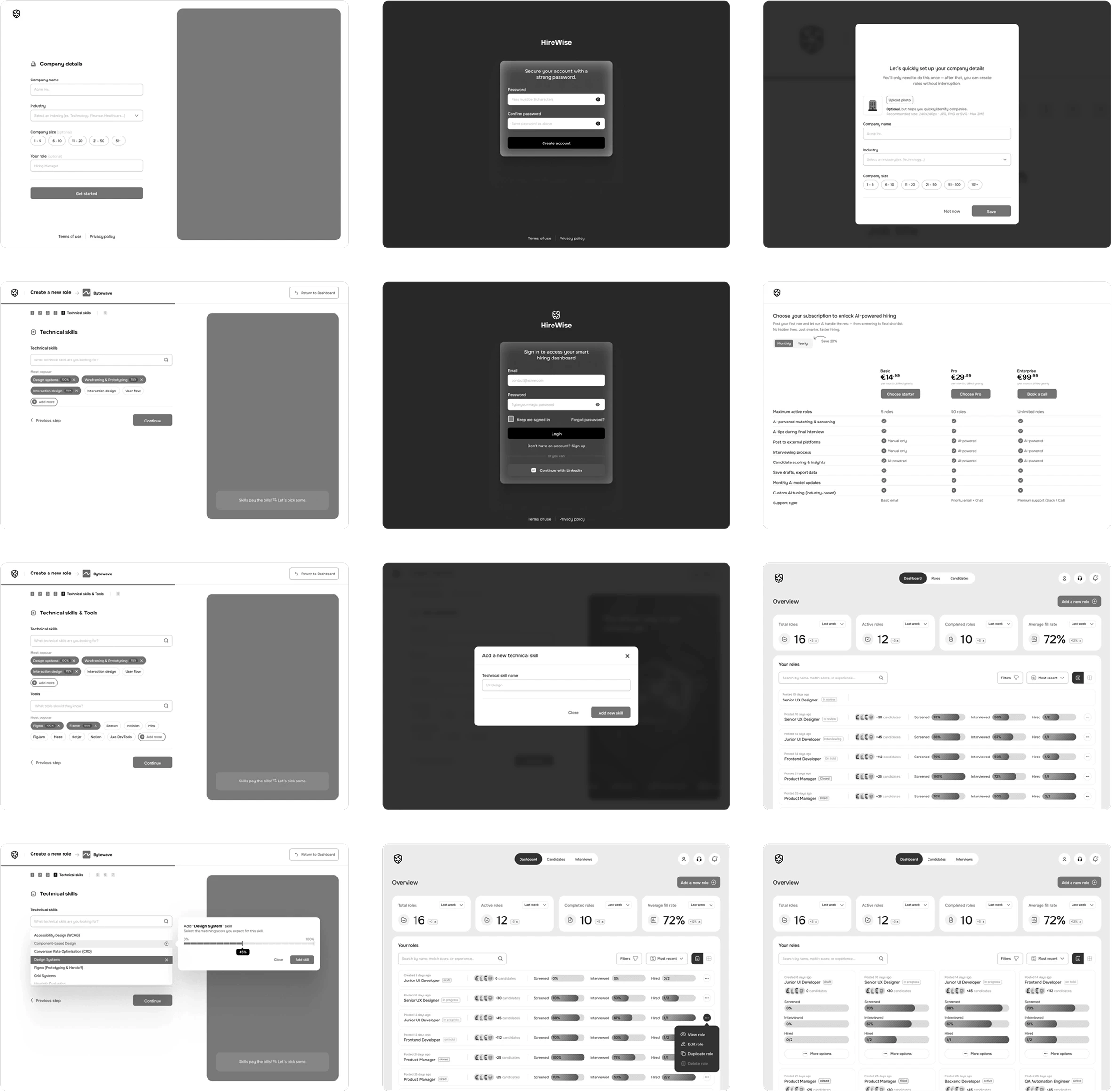
Wireframing
During the wireframing phase, we explored multiple layout structures and component arrangements to understand how recruiters could navigate the hiring workflow more efficiently.
This stage focused on defining the overall information architecture, organizing candidate data, and testing different ways to present key insights, such as matching scores, interview stages, and candidate comparisons. By iterating through several wireframe variations, we were able to validate the most intuitive structure for dashboards, candidate lists, and interview flows before moving into high-fidelity UI design.
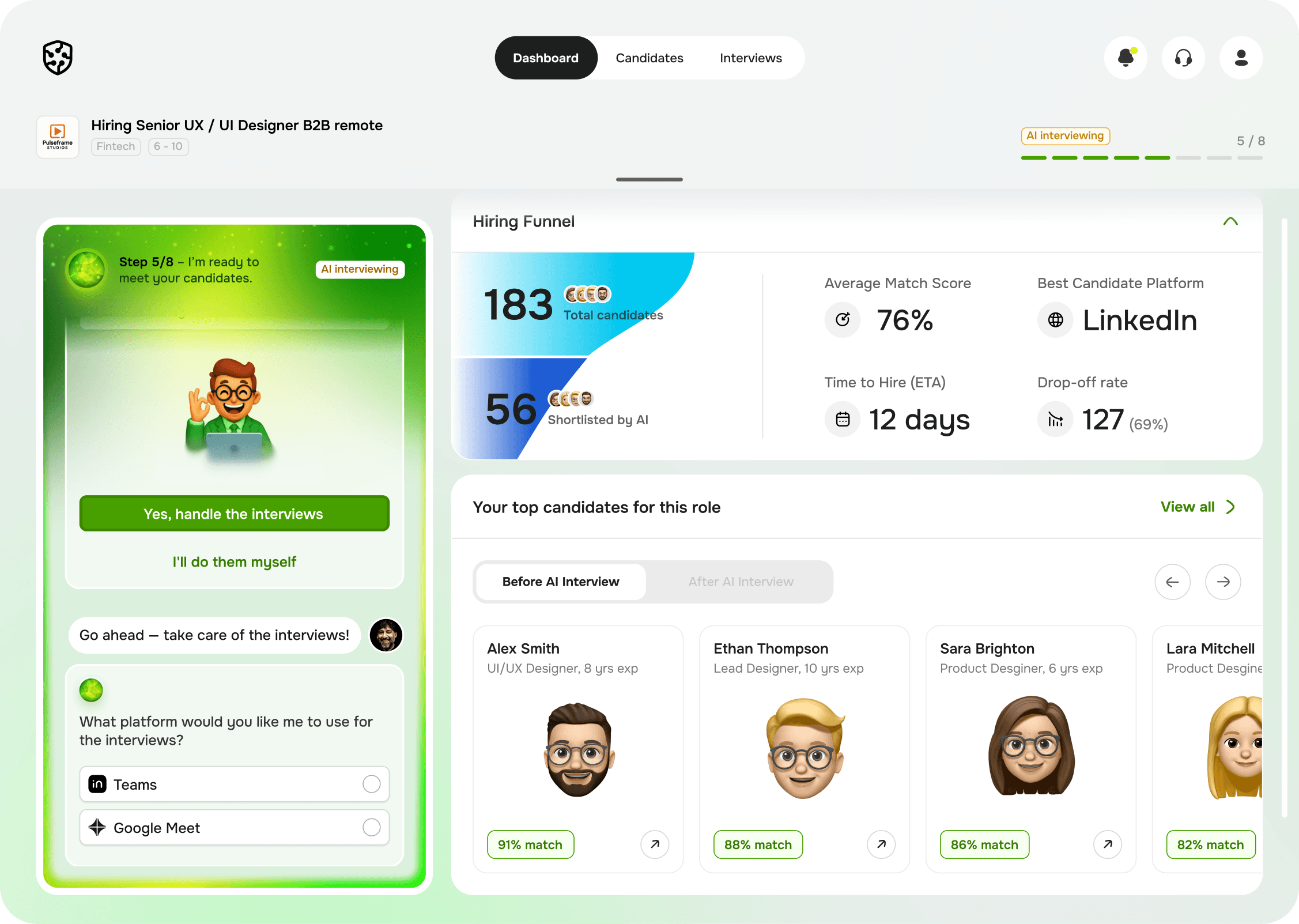
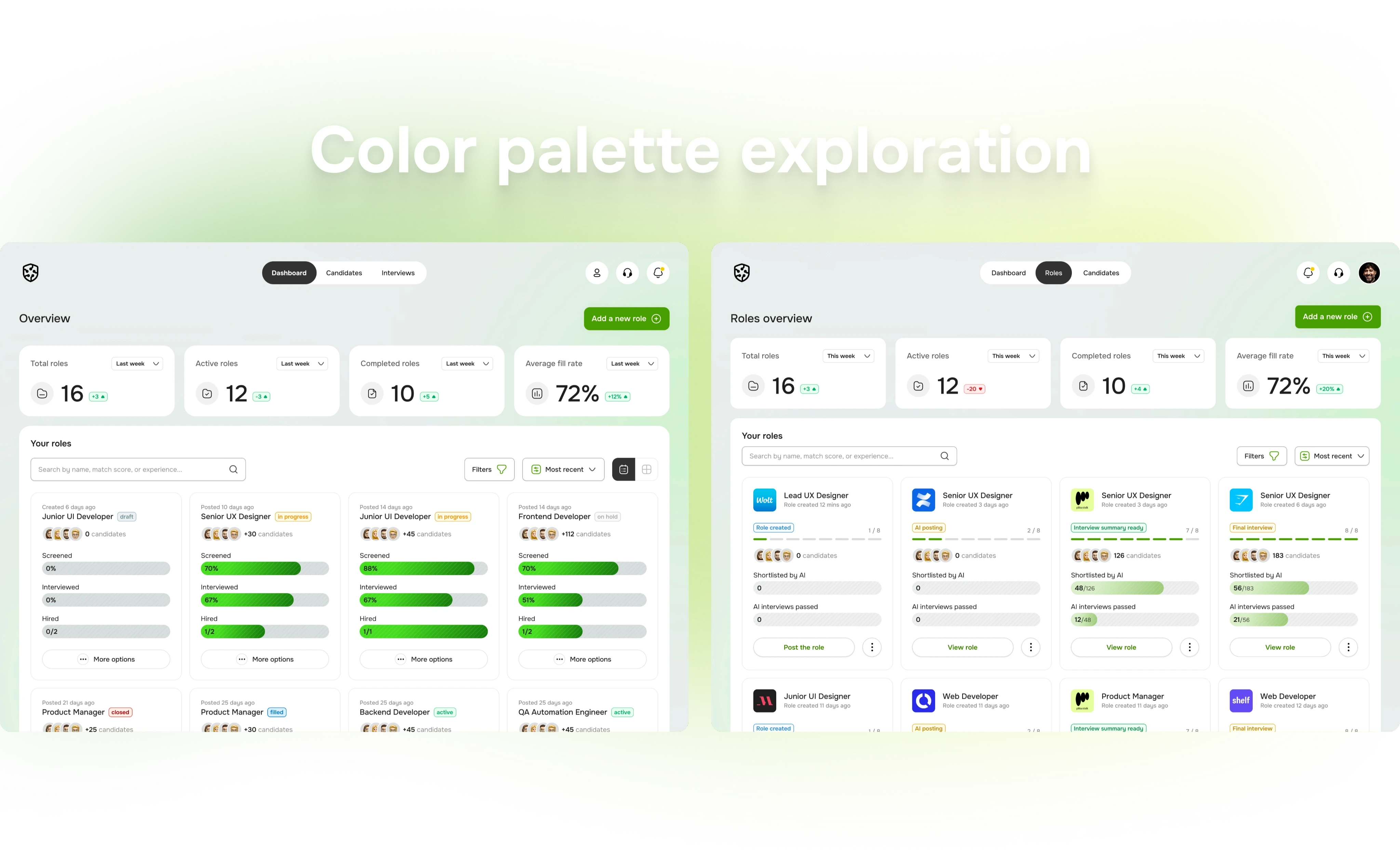
The design phase focused on clarity, empathy, and smart automation. Each screen was built to make recruiters feel guided, not overwhelmed.
Wisey — The Conversational Core
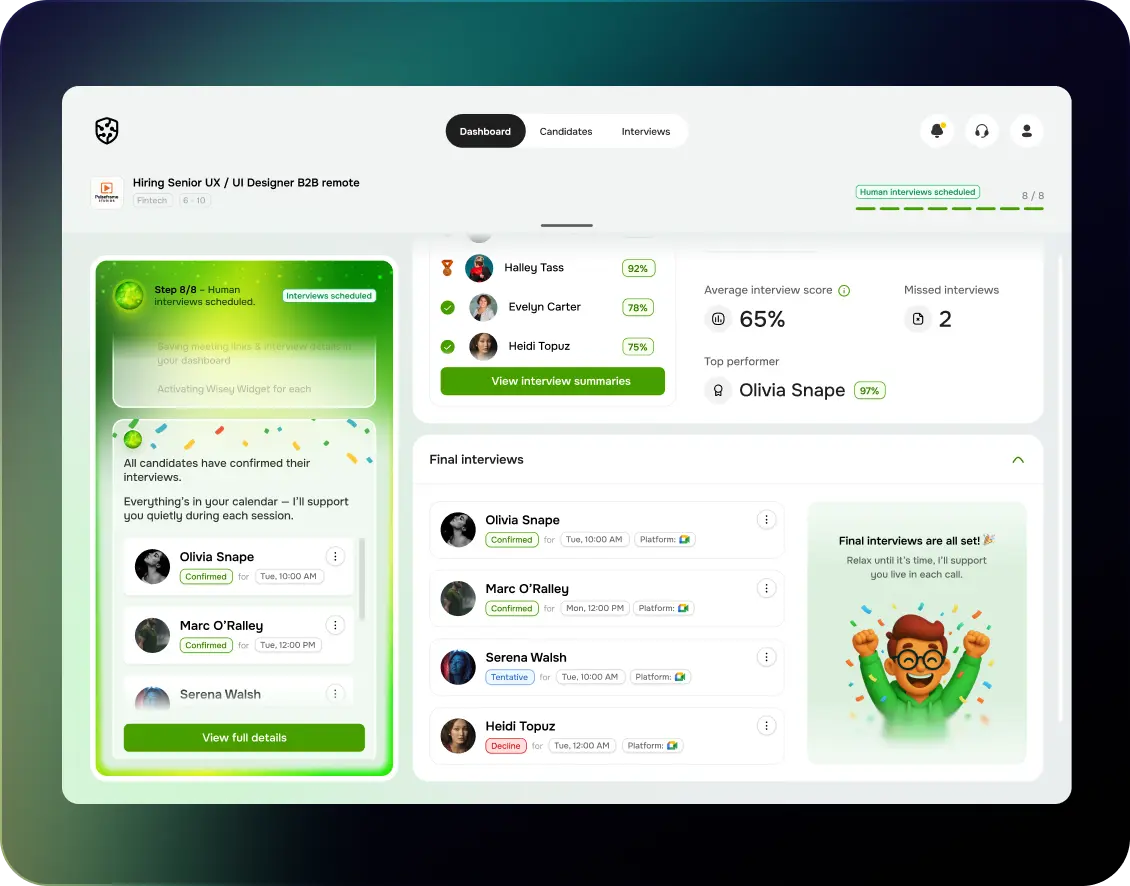
A friendly AI persona guiding users through all 8 steps of the hiring process.
Wisey communicates naturally: confirming tasks, scheduling interviews, summarizing insights,
and even celebrating milestones.
Its tone is consistent — confident, empathetic, and efficient.
Step-Based Workflow
The process was broken down into 8 clear steps, each with visual feedback (progress tracker + contextual widgets).
Wisey adapts its messages and dashboard suggestions dynamically to the current step. (e.g., at Step 3: “Screening candidates — want me to shortlist top matches?”)
Real-Time Interview Assistant
During interviews, Wisey listens and updates live behavioral signals: 😊 Positive, 😐 Neutral, ⚠️ Hesitation.
It highlights keywords, summarizes candidate answers, and suggests follow-up questions in real time.
Smart Scheduling
Fully automated scheduling flow integrated with Google Meet and Microsoft Teams.
Wisey sends personalized invites and tracks confirmations automatically.
Post-Interview Summary
AI-generated summaries with Highlights, Areas to Improve, and Scores for each candidate.
Compact, visually balanced reports for quick decision-making.
UI Design
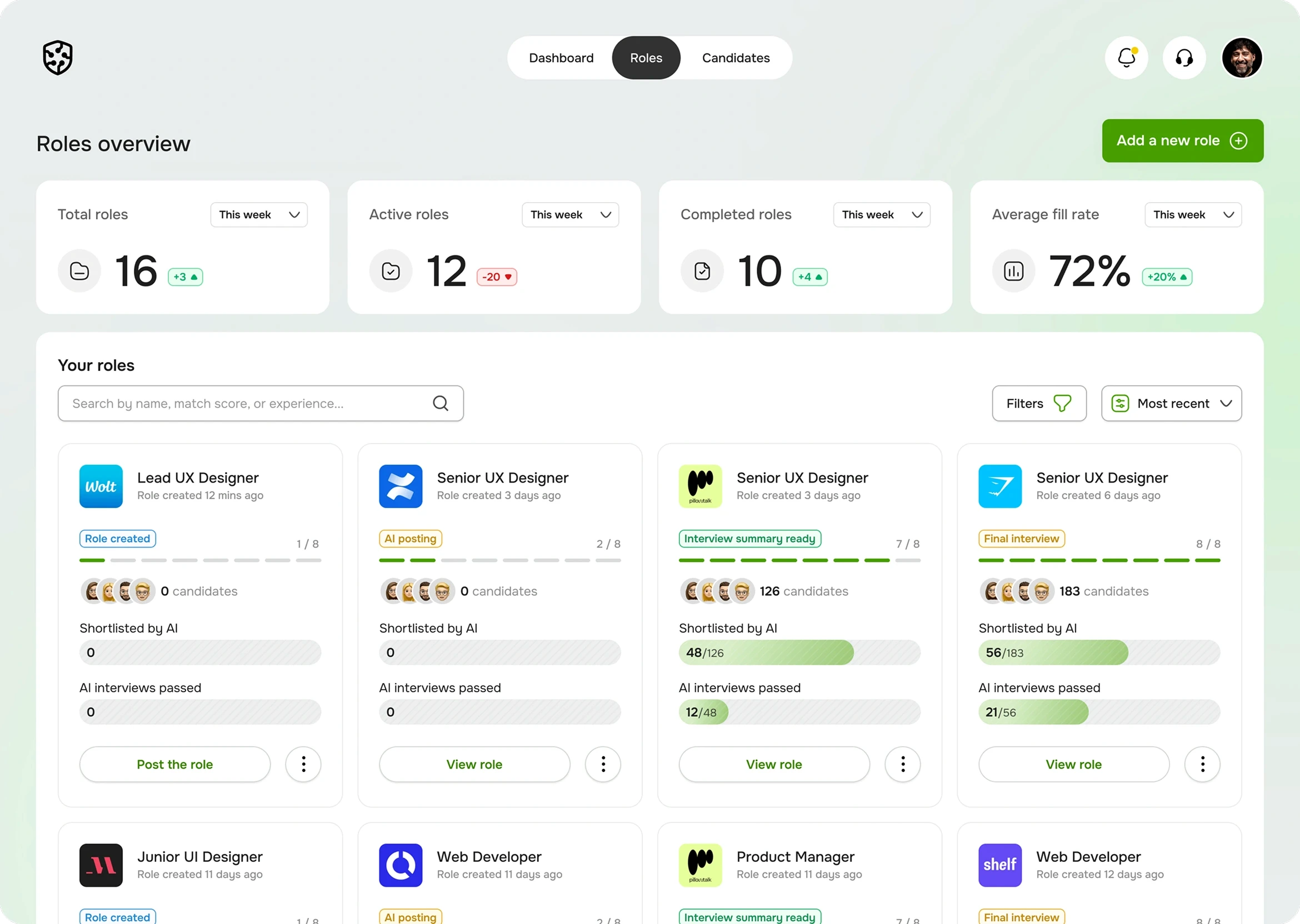
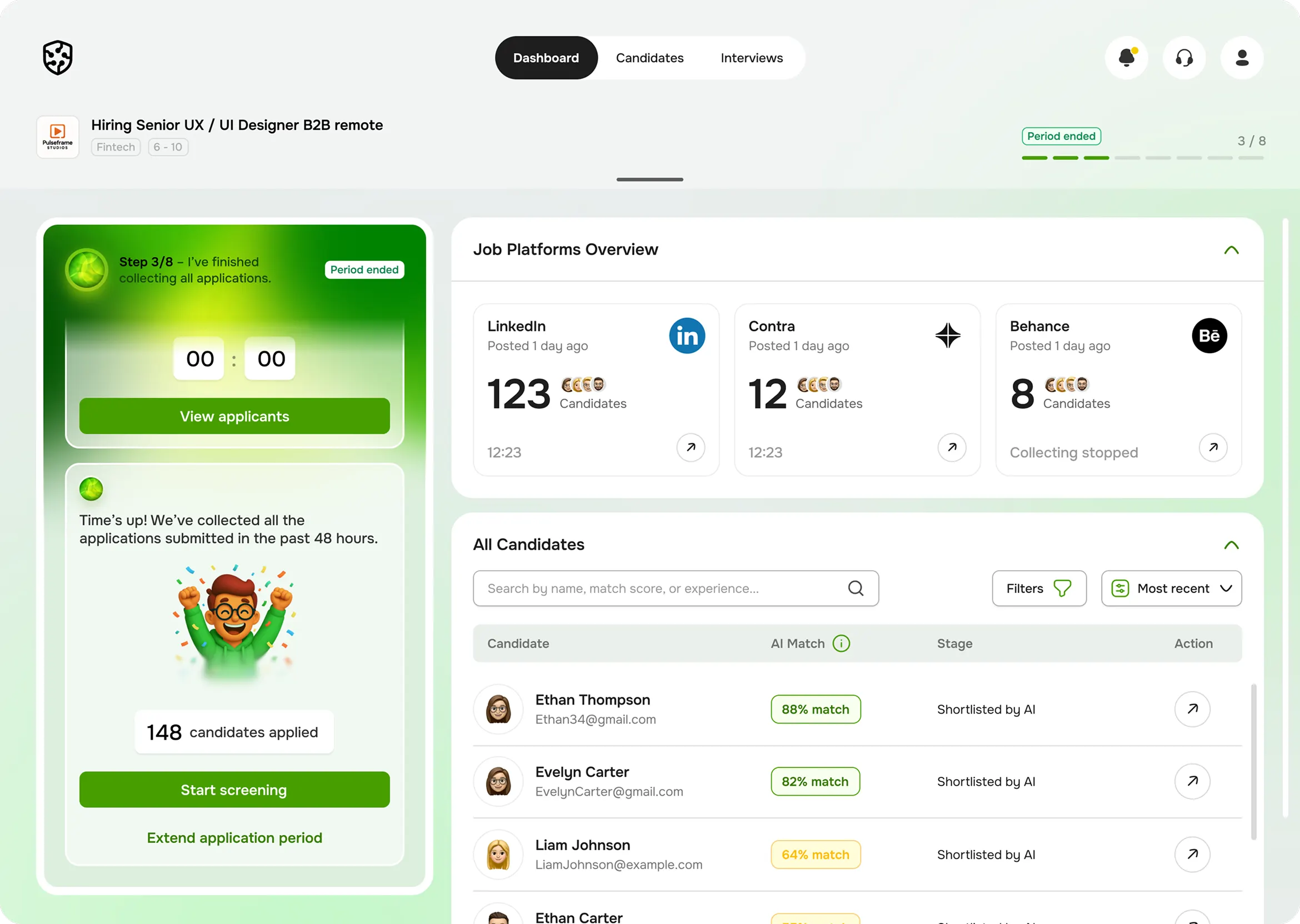
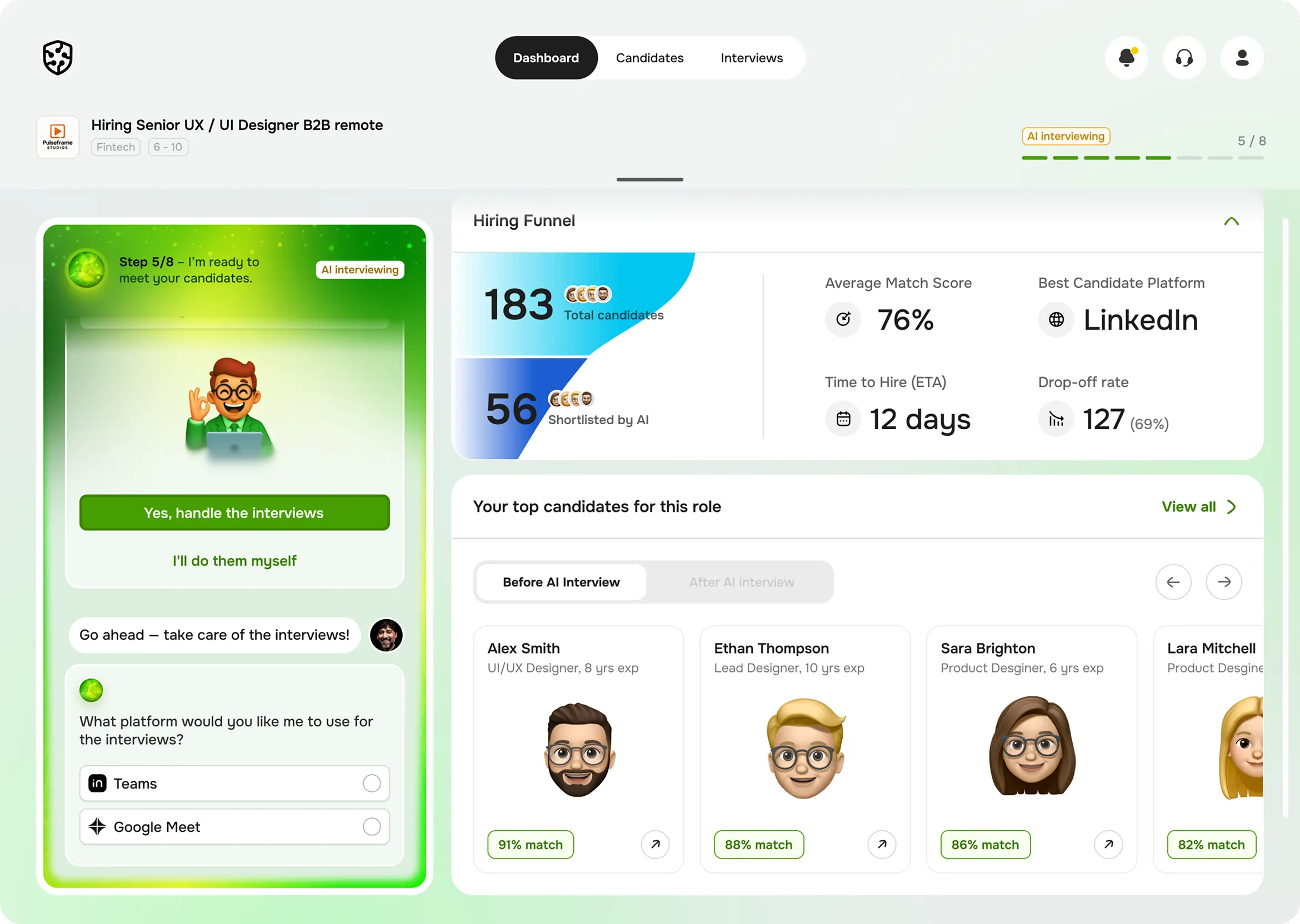
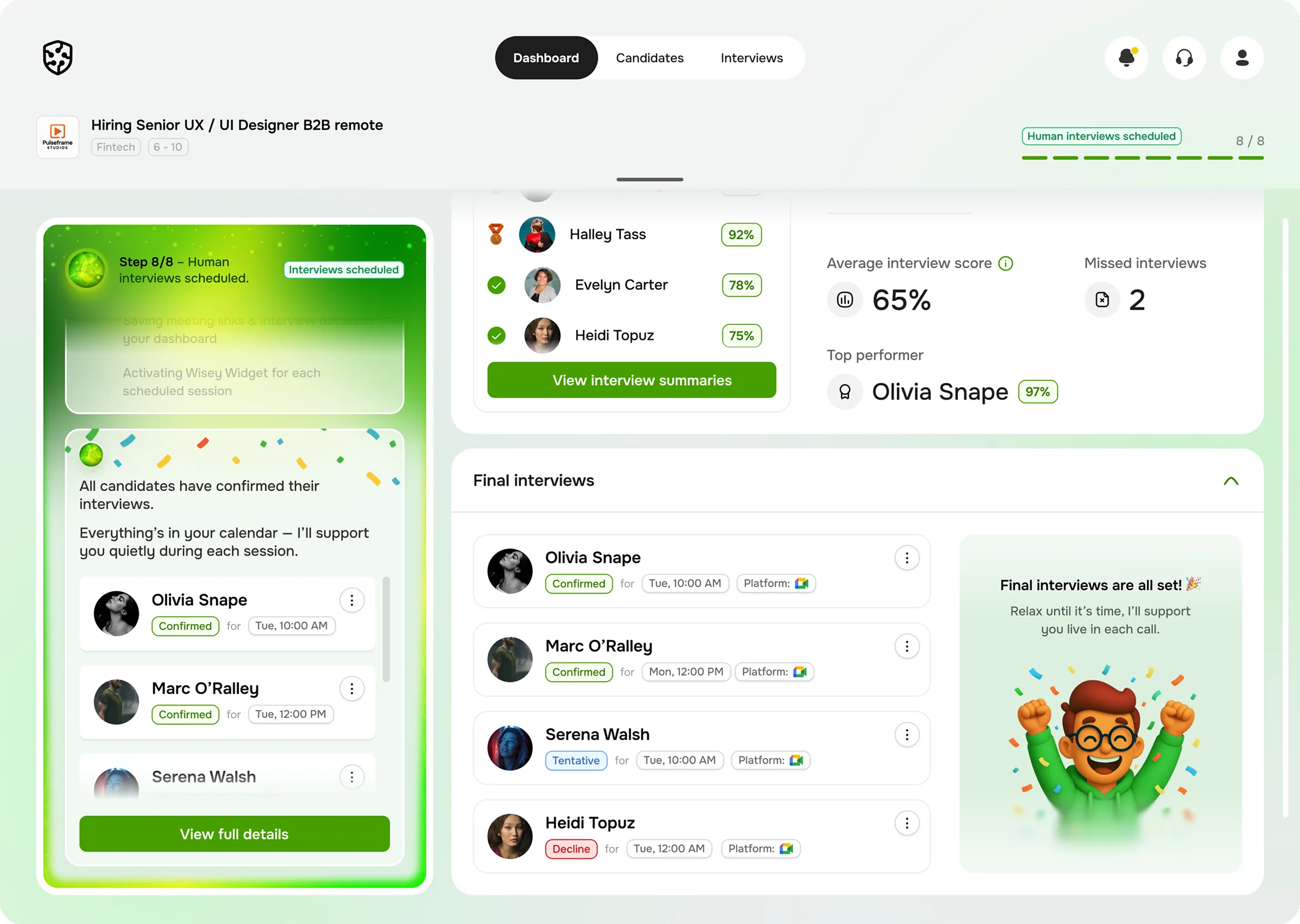
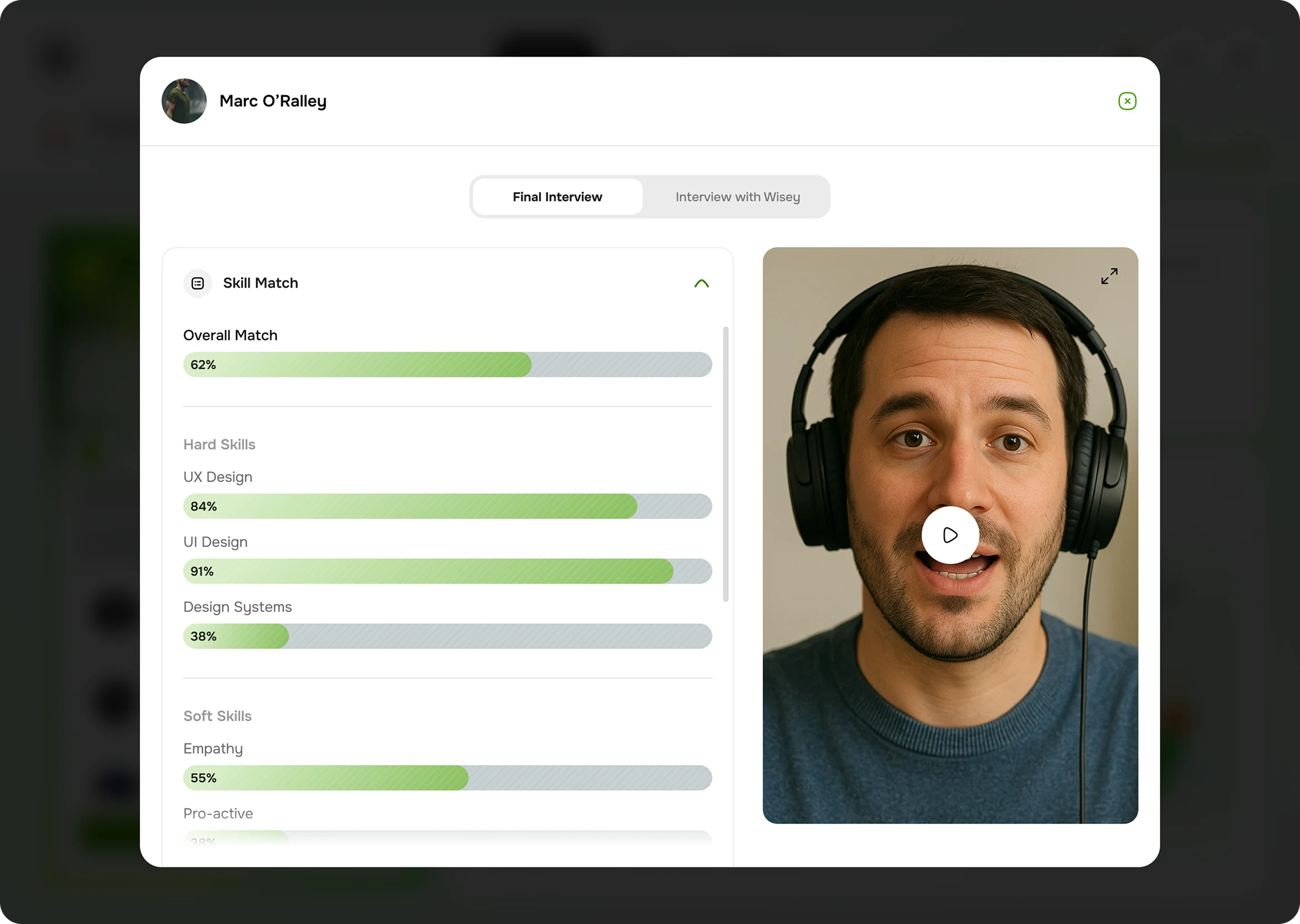
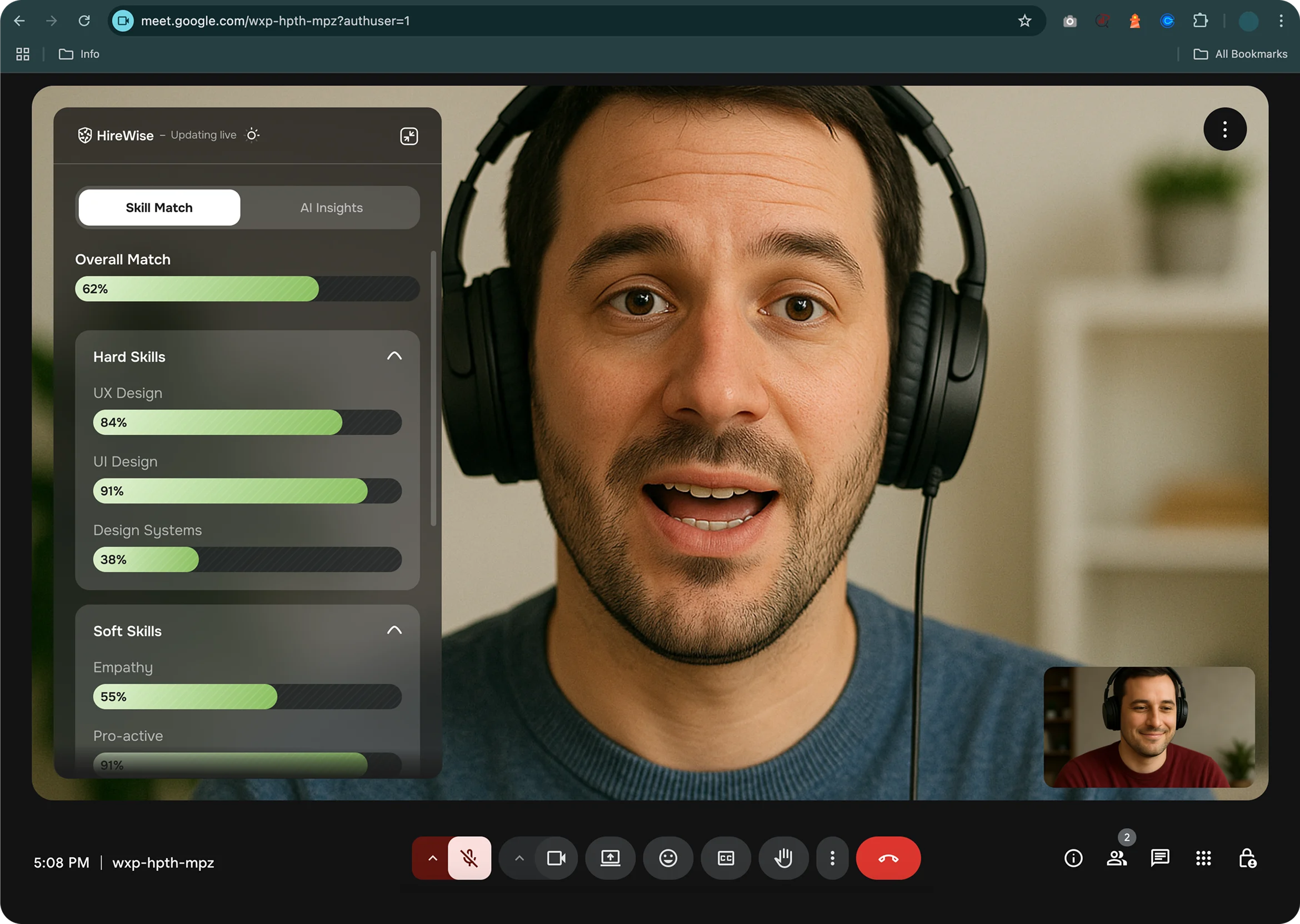
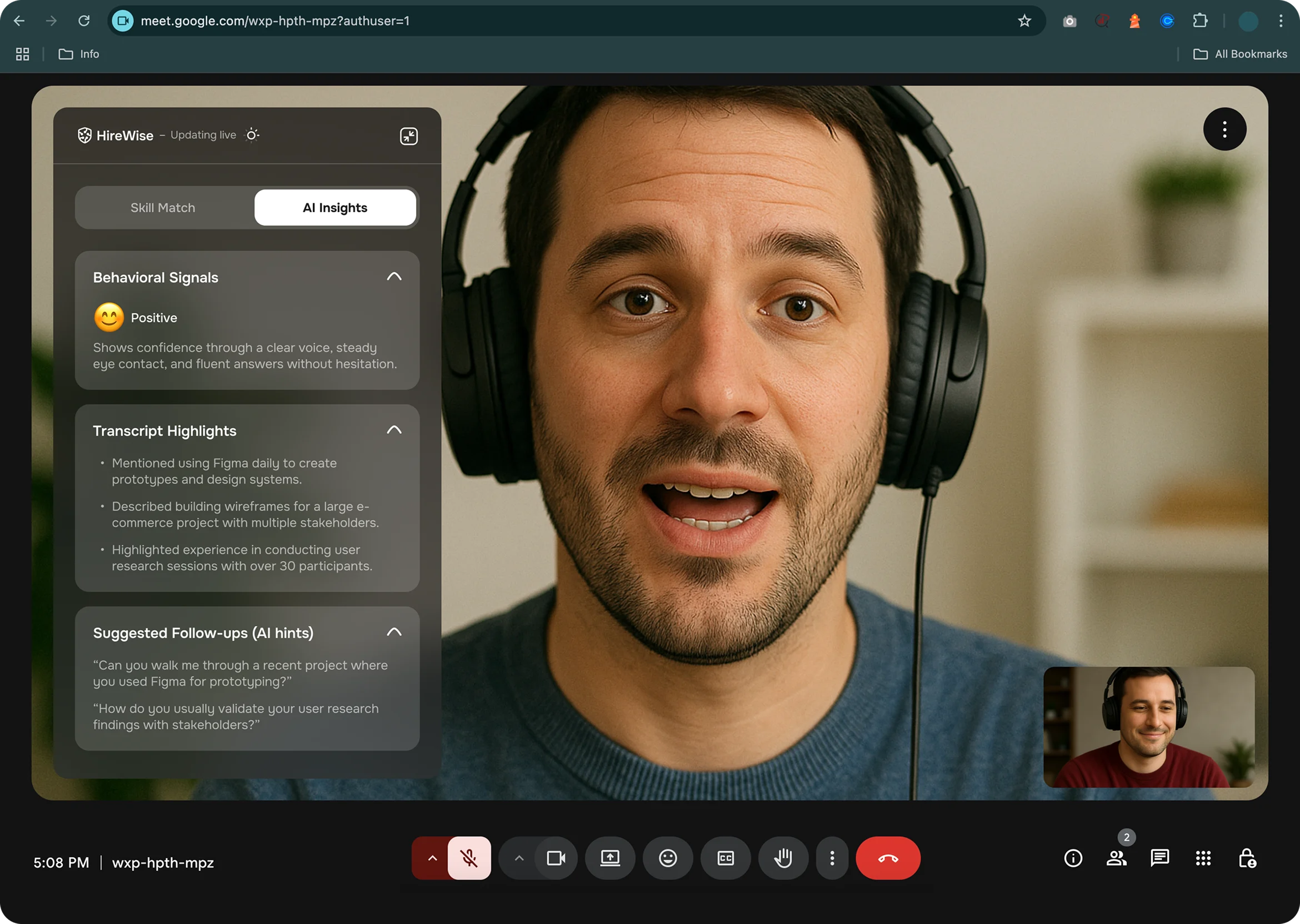
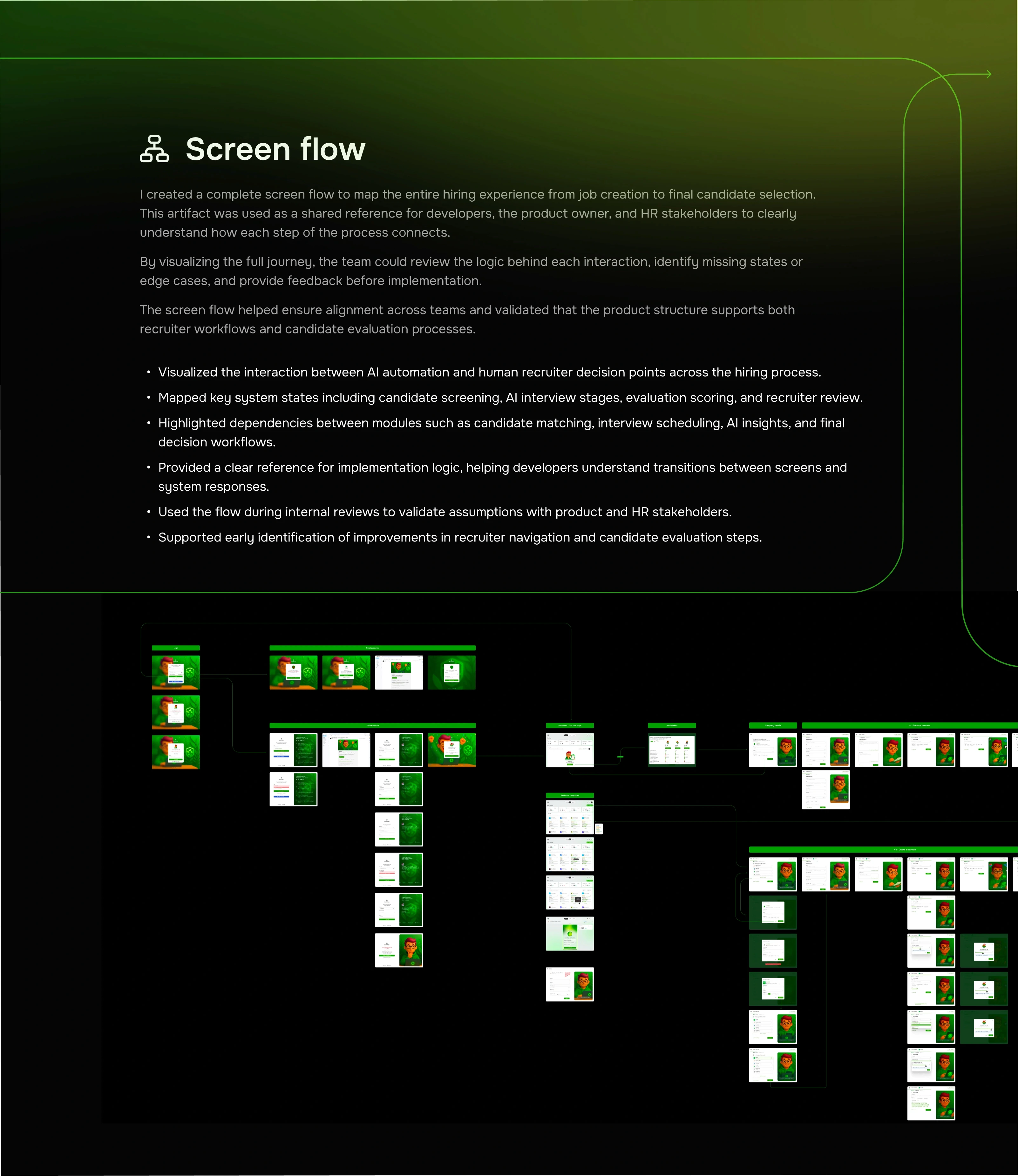
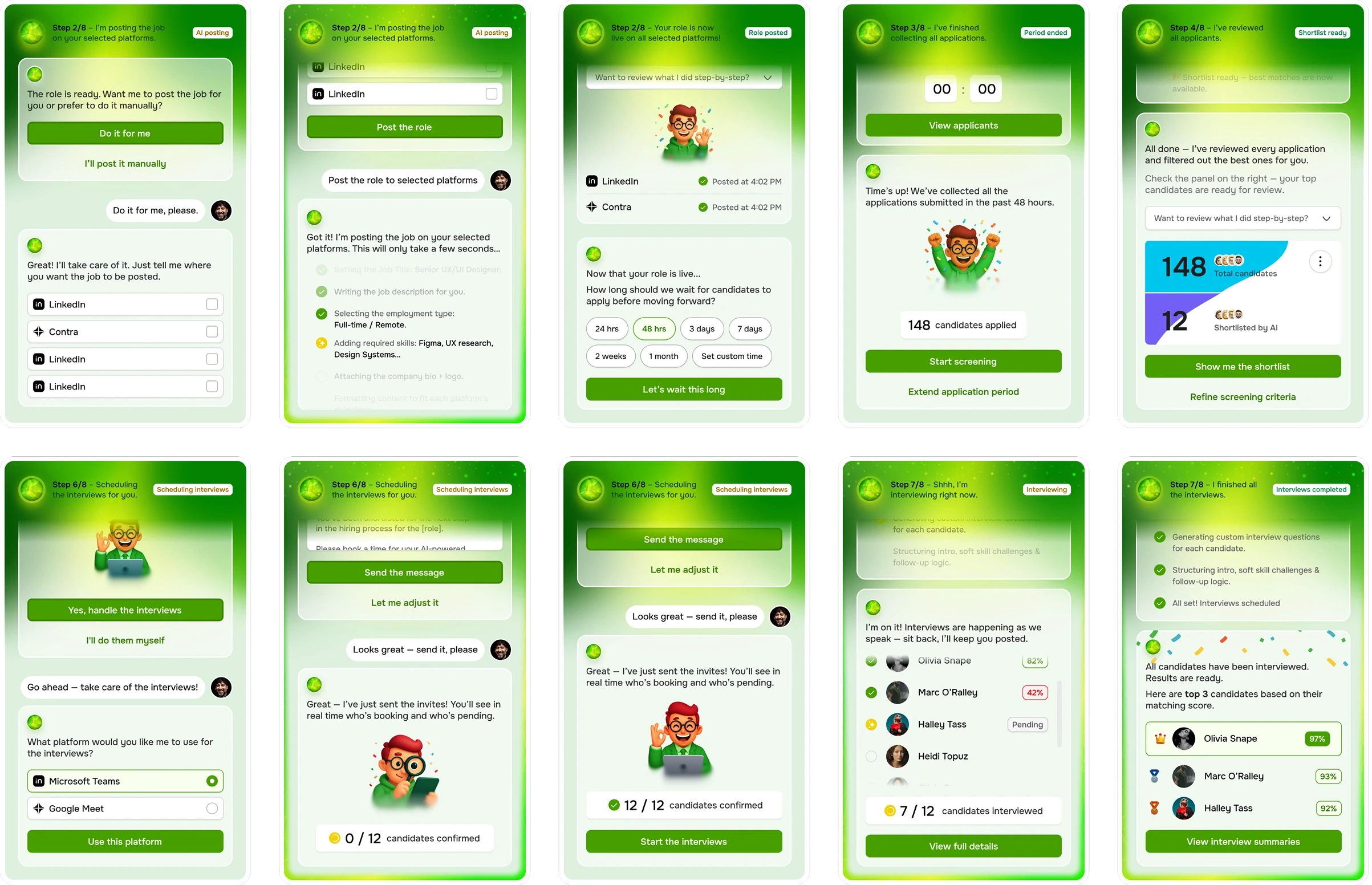
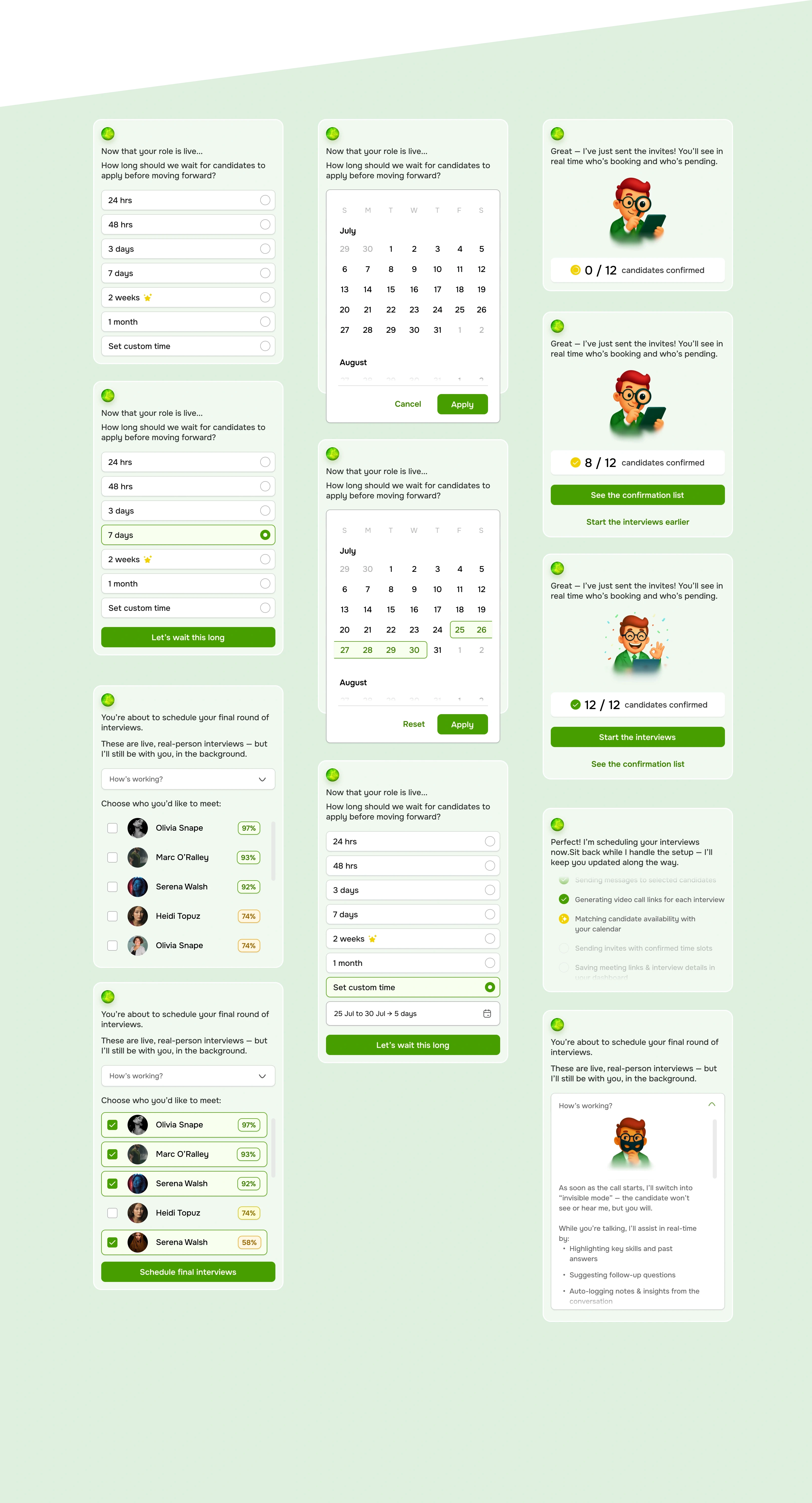
Designed a structured conversational state system covering onboarding, AI interviews, recruiter assistance, and candidate evaluation.
Ensured conversational flows remain aligned with the hiring workflow rather than functioning as an isolated chat feature.
Established clear UI patterns for communicating AI activity, ensuring transparency and user trust.
Defined AI behavior across multiple system states including input capture, processing, response generation, and contextual follow-ups.
Mapped transitions between conversation states to maintain clarity during AI thinking, response delivery, and data analysis moments.
Provided developers with a reference framework for implementing conversational logic and AI-driven interactions across the platform.
User testing & Validation
To validate the usability of the HireWise hiring workflow, a moderated usability testing session was conducted with recruiters and hiring managers using interactive prototypes. The goal was to observe how users navigate the hiring process, interact with the AI assistant, and evaluate candidate information.
Participants completed tasks such as creating a role, reviewing candidates, approving a shortlist, and scheduling interviews using the AI assistant.
The testing helped identify usability strengths, potential friction points, and opportunities for improvement before development.
Task completion rate
92%
Mission success rate
89%
Average completion time
4 m, 23 s
Misclick rate
3.7%
Navigation success
94%
User satisfaction score
4.6 / 5
Time to first
meaningful action
7 s
AI feature engagement rate
81%
Interview scheduling
success rate
90%
+41%
Faster Candidate Screening
Recruiters were able to identify relevant candidates significantly faster thanks to AI-powered matching and automated CV screening. Instead of manually reviewing hundreds of applications, users focused only on the most relevant candidates suggested by the system.
-52%
Manual CV Review Time
By automatically analyzing CVs and ranking candidates based on role requirements, the platform reduced the need for manual CV screening. Recruiters reported spending more time evaluating top candidates rather than filtering large applicant pools.
+34%
Recruiter Confidence in Candidate Selection
Structured candidate comparison, AI interview summaries, and match score breakdowns helped recruiters feel more confident in shortlisting candidates and justifying their decisions.
+27%
Faster Interview Scheduling
Automated scheduling and meeting integrations reduced coordination time between recruiters, candidates, and hiring managers.
+63%
Faster Candidate Comparison
Participants could compare shortlisted candidates instantly through structured insights such as skills match, interview scores, and AI-generated summaries.
+92%
Task Success Rate
Maze testing showed that most users successfully completed key tasks such as reviewing candidates, approving a shortlist, and scheduling interviews.
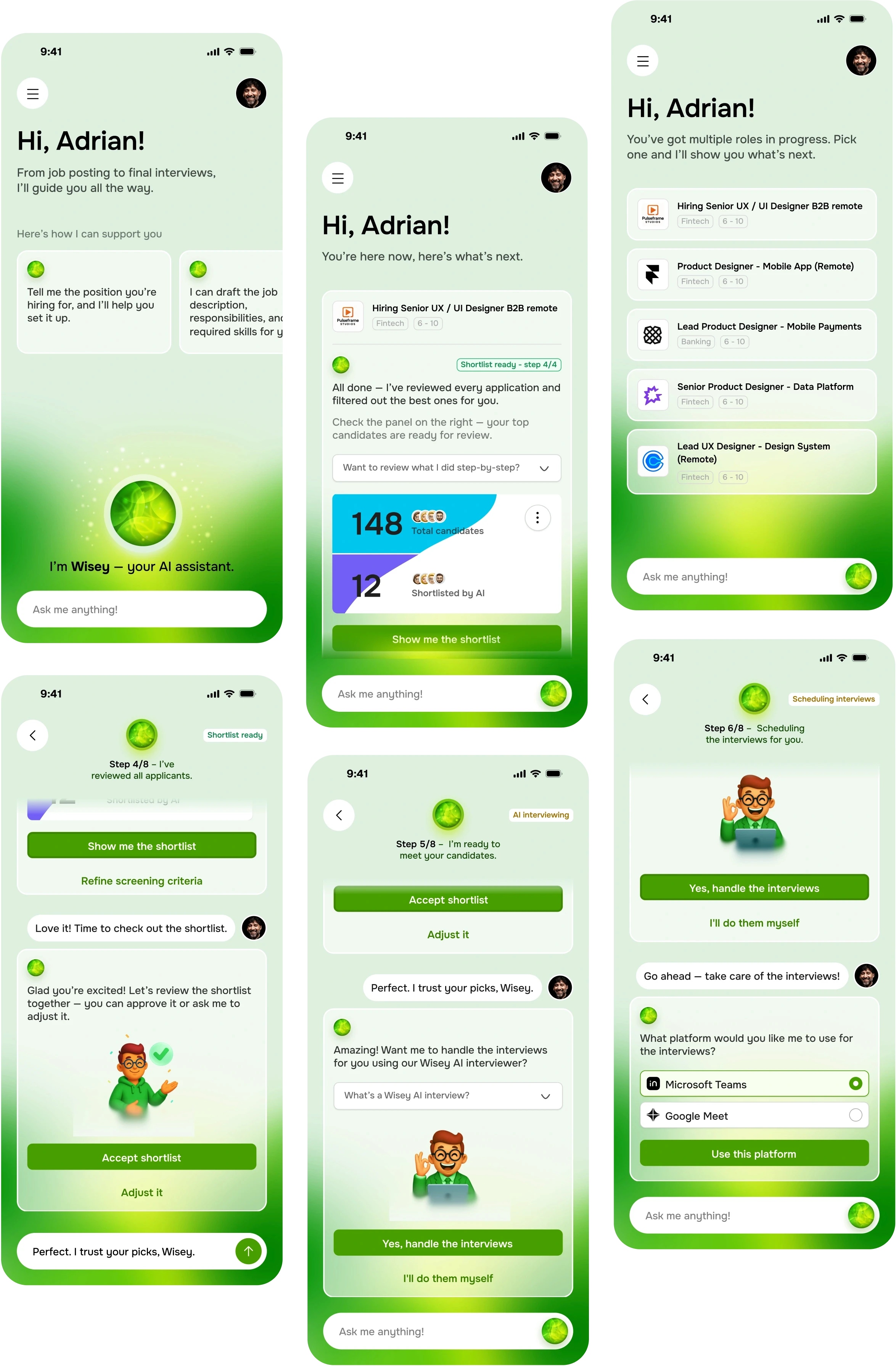
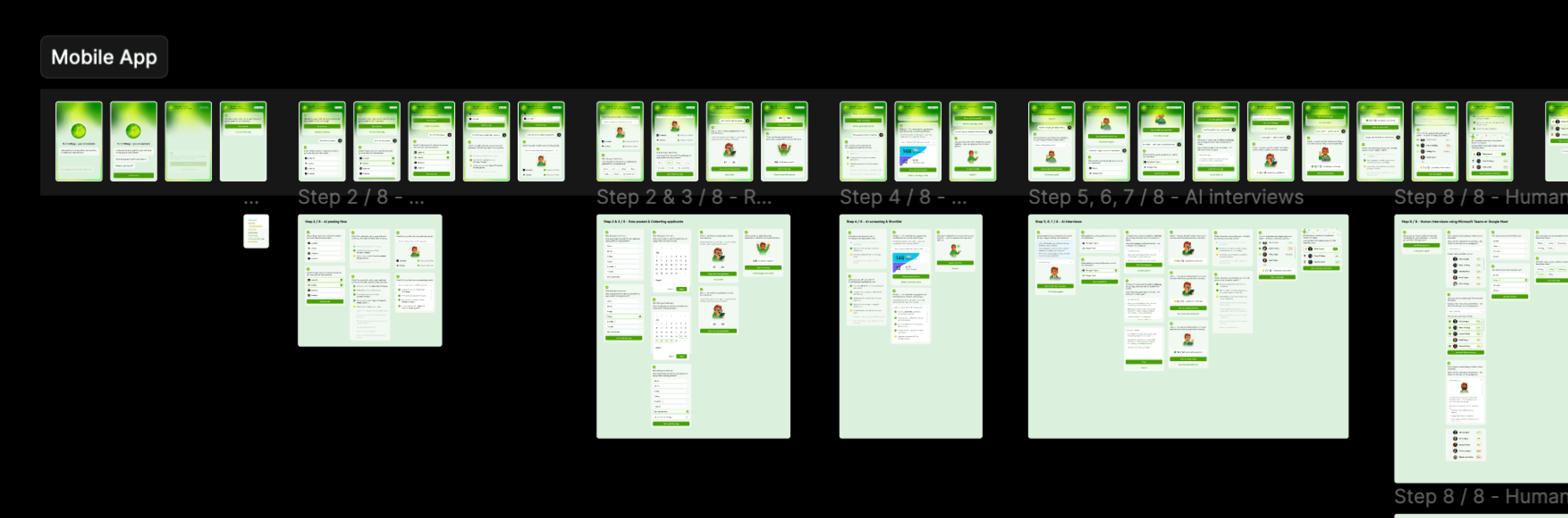
Mobile app
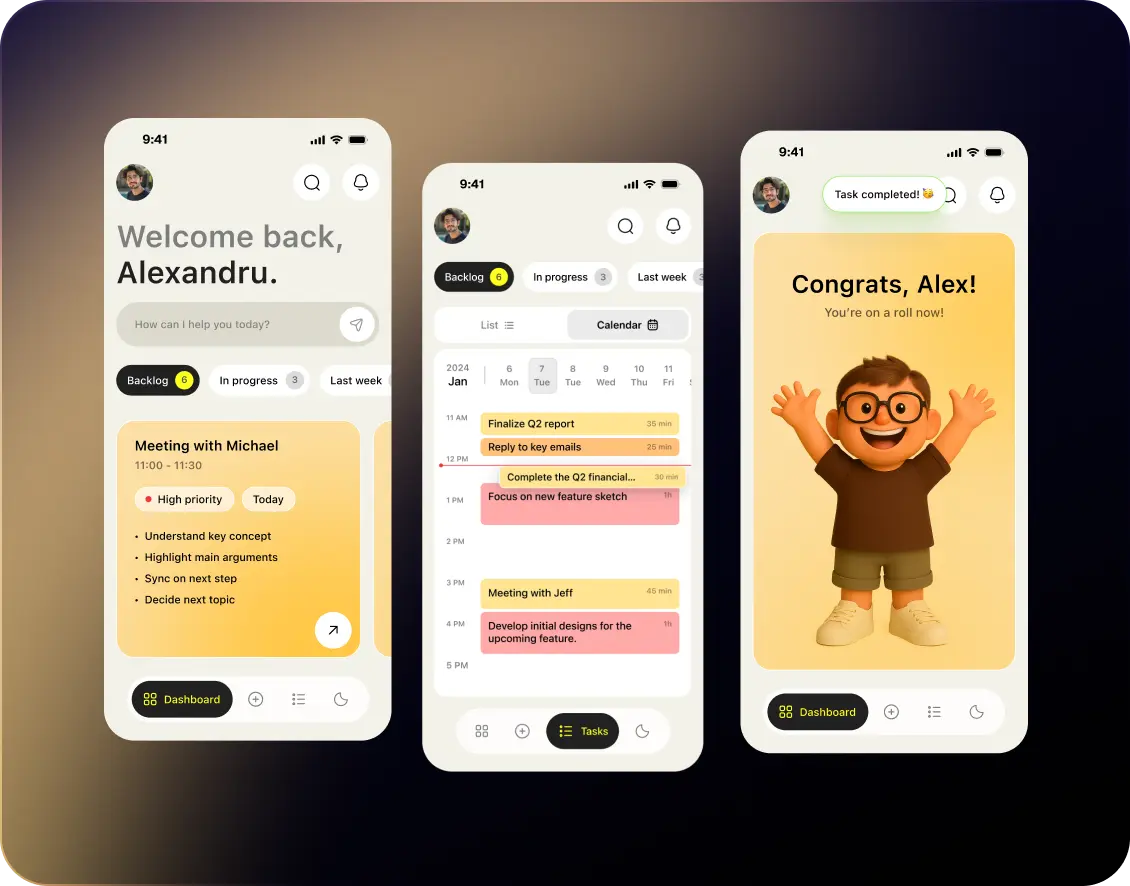
The mobile app acts as a mirror of the main platform, allowing recruiters and hiring managers to access the same core functionality on the go. Users can manage roles, review candidates, approve shortlists, and schedule interviews directly from their mobile device without losing any of the capabilities available on the desktop version.
The experience was designed to maintain the same logic and workflows while adapting the interface for quick actions, real-time updates, and conversational interactions with the AI assistant.
📚 Lessons Learned
Clarity and Context Build Trust in AI
Recruiters trust AI more when it’s transparent and easy to follow. By keeping Wisey’s actions visible, such as showing why a candidate was shortlisted or how an interview score was generated, users felt in control rather than replaced.
Empathy in Design Improves Adoption
A friendly, supportive tone made Wisey feel like a helpful teammate, not a cold automation. Subtle microcopy (“I’ll handle this for you!”) and celebratory moments increased user engagement and reduced hesitation to delegate tasks to AI.
Progressive Guidance Reduces Overwhelm
Breaking the hiring flow into 8 clear steps allowed recruiters to focus on one task at a time. Visual progress cues and contextual widgets made the process feel manageable, especially during complex phases like scheduling or interviewing.
Real-Time Insights Drive Better Decisions
Live behavioral analysis and transcript highlights helped recruiters stay present during interviews without losing important details. Real-time data visualization proved far more valuable than static reports post-interview.
Consistency Across Roles Enhances Efficiency
Maintaining a unified structure across multiple open roles , same layout, tone, and task flow, minimized cognitive load and helped users move seamlessly between hiring processes.
Small Emotional Feedback Makes a Big Difference
Adding light emotional cues, such as confetti when a step was completed or encouraging messages after interviews — increased satisfaction and gave the app a sense of personality and momentum.
Small Emotional Feedback Makes a Big Difference
Adding light emotional cues, such as confetti when a step was completed or encouraging messages after interviews — increased satisfaction and gave the app a sense of personality and momentum.
AI must explain its decisions
Recruiters are more willing to trust AI suggestions when the system clearly shows why a candidate was shortlisted or recommended. Transparency in match scores, interview summaries, and evaluation criteria significantly increases user confidence.
Structured workflows reduce cognitive load
Breaking the hiring process into clear steps such as role creation, screening, shortlist review, and interview scheduling helped recruiters focus on one task at a time instead of navigating a complex ATS environment.
10. Human control remains essential
Even when automation works well, recruiters want to stay in control of final decisions. Allowing users to adjust shortlists, override AI suggestions, and refine criteria ensures the platform supports their expertise rather than replacing it.
11. AI works best as a collaborative assistant
The conversational interface proved more intuitive than traditional dashboards. By guiding users step-by-step, the AI assistant reduced friction and helped recruiters move through the hiring process more efficiently.
Designing AI experiences requires balancing efficiency and trust
The biggest challenge was not automation itself, but designing interactions that feel reliable, understandable, and supportive for human decision-making.