
Overview
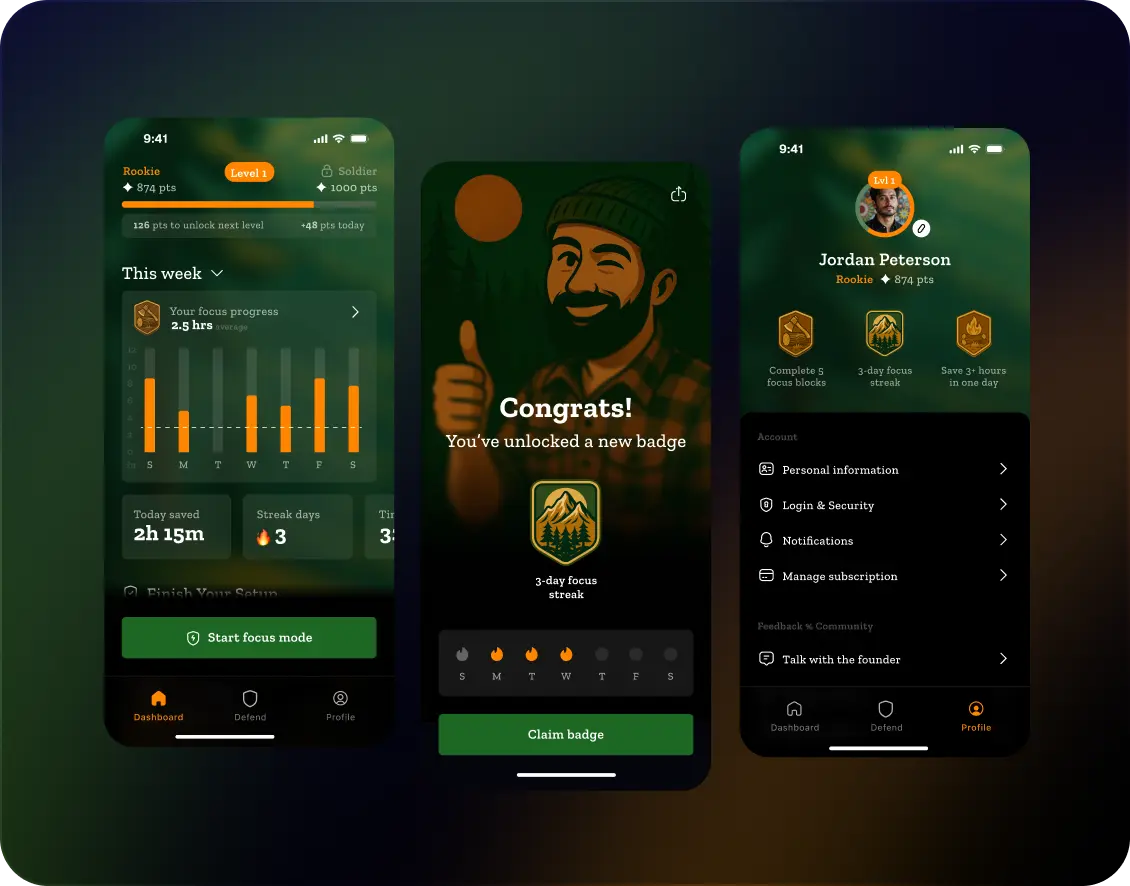
Unbound is a productivity-focused mobile application designed to help users reduce distractions and maintain deep focus while working or studying.
The app combines structured focus sessions, behavioral nudges, and minimal interaction patterns to create an environment that encourages concentration and mindful use of digital devices.
Unlike traditional productivity tools that rely heavily on task management, Unbound focuses on shaping user behavior by limiting distractions and guiding users into focused work sessions.
The platform introduces a simplified workflow where users define their focus intention, start a structured focus session, and receive feedback about their productivity patterns over time.
The goal of the product was to create a calm, distraction-free experience that helps users build healthier digital habits while maintaining clarity and simplicity in the interface.
Context
Modern digital environments are designed to capture attention rather than support sustained focus. Constant notifications, social media interruptions, and multitasking habits make it increasingly difficult for users to maintain deep concentration.
Many productivity apps attempt to solve this problem by introducing complex task management systems, dashboards, and productivity metrics. However, these approaches often add more cognitive load instead of simplifying the experience.
The challenge behind Unbound was to design a system that helps users focus without overwhelming them with features.
The product needed to strike a balance between providing useful guidance and maintaining a minimal, distraction-free interface.
This required designing interactions that gently guide users into focused work sessions while keeping the experience calm, intuitive, and emotionally supportive.
Scope & Objectives
The objective of the project was to redesign the overall product experience of the Unbound mobile application, focusing on improving the way users enter, manage, and sustain focused work sessions.
The project addressed the full application experience, including the onboarding journey, the core focus session mechanics, the main dashboard, and the feedback systems that help users understand their productivity patterns over time.
A key part of the work involved redefining the product logic behind the focus system itself. This included structuring how users initiate focus sessions, how the system guides them through distraction-free work periods, and how progress and behavioral feedback are presented in a clear and motivating way.
The scope covered both the interaction design and the underlying UX architecture of the product, ensuring that every part of the application supports the main goal of helping users maintain deep concentration.
The scope of the project included:
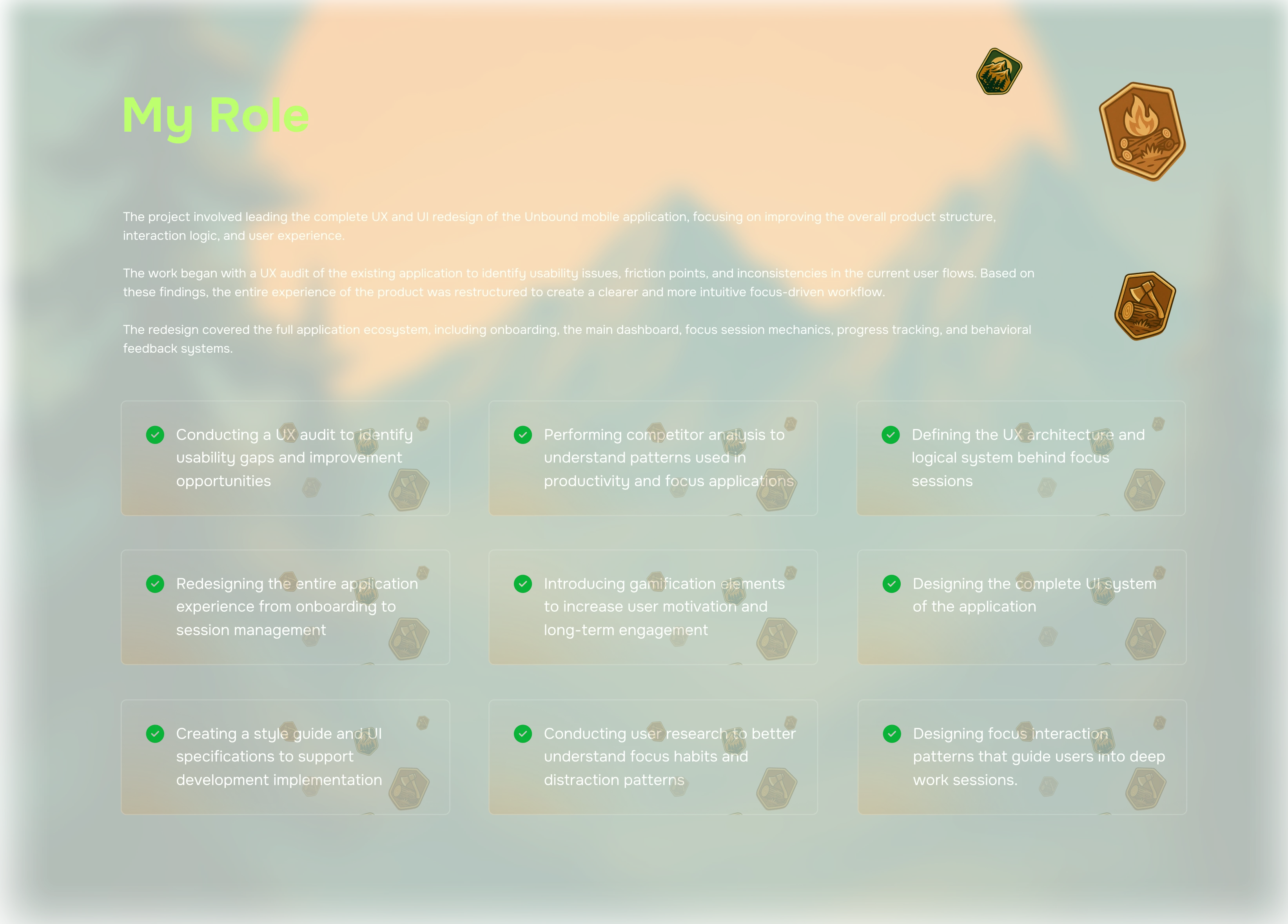
Redesigning the overall UX structure of the application
Designing the onboarding flow and account creation experience
Structuring the interaction logic for starting and managing focus sessions
Designing feedback mechanisms that reinforce consistent focus habits
Defining the logical system behind focus sessions and behavioral guidance
Simplifying the user journey from onboarding to active focus sessions
Building a scalable UX structure capable of supporting future product features

UX Audit
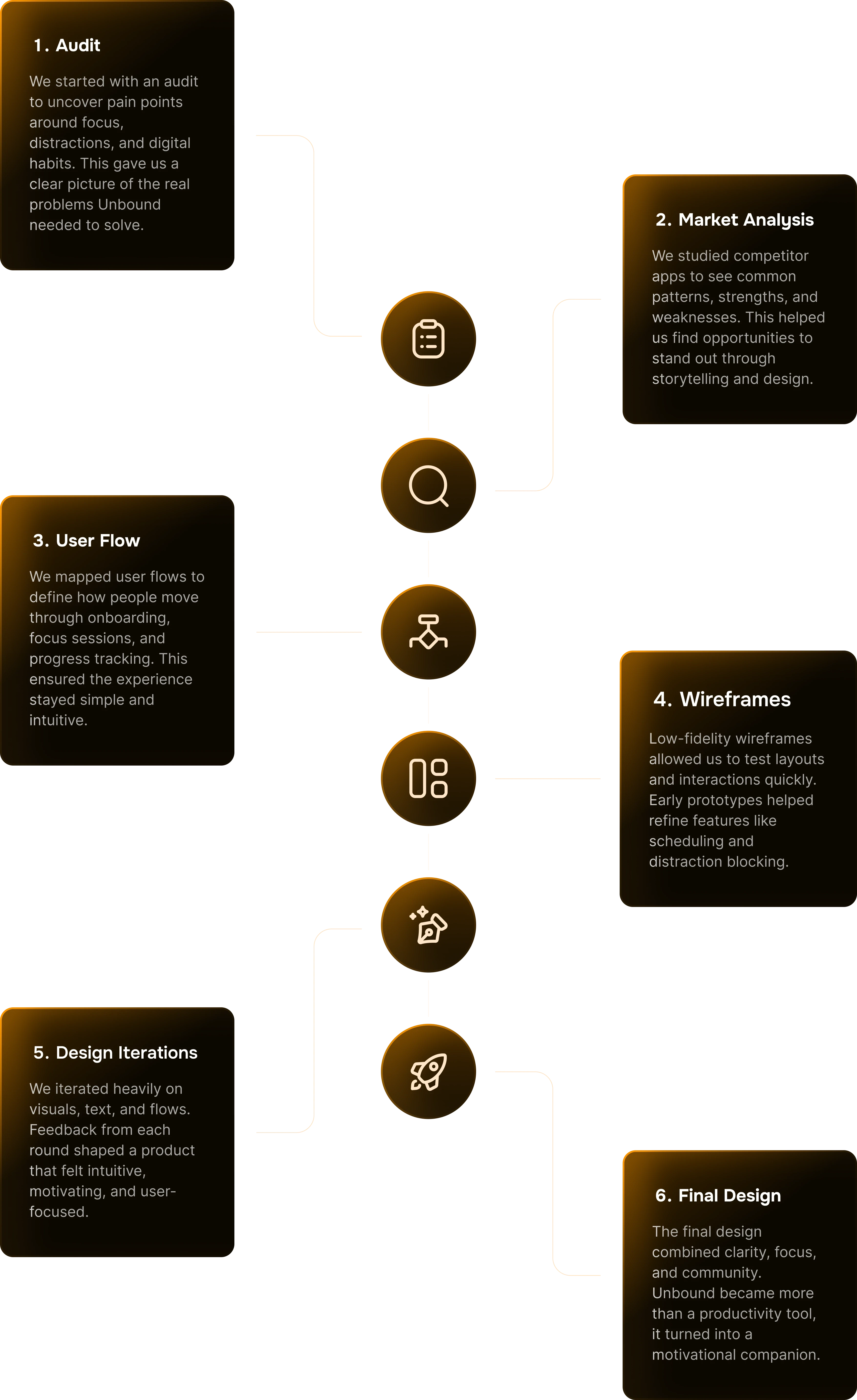
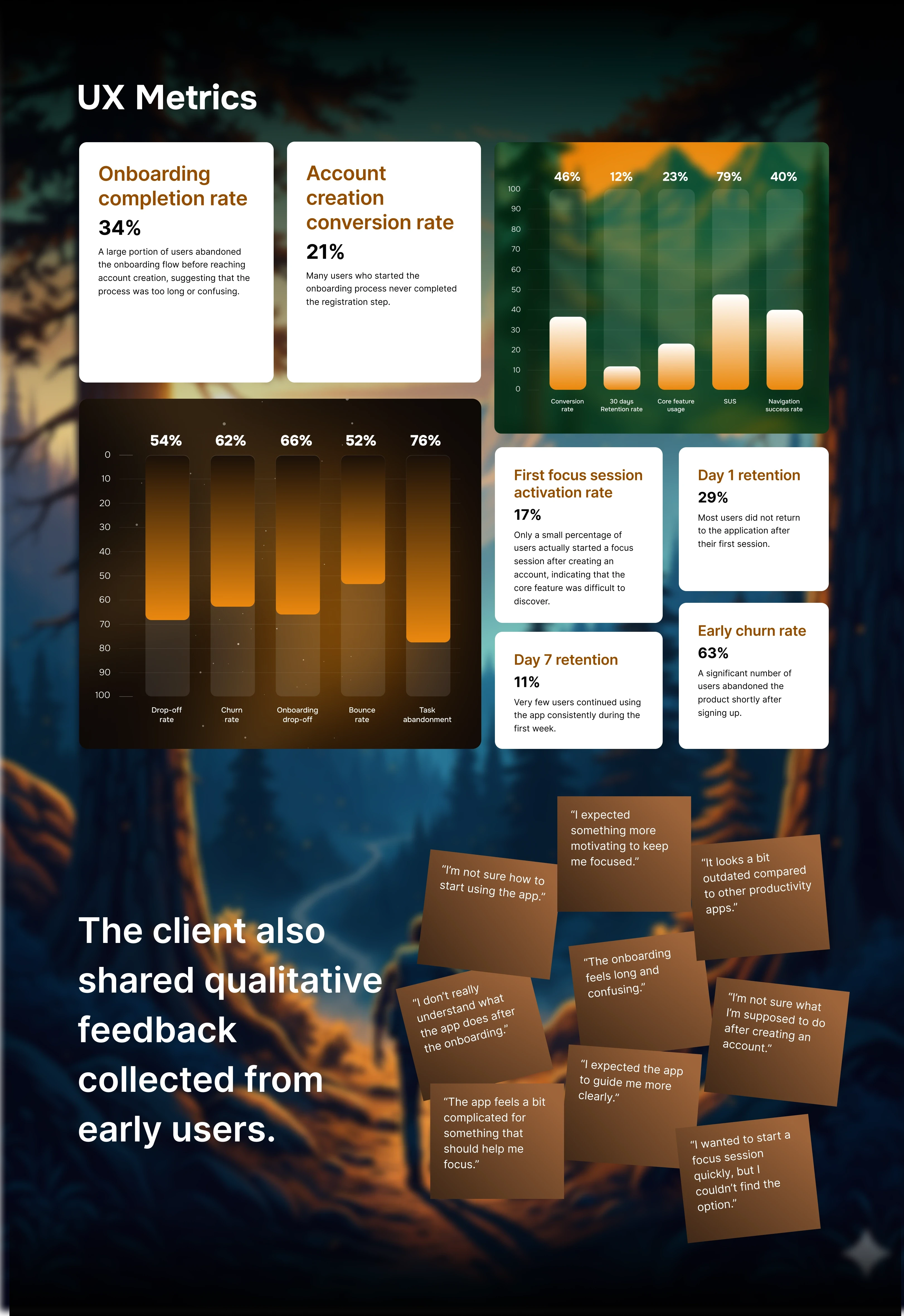
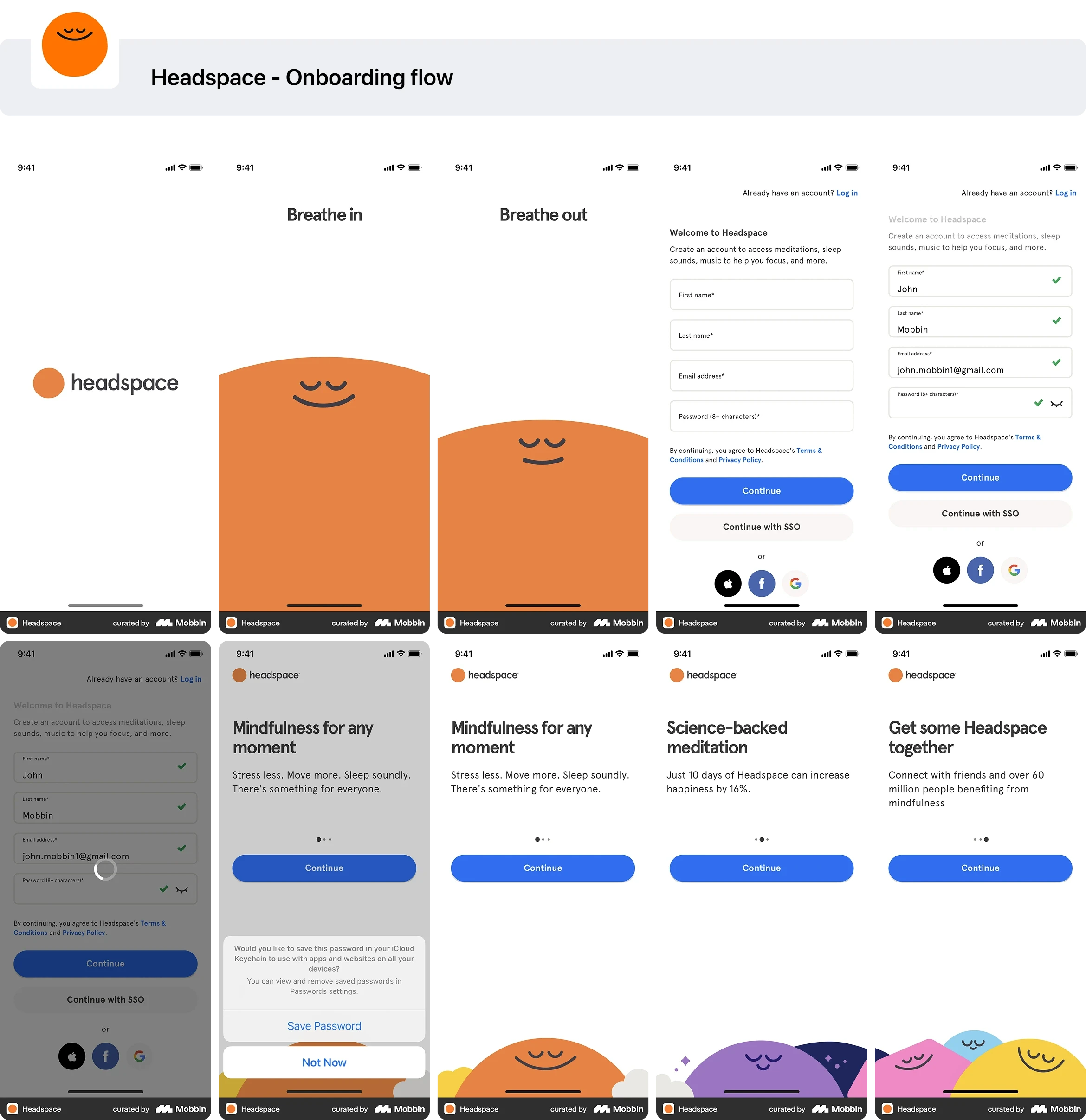
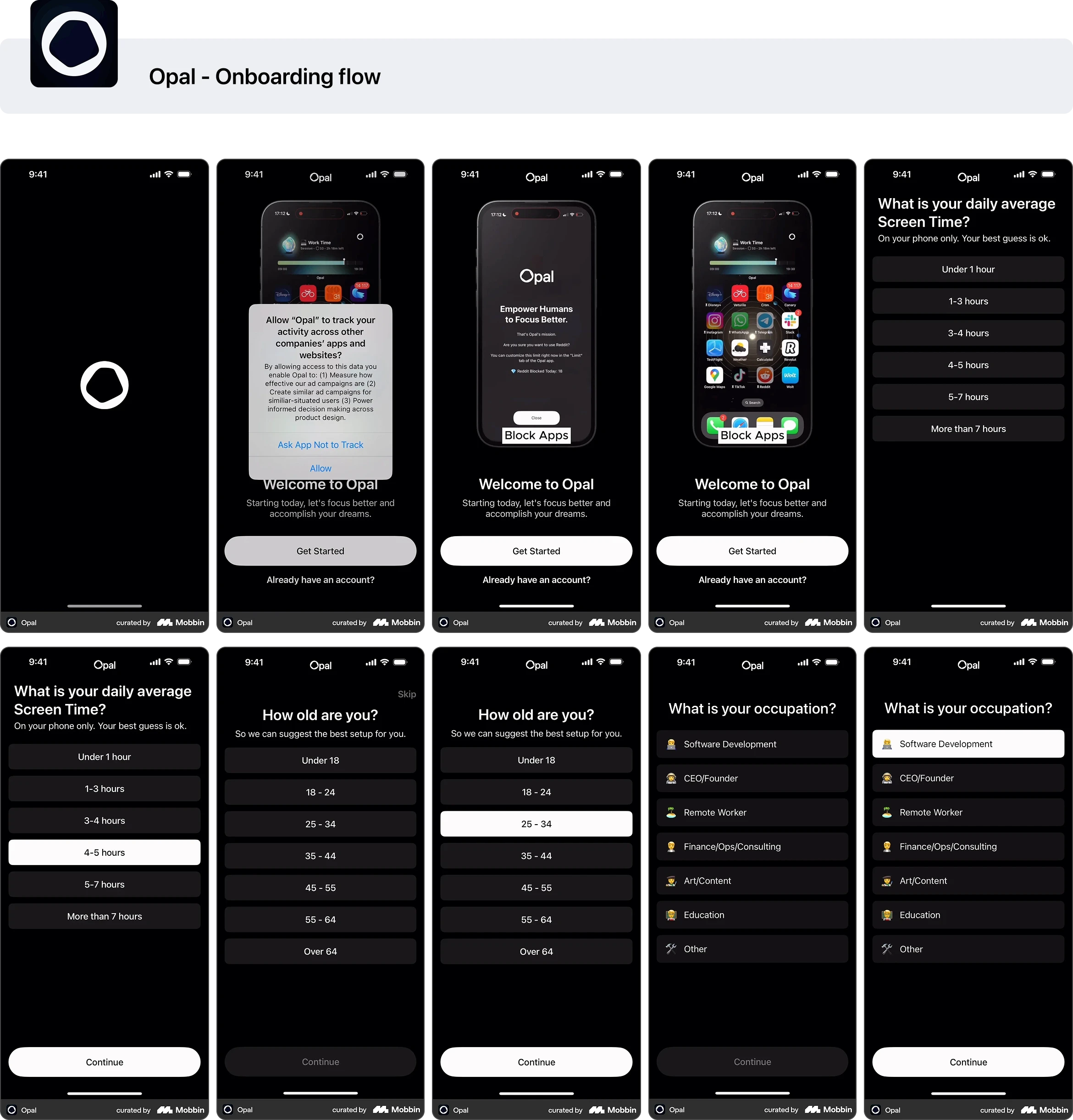
After reviewing the product metrics and the concerns shared by the client, a UX audit was conducted to better understand where users were experiencing friction in the application.
The goal of the audit was to analyze the current product structure, identify usability issues, and determine why users were struggling to reach the core value of the app.
The analysis focused on onboarding flows, navigation patterns, session mechanics, and the overall interaction model of the application.
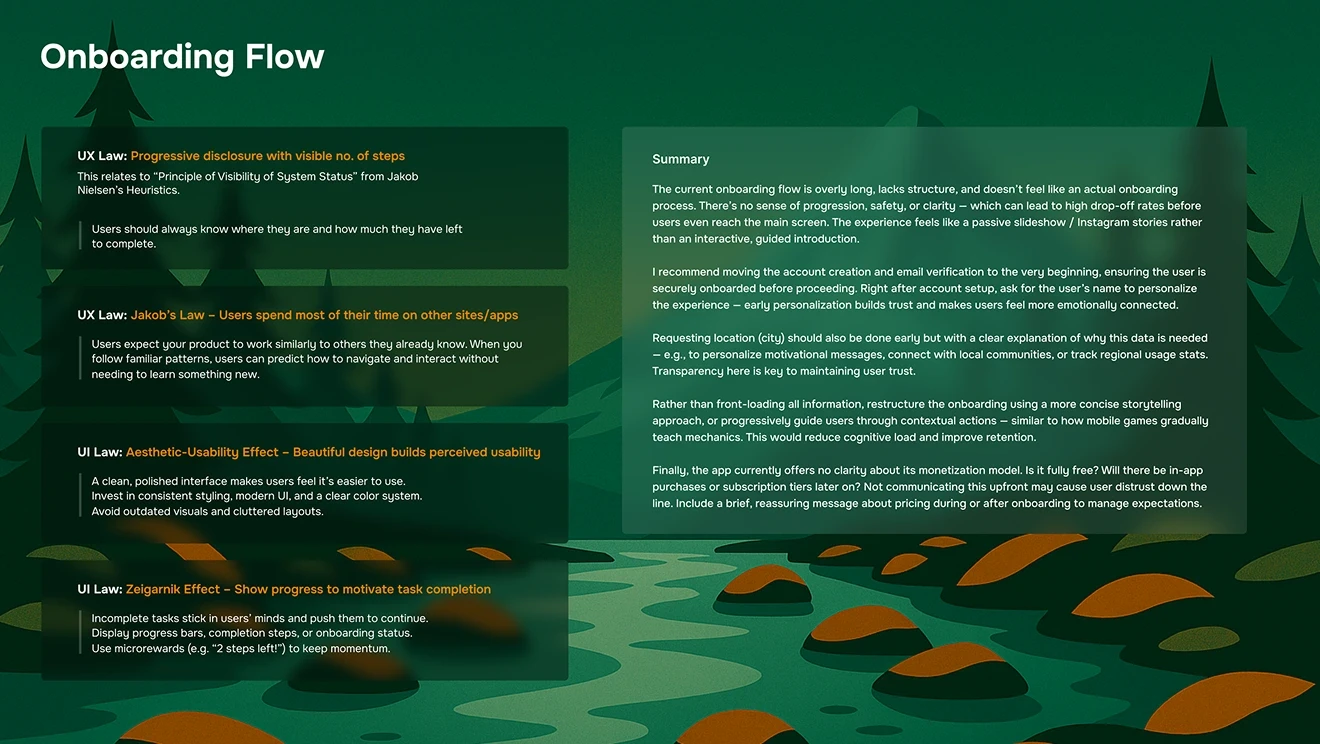
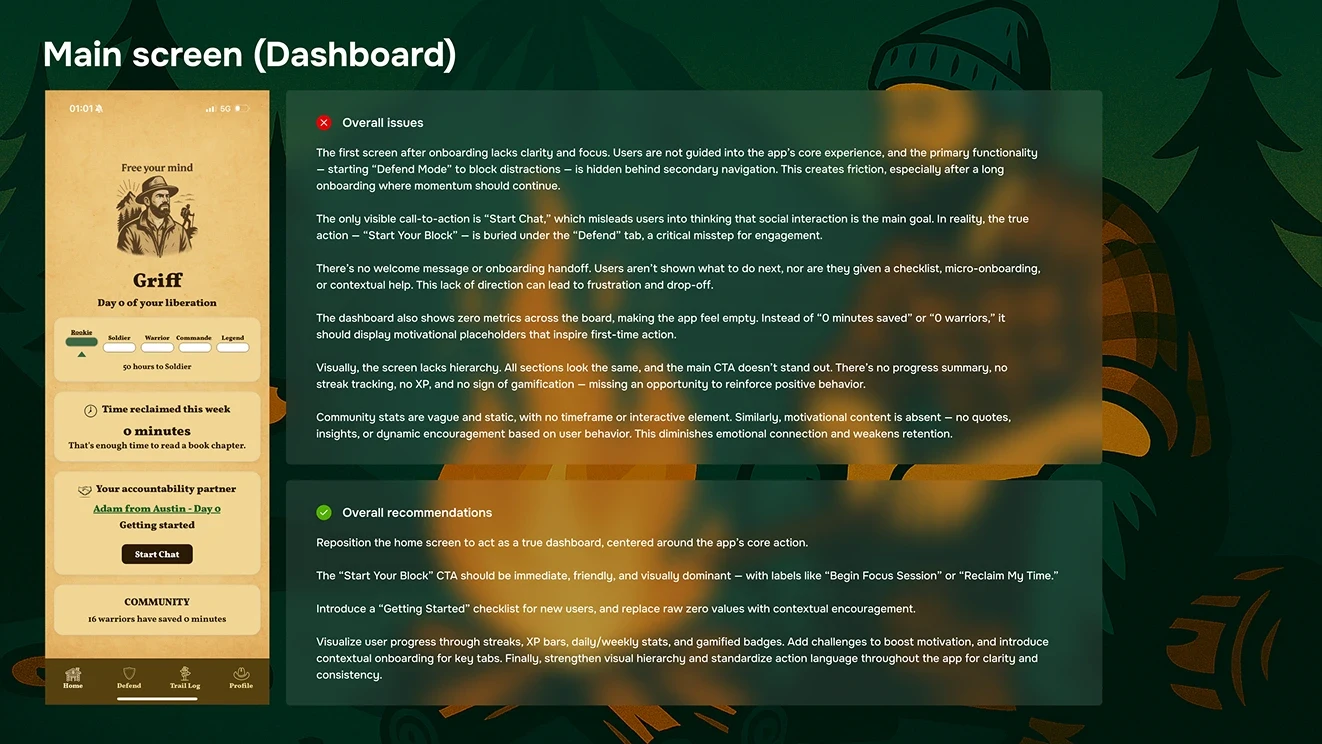
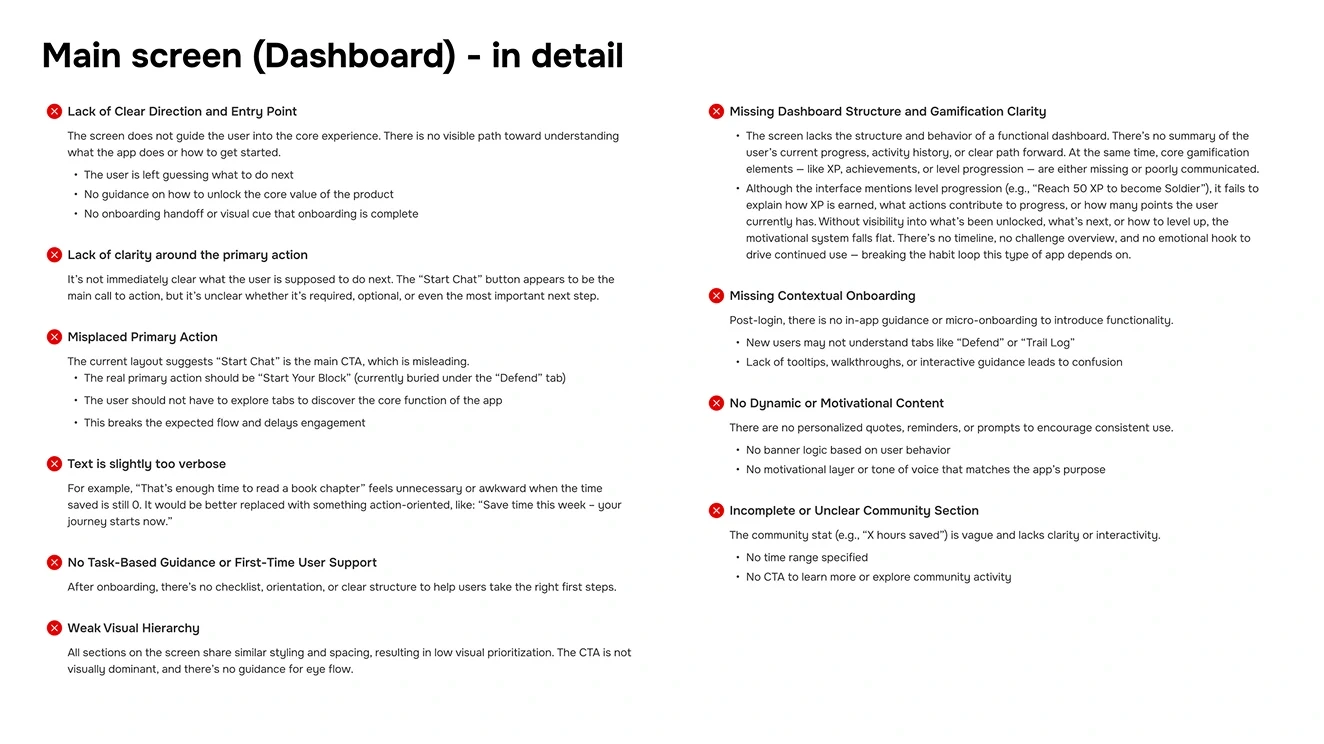
Key Findings
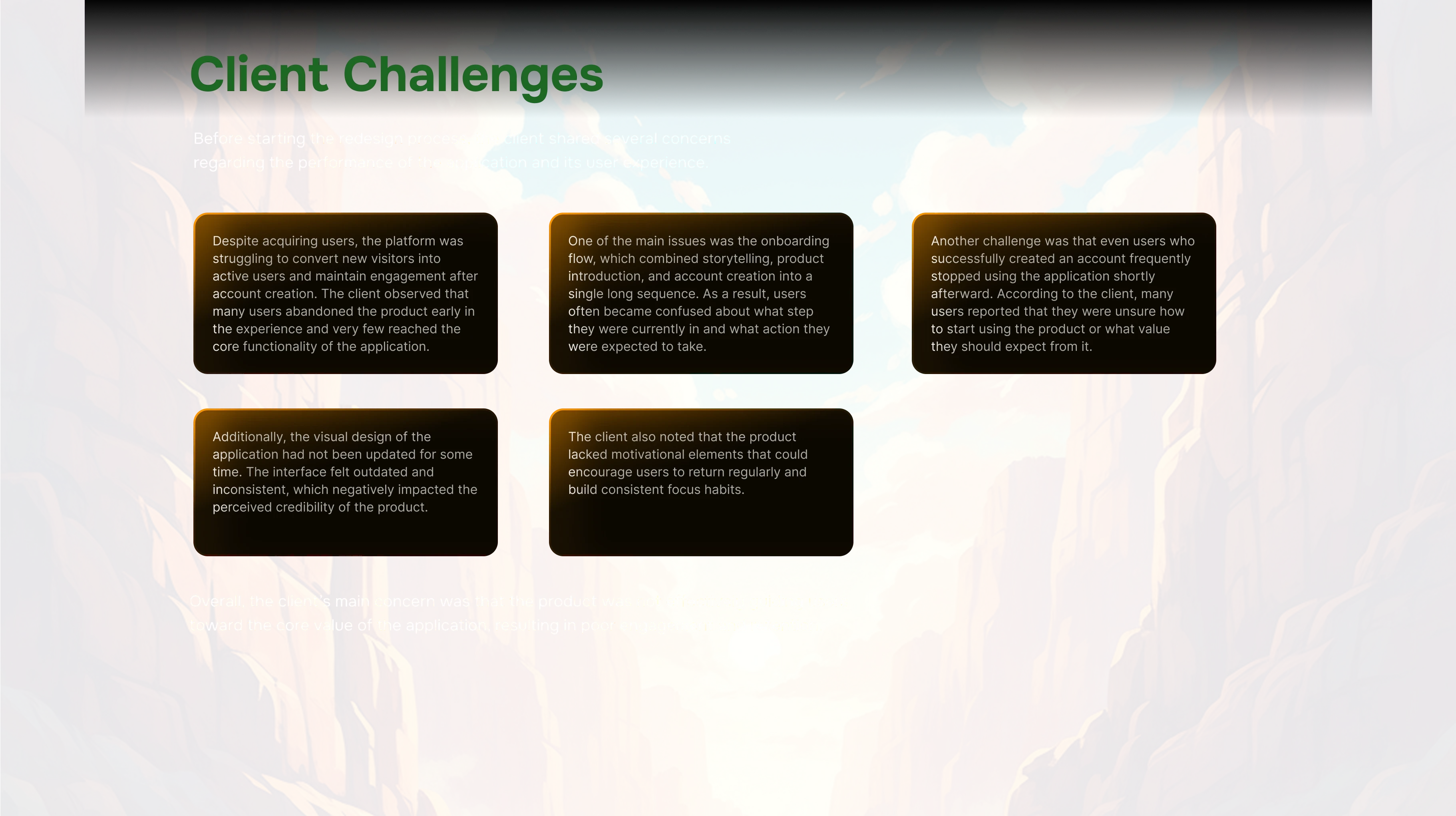
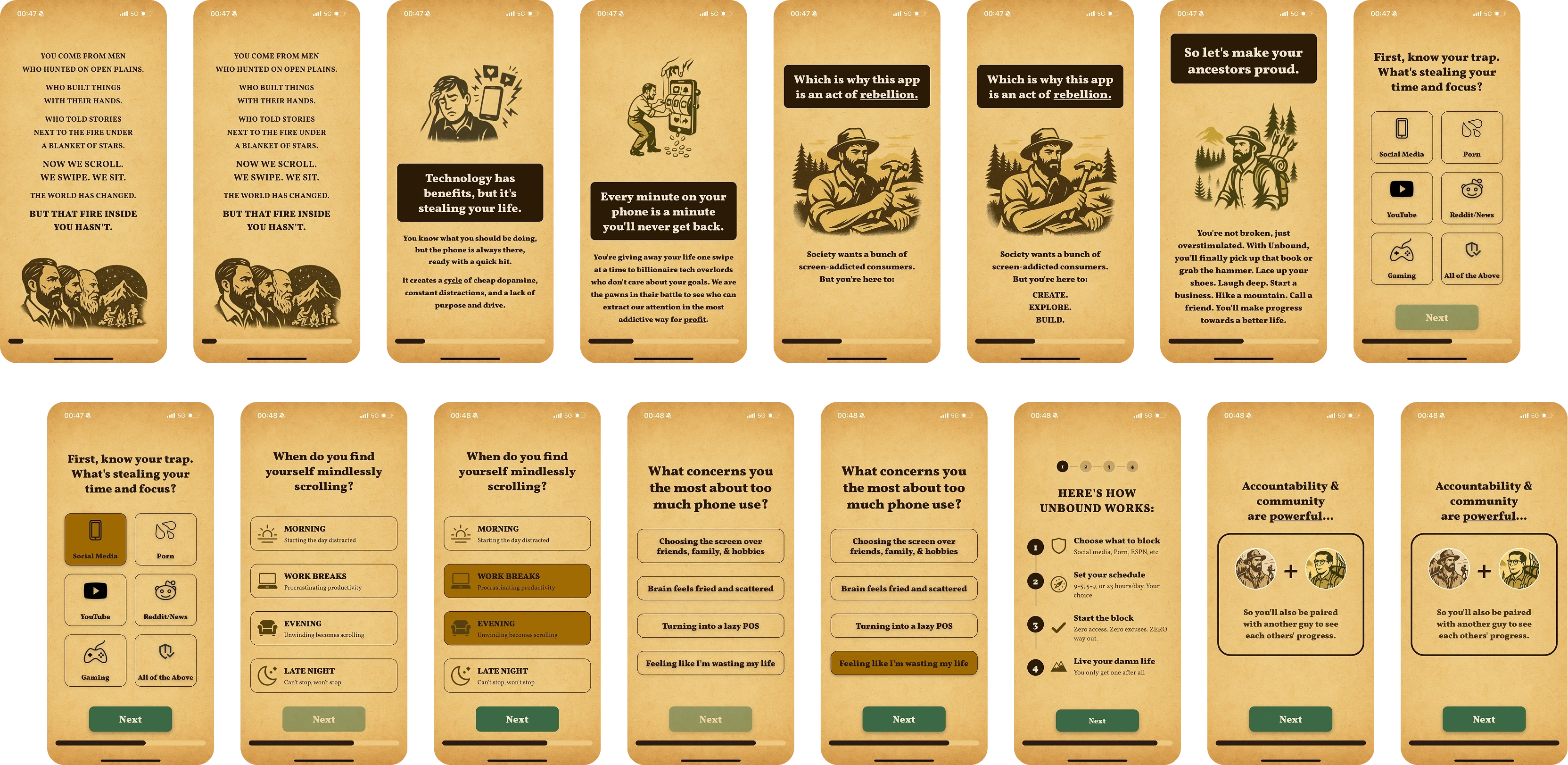
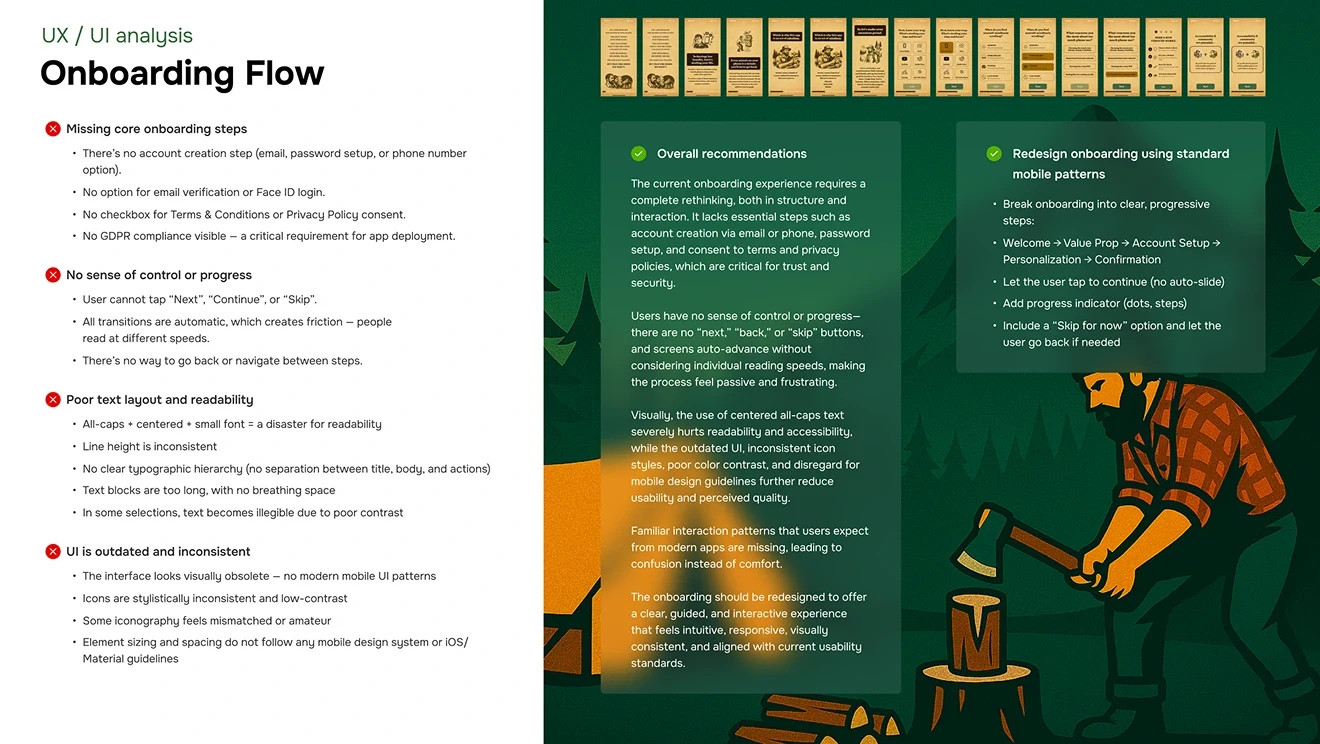
Onboarding mixed multiple goals
The onboarding flow attempted to handle storytelling, product education, and account creation within the same sequence. This created confusion and made it difficult for users to understand what step they were currently completing.
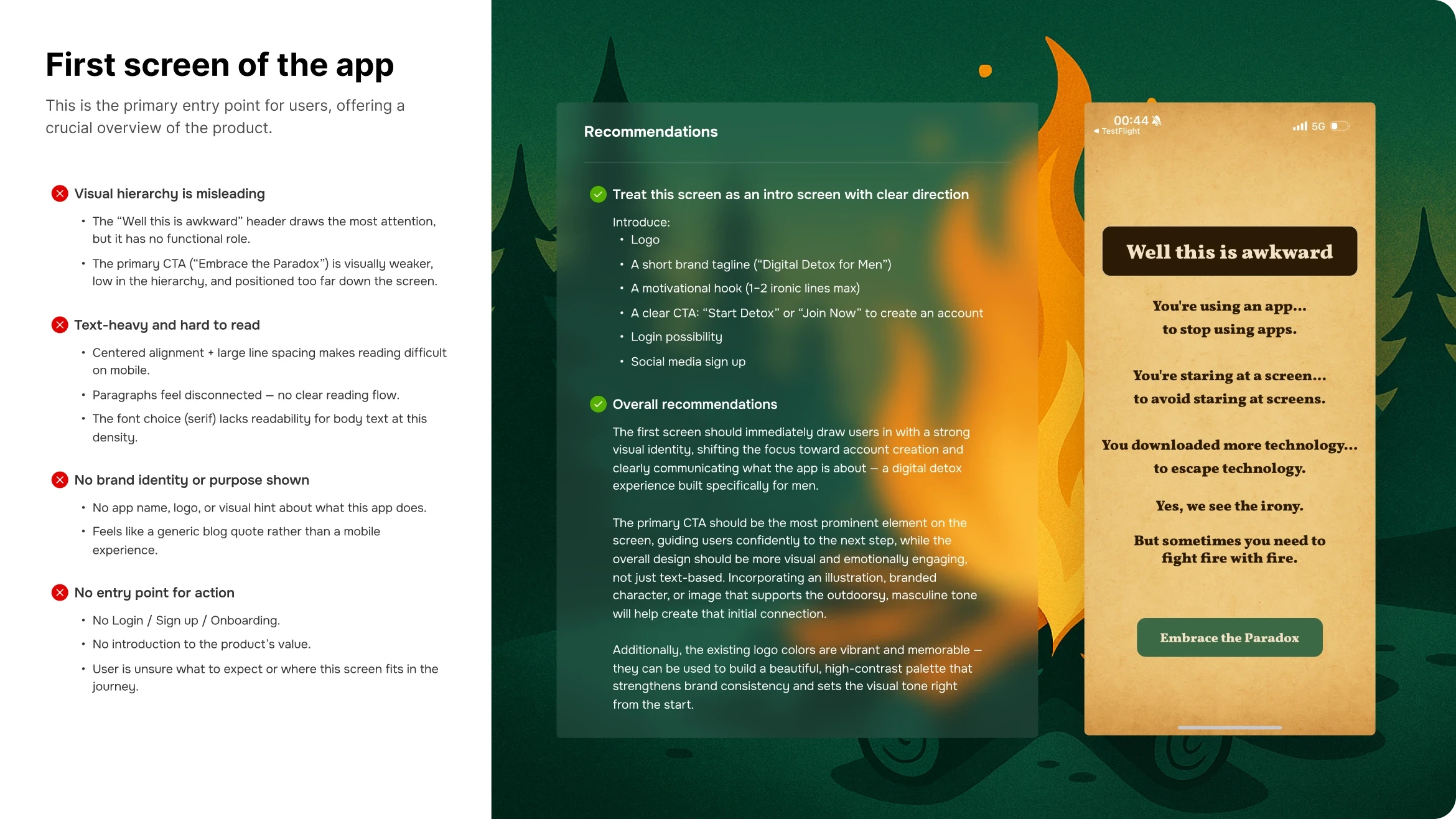
Navigation lacked clear primary actions
The interface did not clearly highlight the main action users needed to take to start a focus session. Important actions were visually similar to secondary interactions, making the flow harder to follow.
The product lacked motivational feedback
The application did not provide meaningful progress feedback, achievements, or behavioral reinforcement to encourage users to return and continue using the app.
Focus session flow required too many steps
Starting a focus session required several decisions and configuration steps, which discouraged users from initiating sessions quickly.
The core value of the product appeared too late
Users needed to complete several steps before reaching their first focus session. Because the value of the product was not experienced early enough, many users abandoned the app before understanding how it works.
The interaction model was inconsistent
Several screens used different interaction patterns, which increased cognitive load and made the product feel fragmented.
Visual hierarchy did not support usability
The interface used inconsistent spacing, typography, and color hierarchy, which made it difficult for users to quickly scan screens and understand available actions.
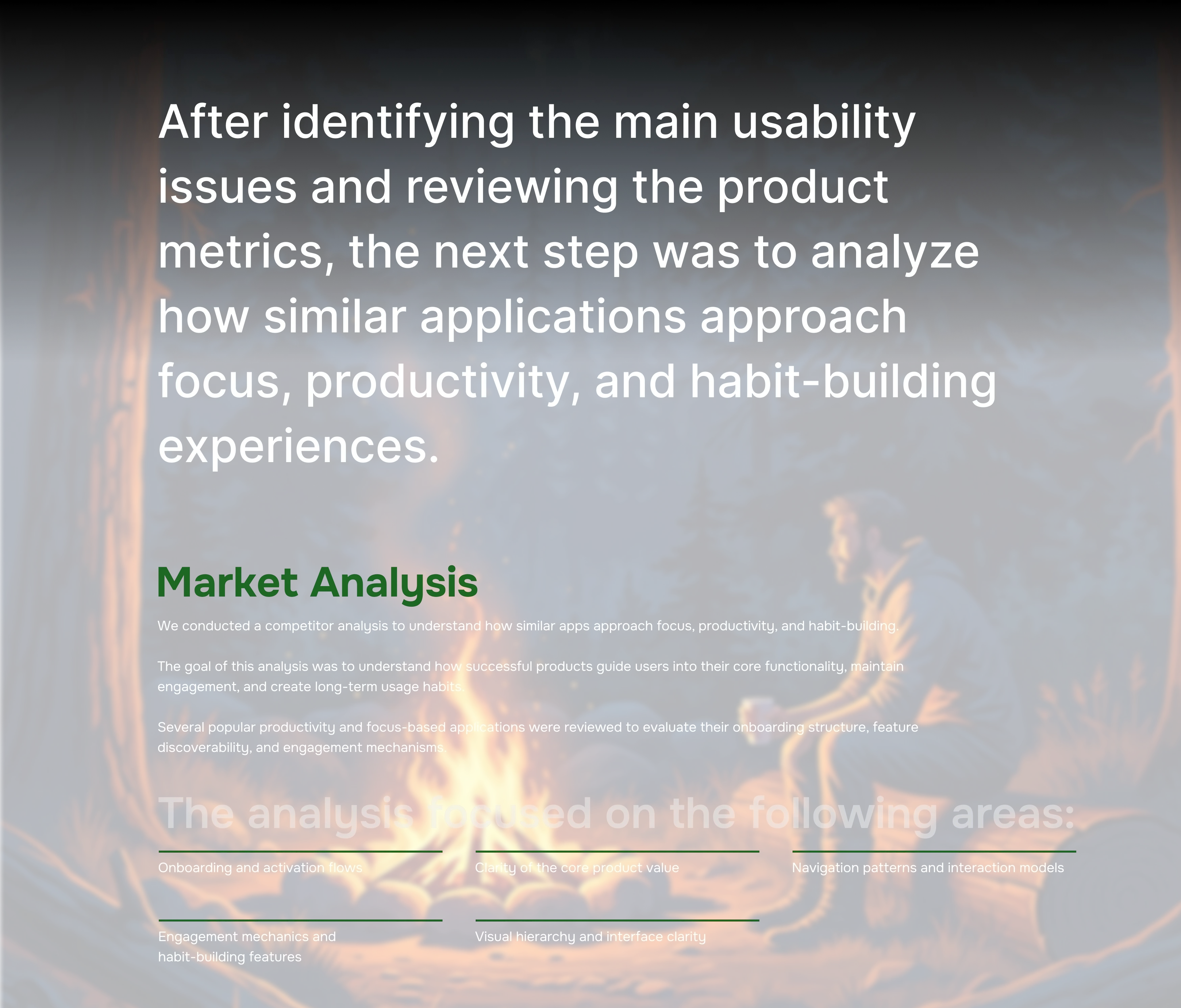
User Flow
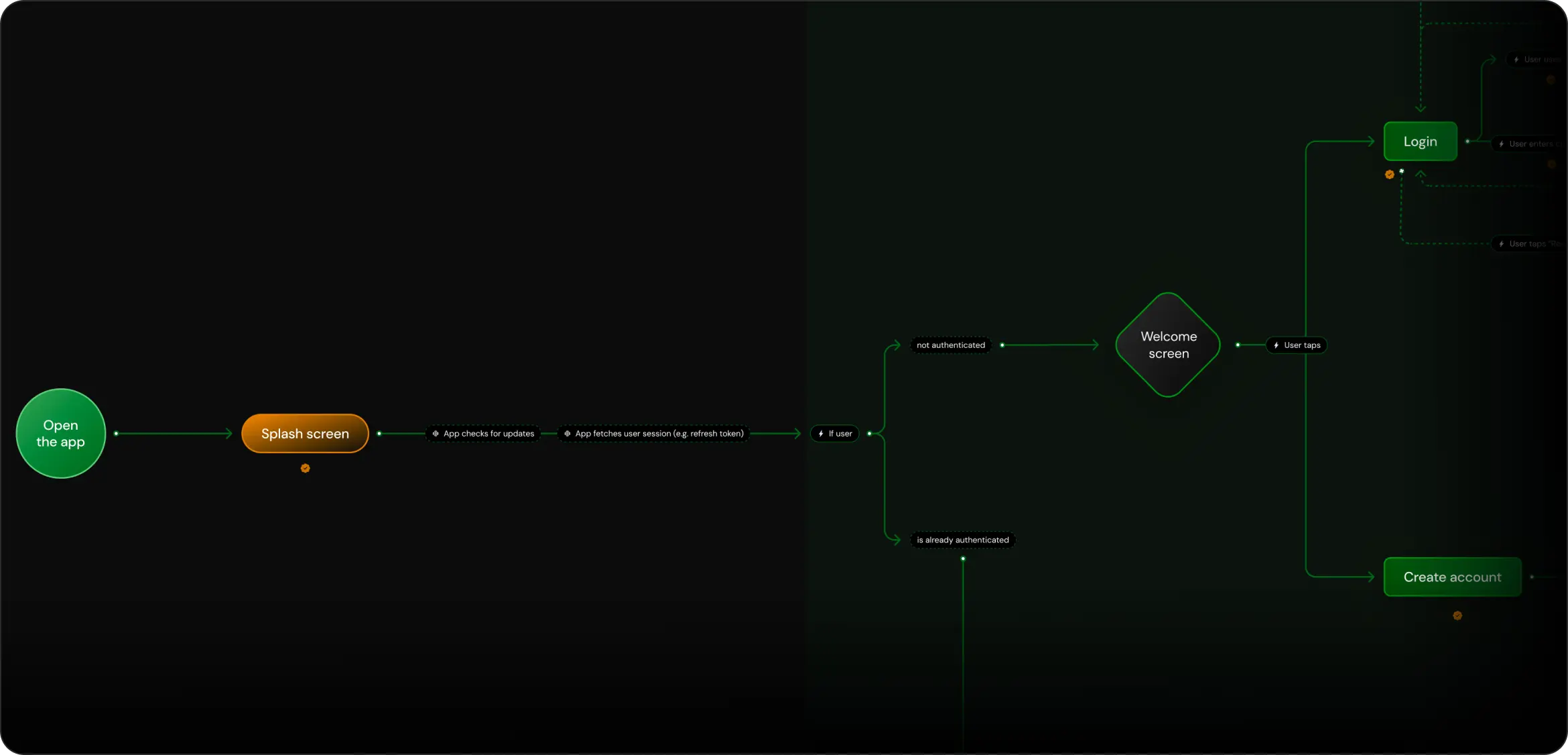
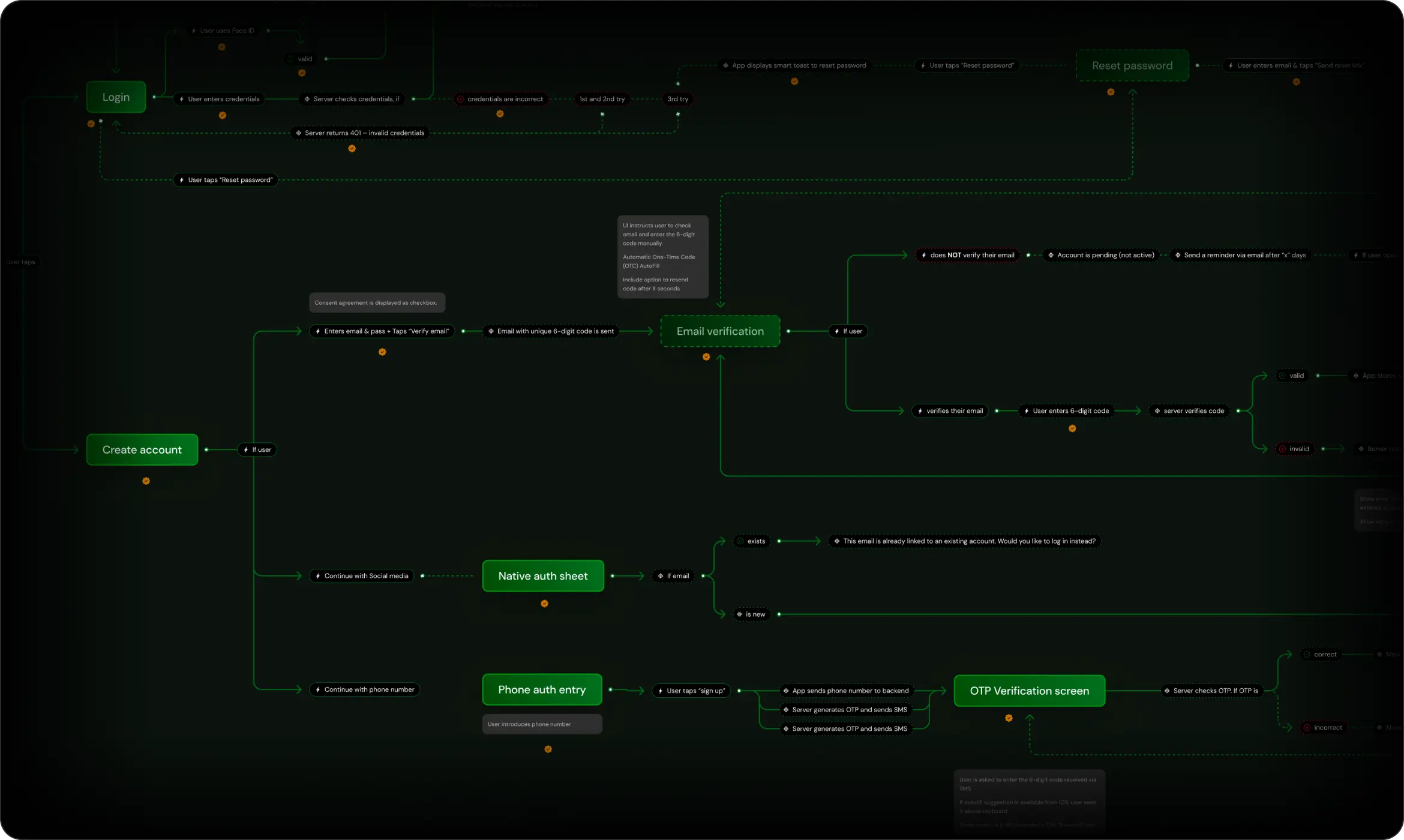
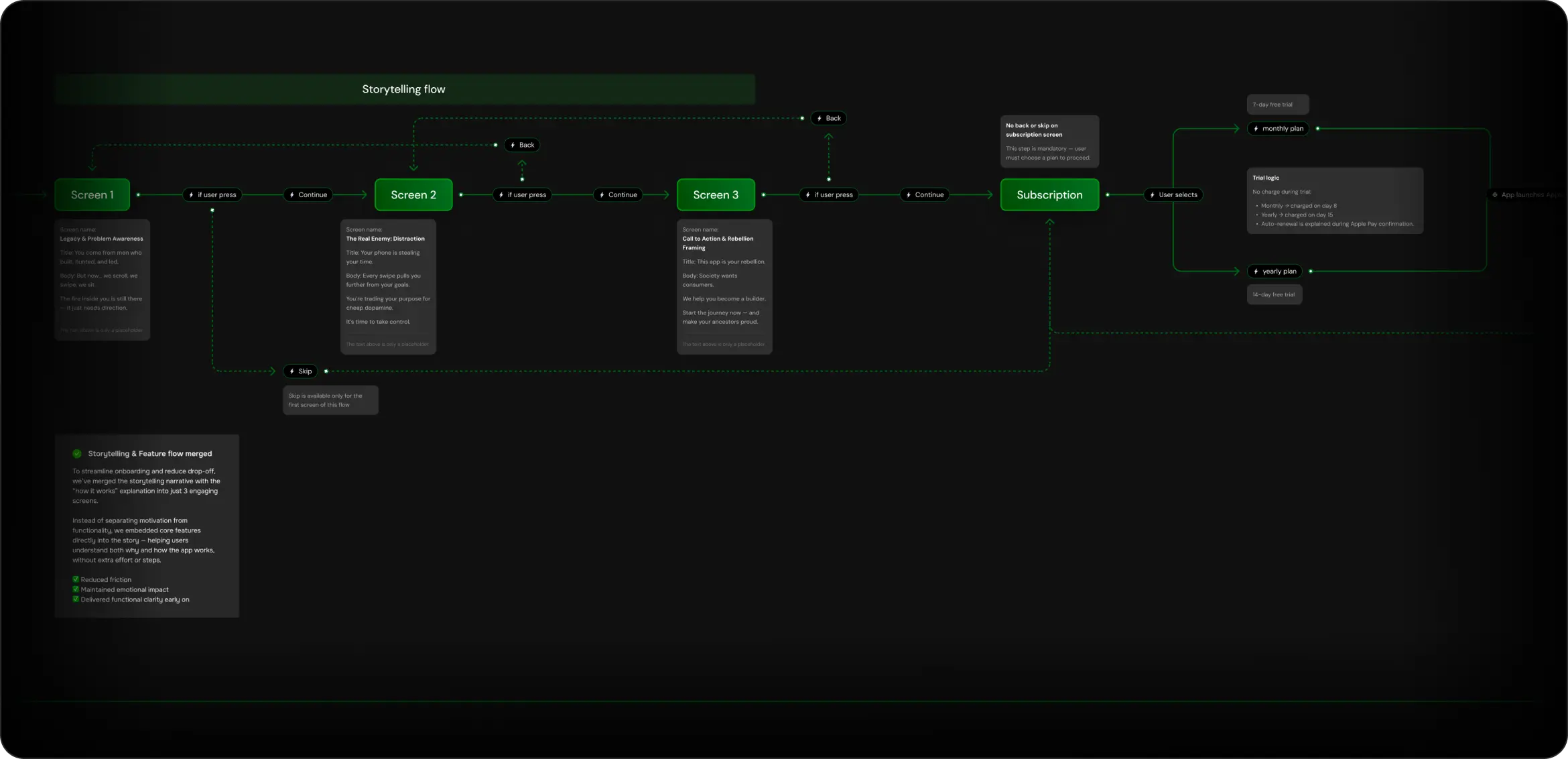
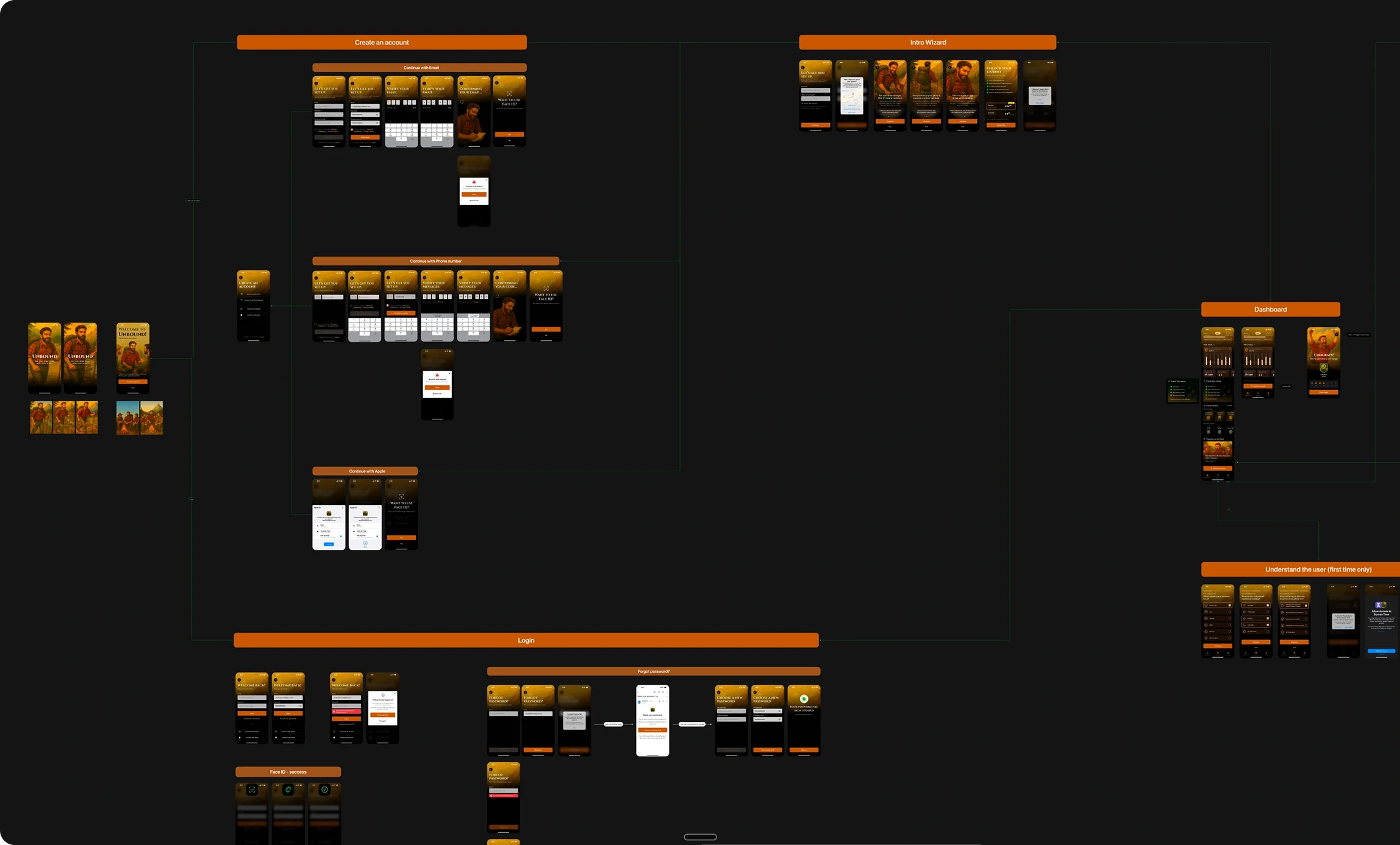
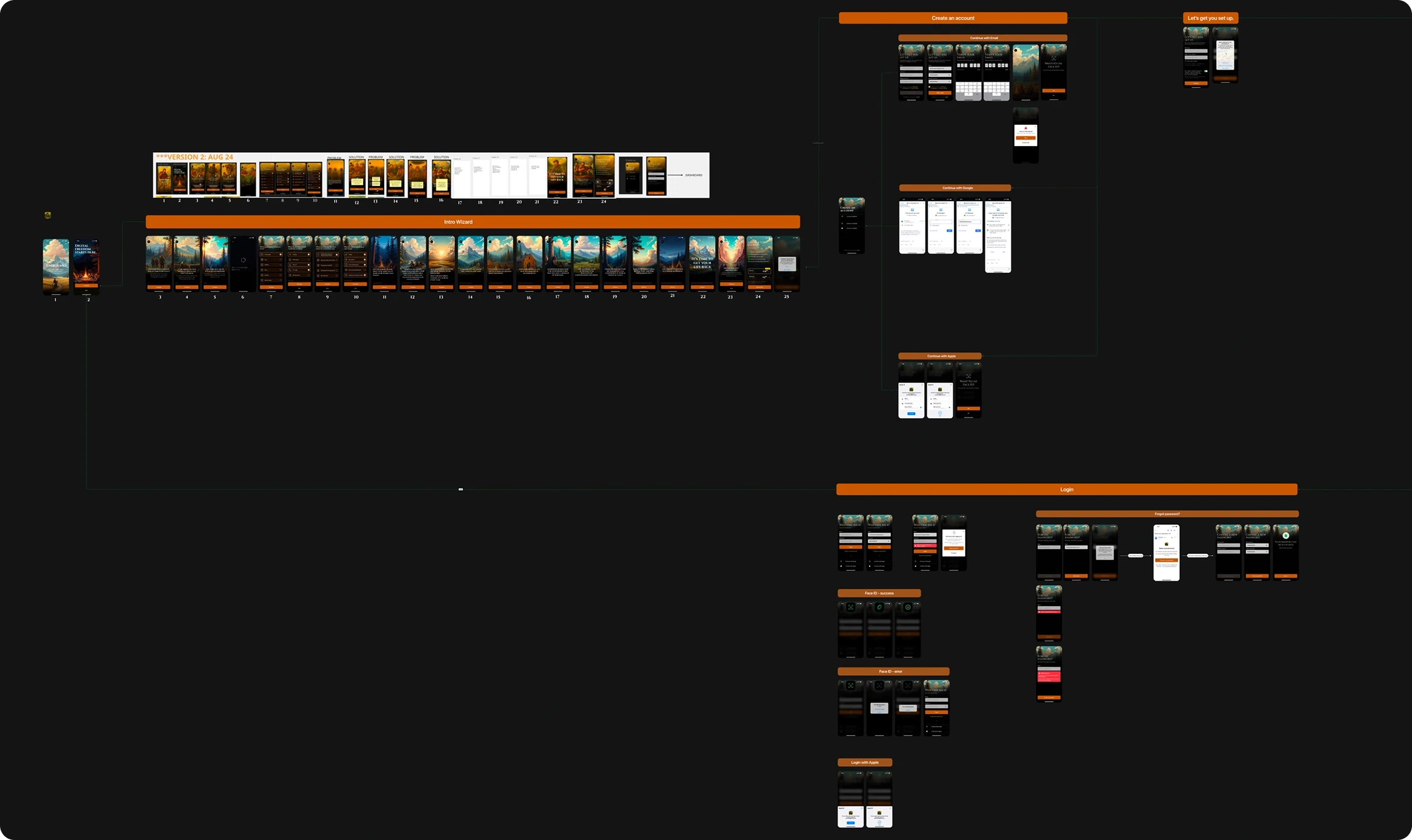
After identifying the main usability issues and defining the product opportunities, the next step was to map the complete user journey across the application.
The goal of this process was to clearly understand how users move through the product, from the first interaction with the app to completing focus sessions and building consistent habits.
The user flow helped visualize the entire experience, including onboarding, account creation, session activation, progress tracking, and returning usage patterns.
Particular attention was given to the early stages of the journey, where most users were previously dropping off. The flow was redesigned to simplify the onboarding experience and guide users more quickly toward the core value of the product: starting their first focus session.
Mapping these flows also helped identify unnecessary steps, decision points that created friction, and areas where users required clearer guidance.
Beyond supporting design decisions, the user flow played an important role in aligning the broader product team. It provided clarity for the Product Owner when structuring the product roadmap and helped developers understand the logical architecture of the application before implementation.
By visualizing the entire journey early in the process, the team ensured that the product was built around a coherent experience rather than a collection of disconnected screens.
Wireframes
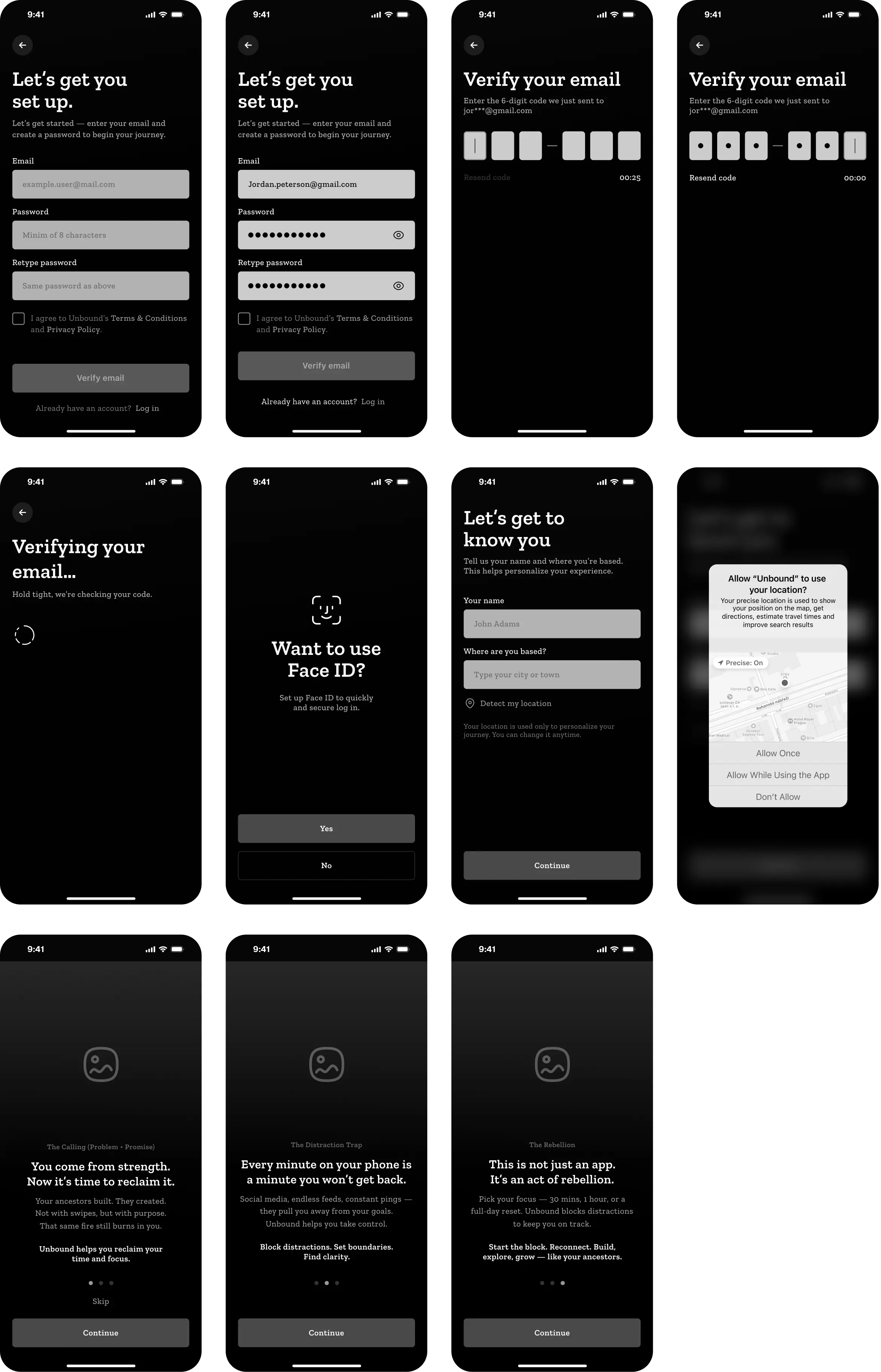
Before moving into visual design, low-fidelity wireframes were created to explore the core structure of the application and validate the interaction logic behind the product experience.
The goal of this stage was to focus entirely on functionality, usability, and workflow clarity, without being influenced by visual styling or aesthetic decisions.
Because visual design can often shift attention toward colors, typography, or branding, the wireframes were intentionally kept minimal to ensure that feedback focused on how the product works rather than how it looks.
Several layout variations were explored to understand how key elements such as onboarding, focus sessions, progress tracking, and motivational feedback should be structured across the application.
This phase allowed the team to test:
the structure of the onboarding journey
the hierarchy of information on the main dashboard
the interaction flow for starting and managing focus sessions
the placement of progress indicators and habit-building feedback
By iterating through multiple wireframe variations, the product structure gradually evolved into a clearer and more intuitive experience.
The wireframes were also shared with stakeholders and developers to validate the interaction logic early in the process, ensuring that the product architecture would support both usability and future scalability.
This step helped reduce design risks before moving into high-fidelity interface design.
Design Iterations
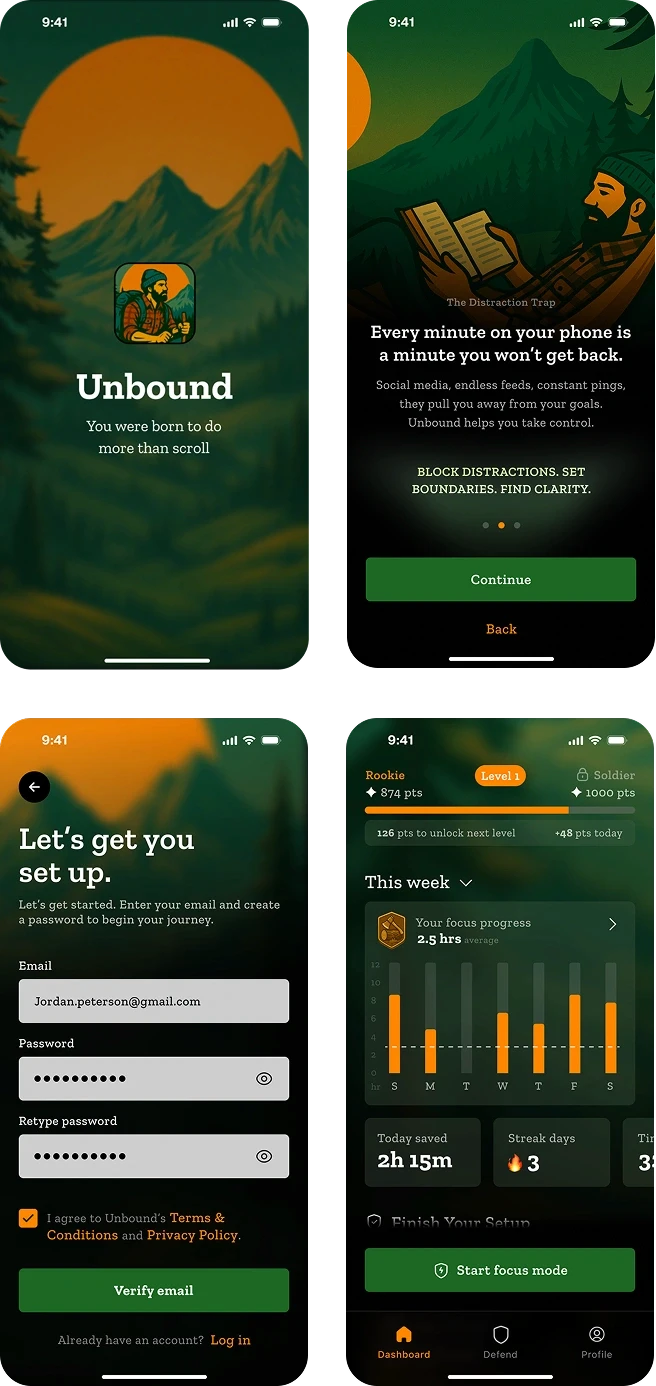
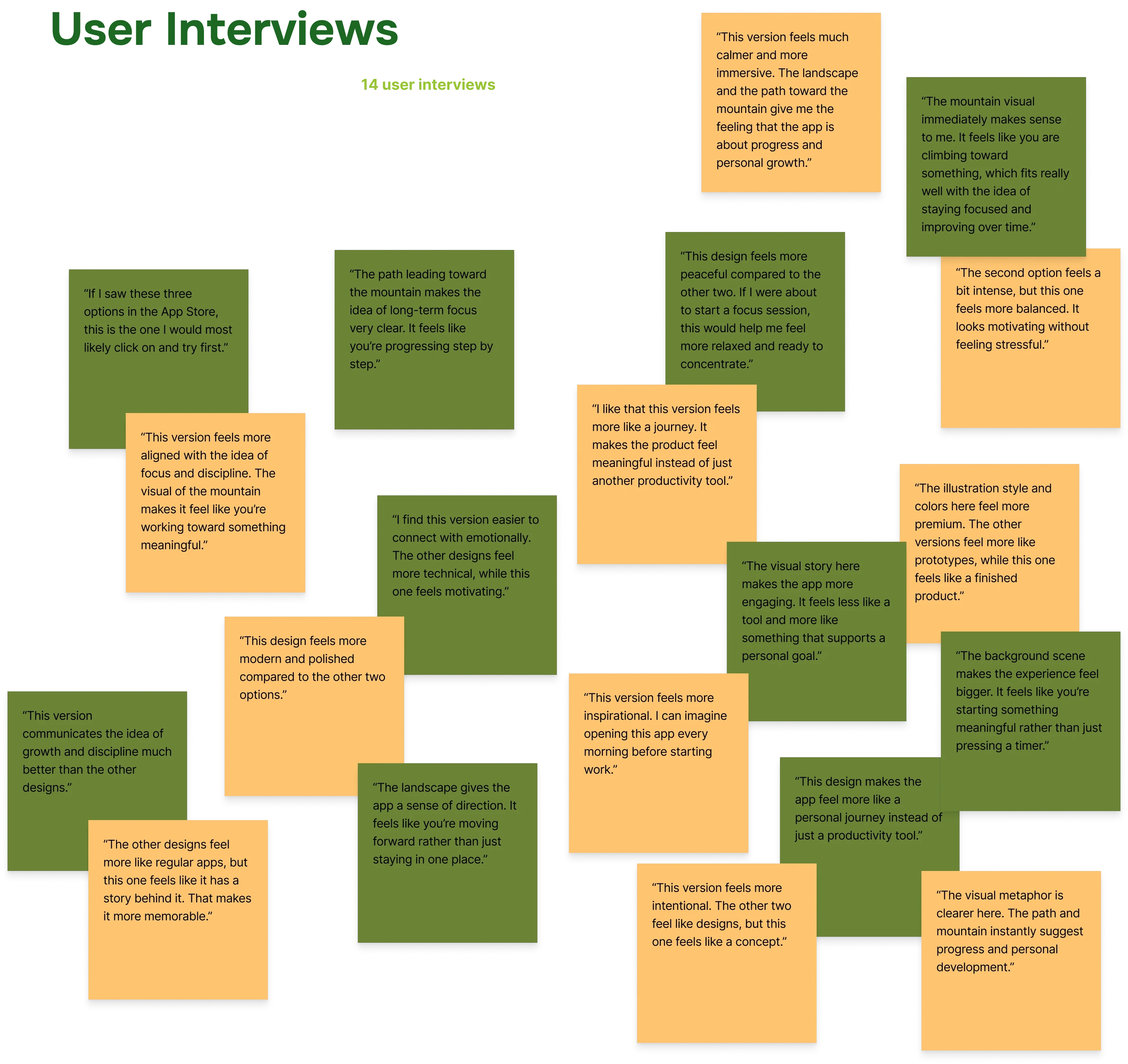
To identify the most effective visual direction for the product, three different UI concepts were created and explored.
Each version represented a distinct visual tone and storytelling approach.
These concepts were then tested with users to understand which design best communicated the product’s purpose and created the strongest emotional connection.
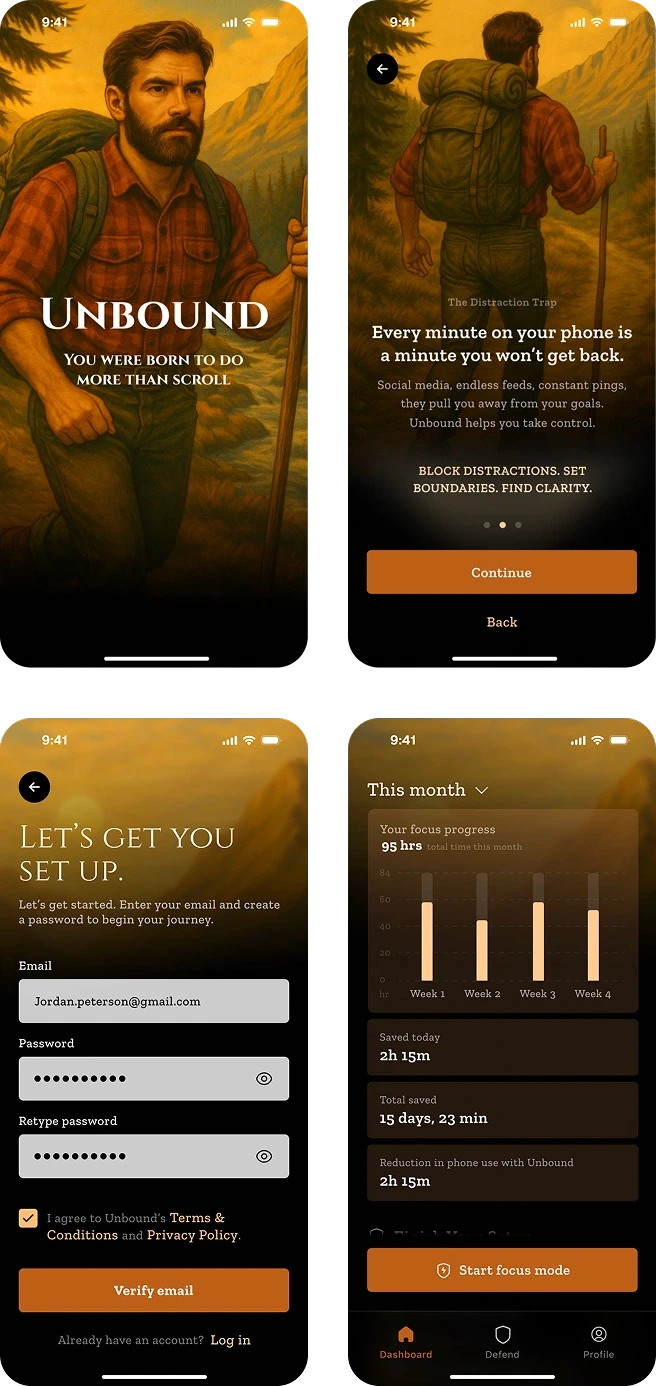
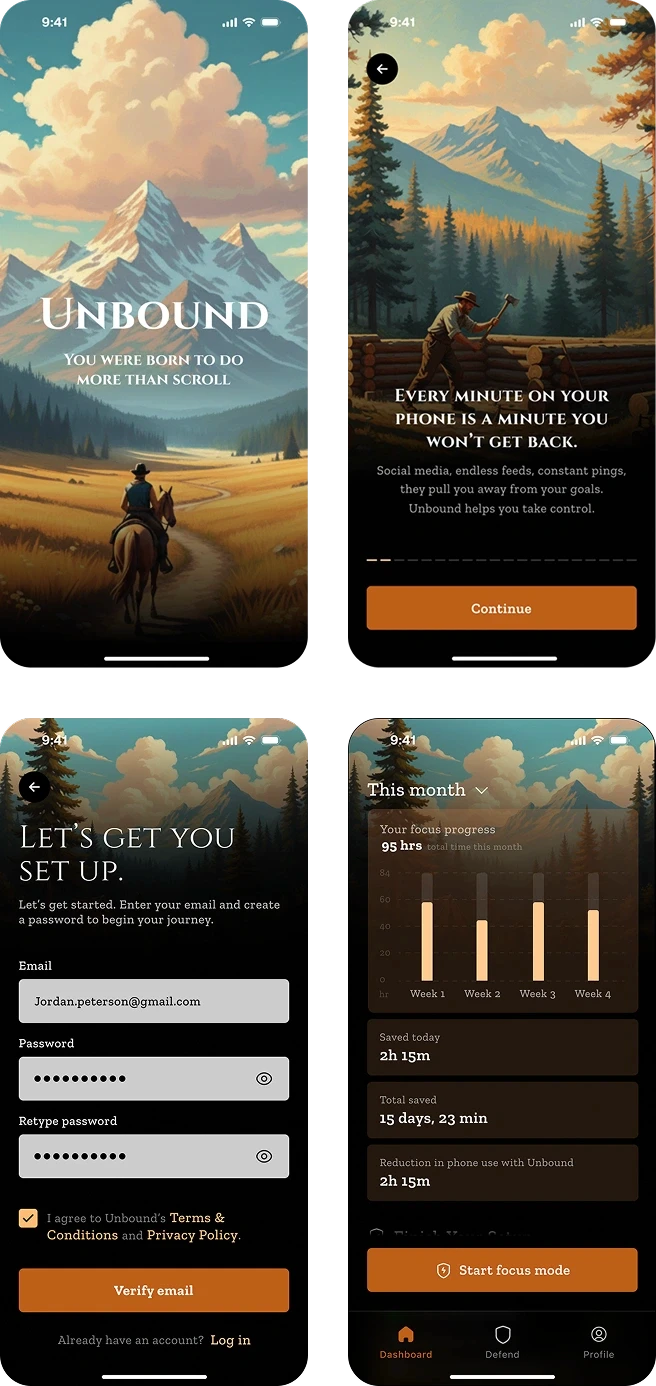
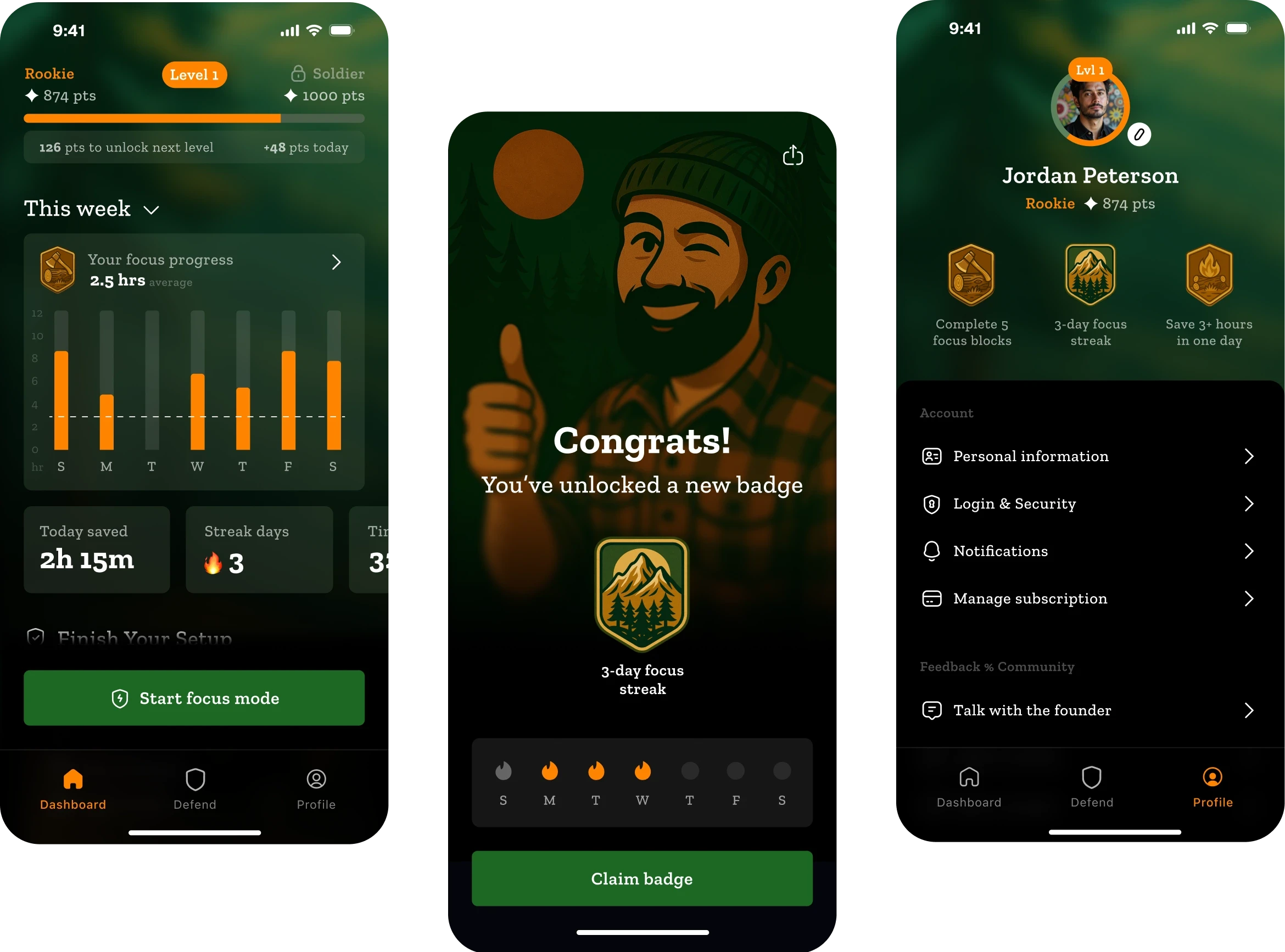
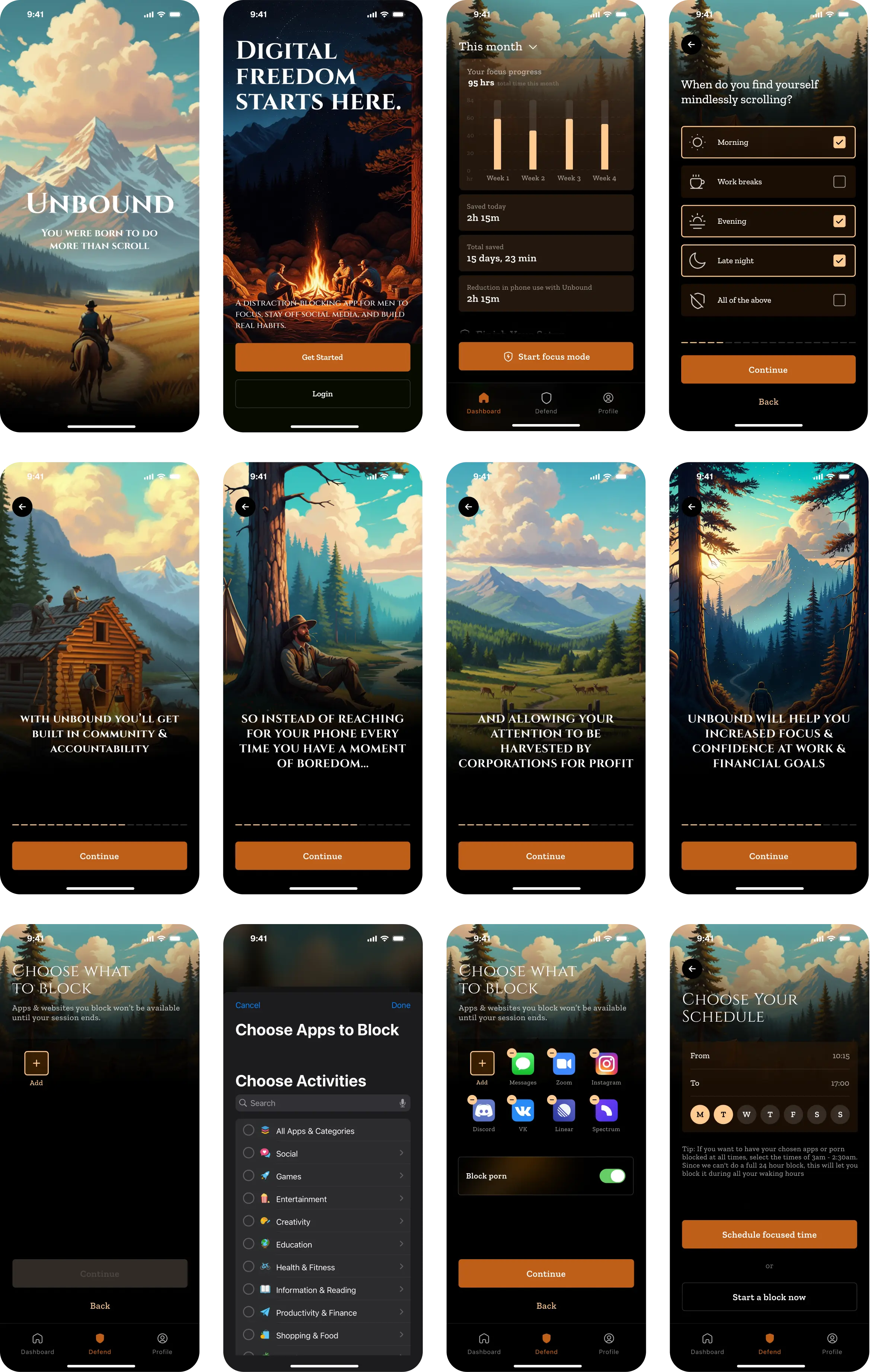
The final design brings together all research insights, user flows, and client feedback into a cohesive product. It balances functionality with a clean visual style, ensuring an intuitive user experience. Every screen reflects the iterative process — refined, consistent, and ready for implementation.
Screen flow
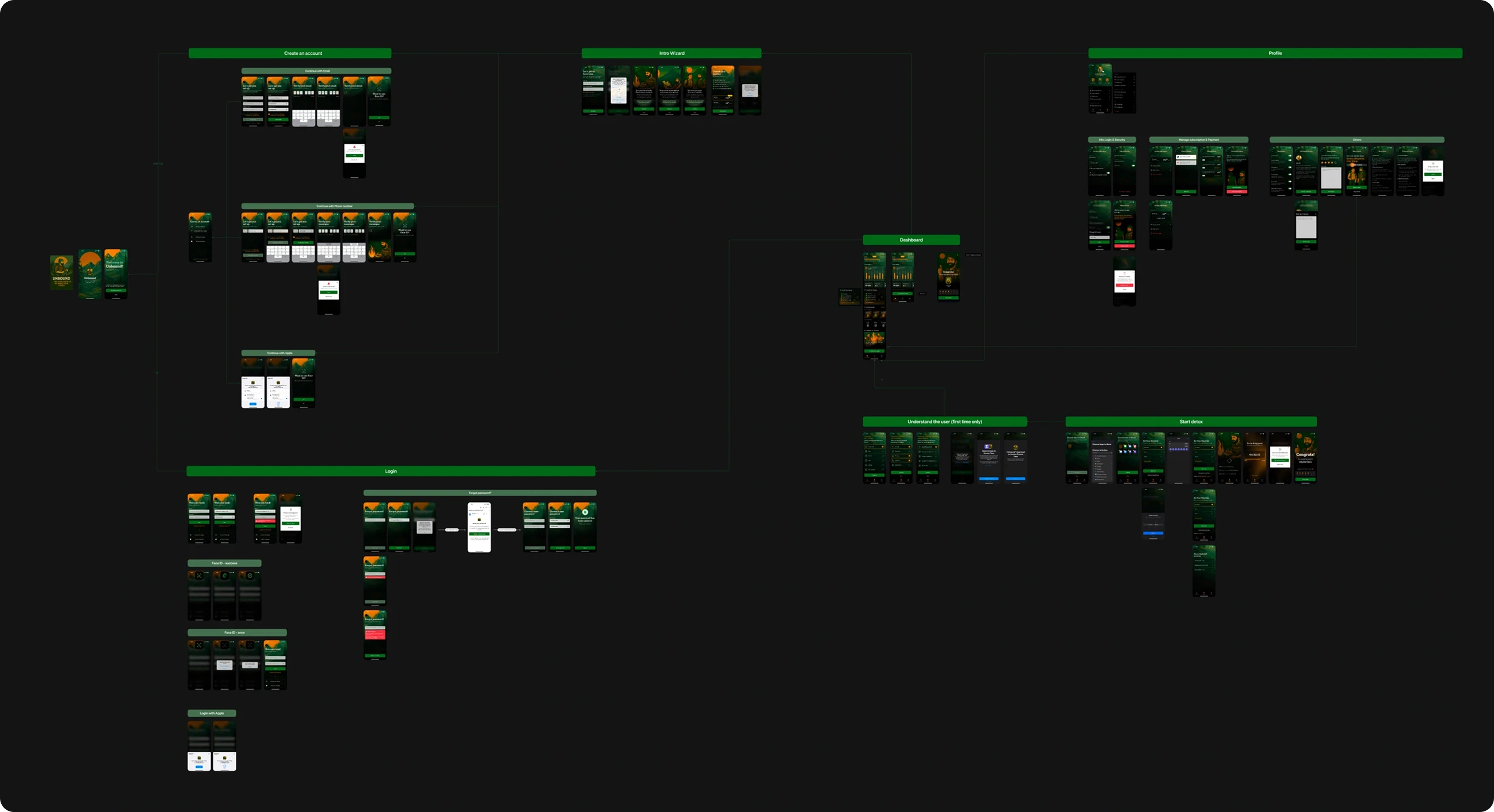
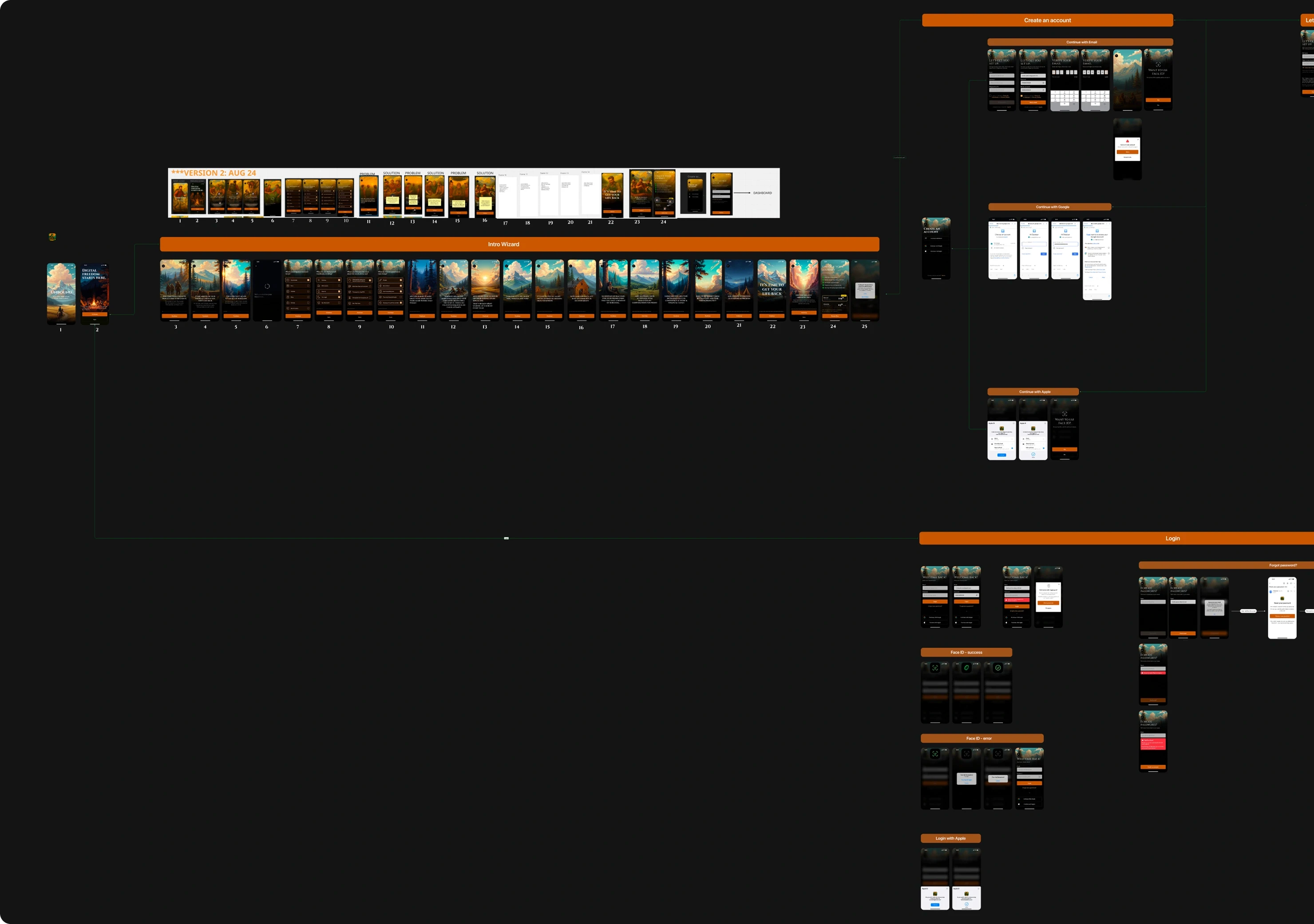
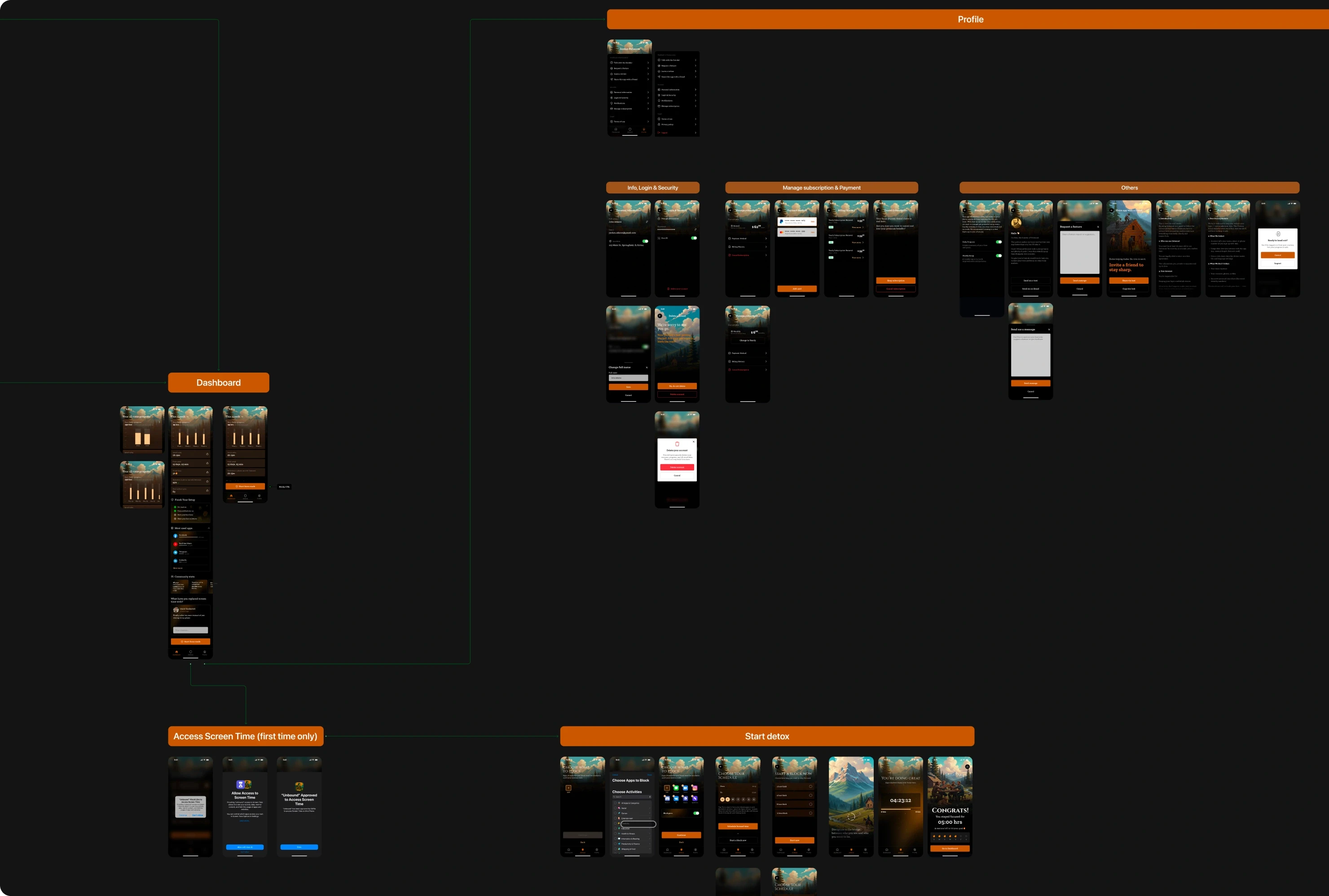
The screen flow was created to map how users navigate between key screens throughout the application.
By visualizing the relationships between screens, it became easier to understand how users move from onboarding to starting focus sessions, tracking progress, and returning to the app. This helped ensure that the overall navigation remained simple, logical, and aligned with the intended user journey.
Mapping the complete journey from app launch to starting the first focus session
Visualizing how users move through onboarding, account creation, and session activation
Identifying friction points where users previously dropped off
Simplifying navigation paths between key screens
Clarifying decision points and reducing unnecessary steps in the journey
Structuring the relationship between core screens and supporting features
Ensuring users reach the core value of the product as quickly as possible
Aligning the product team around a clear and logical experience architecture
Helping developers understand screen relationships before implementation
Creating a scalable structure for future product features

Style Guide
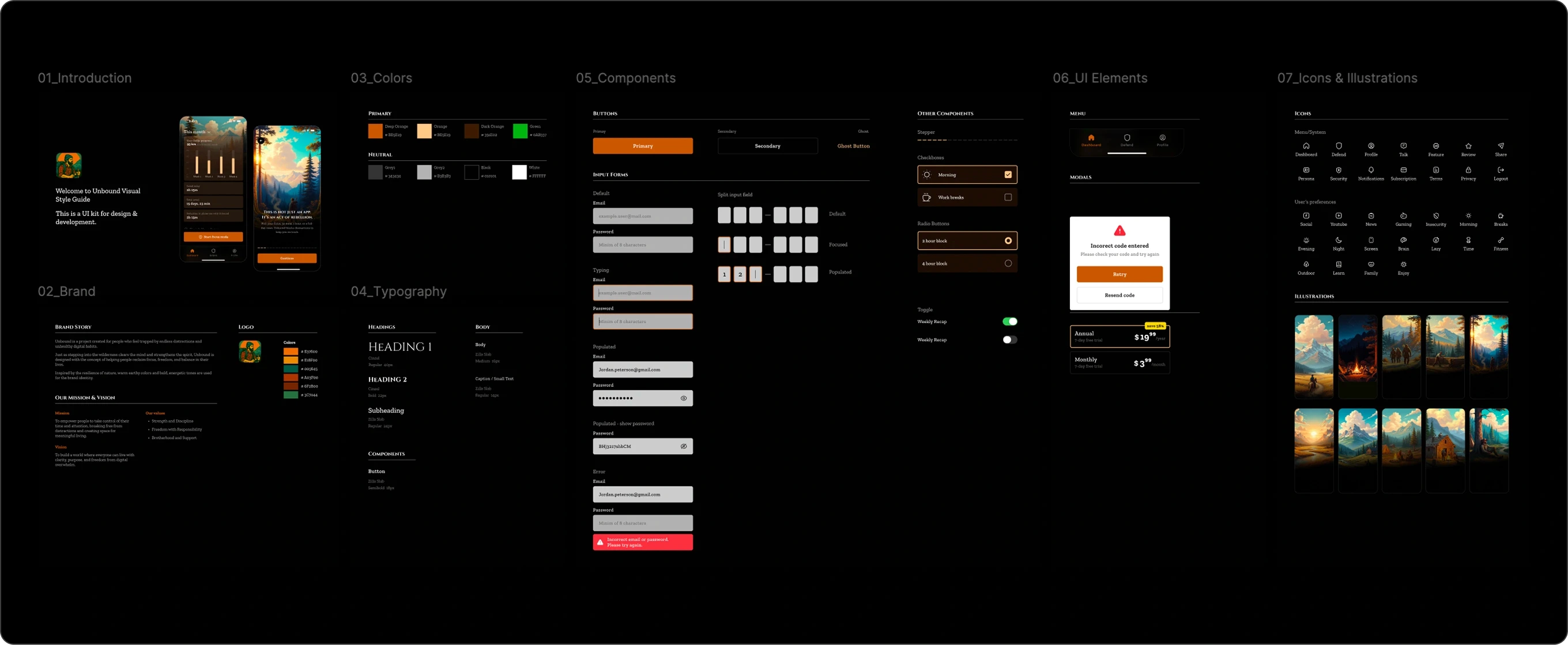
To ensure visual consistency and smooth implementation during development, a lightweight style guide was created for the engineering team.
The goal of this guide was not to document every possible design scenario, but to provide developers with the essential building blocks needed to implement the interface accurately and efficiently.
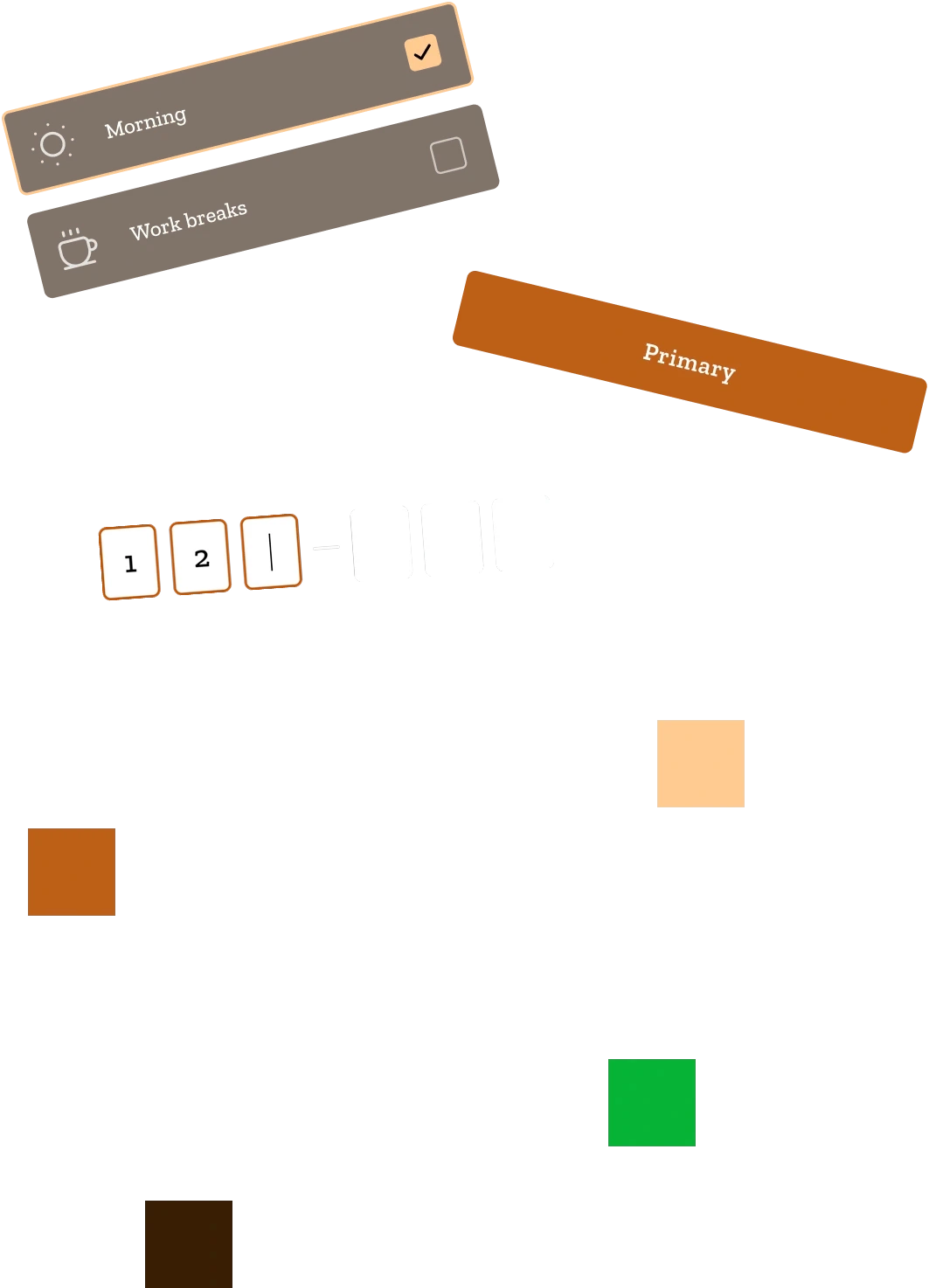
The style guide defined the core elements of the visual system, including color tokens, typography hierarchy, UI components, input states, icons, and illustration assets. These elements served as the foundation for building the entire interface in a consistent and scalable way.
Special attention was given to components frequently used throughout the application, such as buttons, input fields, menus, and form elements. Each component included its main states and usage examples to clarify interaction behavior and reduce ambiguity during implementation.
By documenting these core elements, the development team could work faster while maintaining design consistency across screens, ensuring that the final product closely matched the intended user experience.